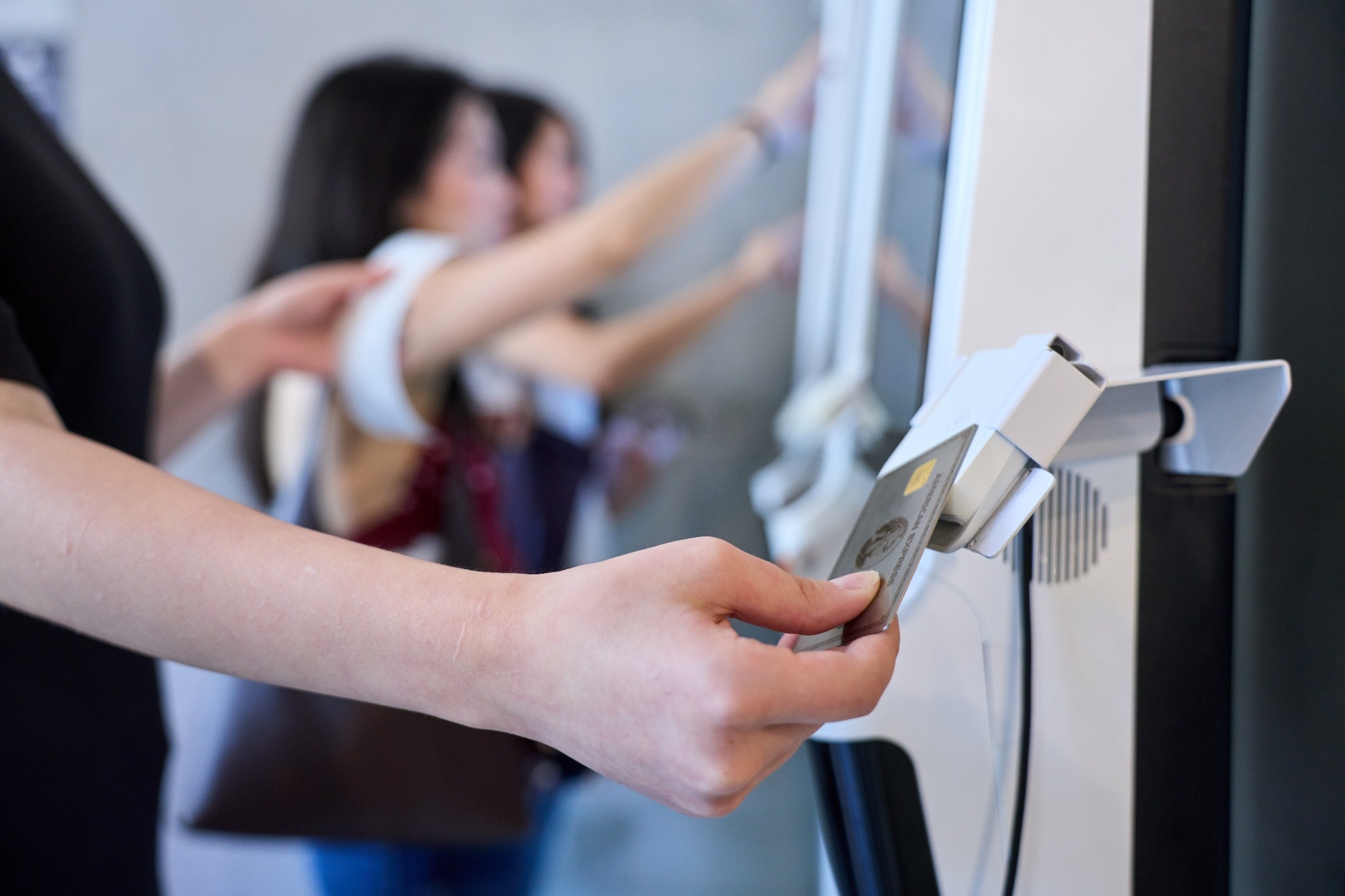
Ten years ago, the front of house in most Asian restaurants ran on a register, a paper notepad, and a card terminal. Today a single dining room might use an iPad at the counter, a kiosk by the door, tablets on every hot pot table, QR codes on the two-tops, handheld devices for servers, a pickup screen for takeout, and a row of delivery tablets by the kitchen pass. Each device was added for a good reason. Together, they often work against each other.
Operators are still investing. According to the National Restaurant Association's State of the Restaurant Industry report for 2026, as reported by Restaurant Business, 54% of operators plan to invest in front-of-house technology this year, and 60% plan to invest in technology that improves the customer experience. Guests are ready for it: the same research found 74% of consumers are comfortable ordering and paying through a mobile app and 68% are comfortable using kiosks, figures also reported by MarketScale.
The Asian restaurant sector, projected to reach $240 billion by the end of 2026, has its own reasons to get this right. Hot pot and all-you-can-eat dining rooms take many rounds of orders per table. Bubble tea shops handle more modifiers per order than almost any other format. Many restaurants serve guests who read Chinese, English, Korean, Japanese, or Spanish, sometimes at the same table. Generic front-of-house setups tend to struggle with all three.
The sector has grown 135% over the past 25 years, and much of that growth came from operators who expanded quickly: a second location, a delivery business, a takeout counter added to a dining room. Front-of-house technology was often added the same way, one device at a time, to solve the problem in front of the owner that month.
This playbook brings together what we have learned about each front-of-house device in a series of articles, and adds the piece that individual articles can't cover: how the devices should work together. The central argument is simple. Tablets, kiosks, and handhelds work best when they run on one system, share one menu, and send orders to one kitchen. The chapters below walk through each part of the front of house, then end with a roadmap by restaurant type.
Most front-of-house problems start where devices fail to share information. A kiosk with its own menu keeps selling an item the kitchen ran out of twenty minutes ago. A delivery tablet's orders have to be retyped into the POS. Table tablets from one vendor print tickets in a different format from the counter POS, so cooks read two layouts at once. At closing, the manager reconciles three sets of sales numbers.
Each of these gaps costs a few minutes. Across a dinner service, and across a month, they add up to hours of staff time and a steady stream of small mistakes guests notice.
Consider an illustrative full-service restaurant with a counter iPad, two delivery tablets, and table tablets from a separate vendor. Every day, a staff member retypes about forty delivery orders, at roughly a minute each. The kiosk and table menus are updated separately from the POS, which takes another twenty minutes on days with specials. At closing, the manager spends half an hour matching three sales reports. That is well over an hour of paid time every day spent moving information between devices, before counting the cost of a missed order or a dish sold after it ran out. The figures will differ for your restaurant, but the exercise is useful: list every task that exists only because two devices don't share data, and estimate the minutes.
Before adding any front-of-house device, ask whether it passes three tests:
● One menu. A price change or a sold-out item made once in the POS reaches this device immediately.
● One kitchen. Orders from this device arrive on the same kitchen display or printer, in the same format, as every other order.
● One set of numbers. Sales, payments, tips, and refunds from this device appear in the same reports as everything else.
A device that fails any of these tests adds a second system to manage. Sometimes that is acceptable for a short trial, but it should never be the long-term setup.
A front of house built on one system still needs one person responsible for it. In a single restaurant, that is often the general manager or the owner. In a group, it may be an operations manager at head office. That person decides which devices are added, owns the menu and its translations, sets permissions, and is the contact for the POS provider. Without a clear owner, settings drift: one manager adds a modifier on the kiosk, another changes a price at the counter, and within a few months the screens disagree.
Every front-of-house device serves a specific moment in the guest's visit: ordering before sitting down, ordering at the table, adding items during the meal, paying, and picking up. Choosing devices by moment, rather than by what a neighbor installed, keeps the system coherent. This decision map of where your line actually stalls is a useful starting point for counter-service restaurants, and the chapters below cover each moment in turn.
The counter is where an iPad POS fits most naturally. Staff ring up orders on a familiar screen, guests can review their order on a customer-facing display, and the station takes up far less space than an old register. For takeout-heavy Asian restaurants, the counter also handles phone orders and often the pickup of online orders.
A working counter needs more than the iPad: a locking stand, a reliable card reader, a receipt printer, a cash drawer if you take cash, and a network connection that holds up during the rush. This station-by-station look at where an iPad POS fits and where it needs help covers the full picture, and this setup guide to iPad POS stands and mounts covers the physical details, from cable runs to printer addresses.
The host stand is the first front-of-house station a dine-in guest meets, and on busy nights it decides how the evening starts. An iPad there can show the floor plan, live table status from the POS, reservations, and the waitlist on one screen. When guests can join the waitlist from their phone, the restaurant's website, or Google, and receive a text when their table is ready, the crowd at the door thins out and hosts spend less time answering the same question.
Chowbus's waitlist lets guests join through the Chowbus Waitlist app, Google, and the restaurant's website, sends SMS notifications, and connects with the POS so hosts can see table status and give more accurate wait times. Check Wi-Fi strength at the host stand before opening; it is often the weakest spot in the building.
Counters are usually sized for an average hour, and they fail at the busiest one. Estimate orders during your peak hour and how long one cashier needs per order, including payment. If one station can't keep up, add a second station, a handheld for line-busting, or a self-ordering kiosk. Each option has a different cost and a different effect on the guest experience, which the next chapter explores.
Counter devices are in public view all day. Lock the iPad in its enclosure, lock it to the POS app, and set permissions by role so cashiers can ring orders while voids, discounts, and refunds require a manager. A POS that records every action under an employee name makes cash discrepancies easier to trace and discourages misuse.
Operators often start by comparing iPad and Android hardware. In practice, the software, its offline behavior, and the support behind it decide far more than the operating system. This comparison of iPad and Android restaurant POS walks through total cost and reliability, this overview of the best iPad POS systems covers selection criteria, and this guide to tablet POS systems explains the common hardware and software pieces. Chowbus POS runs on iOS-powered Apple devices with an offline mode for ordering and payment.
Kiosks fit the moment when guests order and pay before sitting down or leaving. That makes them a natural match for quick-service restaurants, bubble tea shops, bakeries, and the takeout side of mixed-format restaurants. Several guests can order at once, slow deciders no longer hold up the line, and orders reach the kitchen without a cashier retyping them.
Kiosks are especially useful when orders carry many modifiers. A bubble tea order with sweetness, ice, and toppings is slow to take by voice and easy to mishear. On a kiosk, the guest sets every option and the drink station receives exactly what was chosen.
The hardware choice comes down to menu size and foot traffic. An iPad kiosk costs less upfront and suits short menus and smaller counters. A dedicated kiosk with a larger, commercial-grade screen suits large menus and heavy daily traffic. This comparison of an iPad kiosk and a dedicated kiosk covers durability, payment hardware, accessibility, and three-year cost.
Not every line is slow for the same reason. If guests spend most of their time deciding, an ordering kiosk helps. If the wait happens at payment, as in dim sum checkouts or buffets that charge at the door, a pay-only station or tableside payment helps more. Timing ten guests during a rush shows which stage is the bottleneck. This explainer on what a payment kiosk is covers the basics.
A kiosk is one of the best places to grow a loyalty program, because the guest is already holding the screen and entering details. A sign-up prompt at checkout, with a simple reward for joining, can bring in members who would never have asked a cashier about the program. For this to pay off, kiosk members need to be the same members recognized at the counter, in online ordering, and at other locations. A loyalty program that lives only on the kiosk splits your guest list in two. Check that points earned on the kiosk can be redeemed everywhere, and that member data appears in the same reports as the rest of your guests.
The first weeks with a kiosk decide whether guests adopt it. Run the kiosk next to a staffed register at first, assign a friendly staff member to help first-time users during busy hours, and rebuild the menu for a touchscreen, with clear photos, short names, and modifiers in a sensible order. Track how many orders come through the kiosk each week, and look at where guests abandon an order. This phased kiosk rollout plan lays out a step-by-step approach.
Kiosks change more than the ordering station. Orders arrive in bursts rather than one at a time, tickets carry more modifiers, cashier hours shift toward prep and pickup, and sold-out updates must reach the kiosk instantly. This look at the back-of-house changes restaurants with kiosks make covers each one. Plan pickup at the same time as the kiosk: Chowbus's self-ordering kiosk works with a customer pickup screen and sends SMS notifications when orders are ready, and it can prompt guests to join a membership program during checkout.
In dine-in restaurants, the main ordering moment happens at the table. Table tablets and QR codes put ordering in the guest's hands without sending them to a counter. They matter most in formats where guests order many times, such as hot pot, Korean barbecue, all-you-can-eat sushi, and dim sum.
Table tablets give guests a large screen with dish photos, let several diners order at once, and suit guests who prefer not to use their phones, which matters for many older diners and family tables. QR ordering runs on the guest's own phone, saves the cost of a tablet per table, and suits smaller tables and guests comfortable with mobile ordering. Many restaurants use both: tablets on large tables and QR on two-tops.
For all-you-can-eat and hot pot restaurants, the ordering rules matter as much as the device. Without limits, tables over-order premium items, rounds pile up in the kitchen, and dining times stretch on busy nights. Chowbus's all-you-can-eat POS supports per-item limits, category combinations, items-per-round caps, intervals between rounds, and dining timers with countdowns and advance warnings, on both table tablets and QR ordering. This walkthrough of what iPad POS software must handle for hot pot and AYCE follows one table through a full Saturday night.
Table ordering changes the rhythm of the kitchen. When guests order for themselves, rounds can arrive all at once from every table, especially in the first twenty minutes after a seating wave. Round limits and minimum intervals between rounds smooth that flow in all-you-can-eat formats. In other formats, a kitchen display that shows how long each ticket has been waiting, and routes items to the right station, helps cooks prioritize. Watch ticket times during the first weekends after launch, and adjust limits or station routing before guests start to notice waits.
Table ordering raises a natural question about payment. Some restaurants let guests pay through the same tablet or QR menu they ordered from, which suits casual formats and quick turns. Others keep payment with the server, using handhelds, because the end of the meal is an important moment of hospitality and because shared meals often need careful check splitting. Both approaches work. Choose based on how much your guests value the server's role and how often tables split the bill. This analysis of QR payment at the table covers where it helps and where it doesn't.
Asian restaurants often serve tables where guests read different languages. A digital menu that shows items, modifiers, and package rules in each guest's language reduces questions to servers and ordering mistakes, as long as the kitchen still receives tickets it can read. Chowbus's QR code ordering supports digital menus in multiple languages that can be edited without reprinting.
Handheld devices let servers take orders and payments at the table. Orders go straight to the kitchen without a walk back to a terminal, and payment happens in front of the guest with the card never leaving their sight. In full-service Asian restaurants with large dining rooms, patios, or multi-level floors, handhelds remove much of the walking that slows service.
Chowbus's handheld POS includes a built-in scanner and receipt printer, connects over Wi-Fi, captures digital signatures, and records tips at the table so servers don't enter tips manually after the shift.
Family-style dining makes check splitting a daily task. Shared plates, package pricing at hot pot tables, and birthday desserts rarely divide evenly. Handhelds that support splitting by guest, by item, or by amount at the table save several trips per check. Chowbus's POS supports split-check processing through its Guest Mode, with card and Apple Pay payment at the table.
When payment happens on a handheld at the table, the tip is recorded with the payment and attached to the server's check. That removes the late-night task of keying tips from paper slips and makes server checkout faster. It also makes the end-of-day close simpler, because card totals and the sales report come from the same data rather than from a separate terminal. This article on integrated payment processing and the end-of-day close explains what still needs checking at night.
Handhelds work best alongside fixed iPad stations, not as their replacement. The counter iPad handles takeout and phone orders, the host stand iPad manages the waitlist and floor plan, and handhelds follow servers through the dining room. Plan charging carefully: a charging station with a labeled slot for every device, and a mid-shift swap on long holiday nights.
Every device in this playbook depends on the network. A business-grade connection, a centrally placed router, wired connections for fixed devices such as kitchen printers and displays, and a backup connection such as a cellular router prevent many of the problems that get blamed on the POS. Check Wi-Fi strength at every station, including the host stand by the door and the far corners of the dining room.
Outages will happen. The question is what still works when they do. Ask any provider what each device can do offline: can the counter take orders and cards, do kitchen tickets still print on the local network, and what happens to kiosk and table orders? Then rehearse it. This guide to running an outage drill before a busy night walks through a twenty-minute rehearsal.
New front-of-house technology fails most often in the first week, when staff are still learning. Train by role on the actual hardware, keep a one-page cheat sheet at every station, and schedule your most experienced lead on every shift for the first week. This week-by-week guide to the first month on a tablet-based POS covers what to expect.
The more screens a restaurant runs, the more important menu discipline becomes. Assign one person to own menu changes, make every change in the POS, and confirm it reaches the counter, kiosks, table tablets, QR menus, and delivery platforms. Schedule seasonal and holiday items with start and end dates rather than relying on someone to remember. Review translations whenever a dish name or description changes, and photograph new dishes before they go live on guest-facing screens. Train shift leads to mark items sold out in the POS the moment the kitchen runs out, so every screen updates together.
Front-of-house technology should earn its place in measurable ways. Before adding a device, record a few baseline numbers, then compare them a month after launch:
● Ticket time from order to kitchen and from kitchen to table or pickup.
● Table turns or covers per hour during peak.
● Remakes and refunds caused by order mistakes.
● Average check, including add-ons and drinks.
● Labor hours by daypart.
● Guest comments and ratings that mention waiting, ordering, or payment.
Ask staff as well. The people using the devices every shift will tell you quickly which ones save time and which ones create workarounds.
When a device fails during service, the manager on duty needs help quickly, in a language they are comfortable using. Ask providers about support hours, response times, and languages. Chowbus offers 24/7 support in English, Chinese, and Spanish and works with more than 9,000 restaurants.
Start with an iPad POS at the counter, a kitchen display or drink-station printer, and one self-ordering kiosk. Add a pickup screen or text notifications as soon as kiosk orders grow, and a second kiosk once peak-hour data supports it. Keep one staffed register for guests who prefer it and for cash.
Start with fixed iPad stations at the host stand and bar, handhelds for servers, and kitchen displays by station. Add QR ordering for drinks and add-ons once the basics run smoothly, and use handhelds or QR payment for the check. Kiosks rarely fit here except on a separate takeout counter.
Start with table tablets or QR ordering, configured with item limits, round limits, and dining timers, plus handhelds for split checks and payment at the table. Make sure package tiers, timers, and limits work the same way on every ordering channel. Add a waitlist at the host stand for weekend crowds.
For restaurants with a takeout counter, a dining room, and heavy delivery volume, build every channel on one system from the start: kiosk or counter for takeout, tablets or QR for the dining room, and delivery orders flowing into the same POS and kitchen display. Review sales by channel monthly to decide where the next device belongs.
Groups should standardize the front of house across stores wherever service styles match, so staff can move between locations and head office can compare stores fairly. Push menu changes from head office to every store and every channel, allow local exceptions where prices or equipment differ, and use the same device layout at each new opening. Shared membership and gift cards across stores matter here as well, since guests see the group as one brand. Chowbus's multi-location management offers group and store-level reports with one-click switching between accounts, and membership benefits that apply at any store.
Across formats, a few mistakes come up again and again. Buying devices from several vendors that don't share a menu is the most expensive one, because it creates daily retyping and reconciliation that never goes away. Sizing hardware for an average hour instead of the peak is a close second. Launching kiosks or table ordering without planning pickup, sold-out updates, or kitchen routing moves the bottleneck instead of removing it. Skipping the network and the outage plan leaves every device exposed on the busiest night. And rolling out several new devices in the same week makes it hard to tell which one is causing trouble.
Each of these mistakes is avoidable with a little planning: one system, peak-hour sizing, a plan for the kitchen and pickup, a solid network, and one change at a time.
Whatever your format, begin with an inventory. List every front-of-house device you use today, which moment it serves, and whether it passes the three tests from Chapter 1: one menu, one kitchen, one set of numbers. The devices that fail those tests are where your staff are losing time today, and the place to start.
Q1: What is front-of-house technology in a restaurant?
It is the guest-facing and service-facing technology in the dining area: POS stations, kiosks, table tablets, QR ordering, handheld devices, pickup screens, and waitlist tools. Together they handle ordering, payment, and pickup.
Q2: Should an Asian restaurant use kiosks, tablets, or handhelds?
It depends on service style. Counter-service and bubble tea shops usually benefit most from kiosks, hot pot and all-you-can-eat restaurants from table tablets or QR, and full-service dining rooms from handhelds. Many restaurants use a combination on one system.
Q3: Why should front-of-house devices run on one system?
One system means one menu, so sold-out items and price changes reach every device at once; one kitchen, so tickets arrive in the same format; and one set of numbers, so closing and reporting stay simple.
Q4: Are guests comfortable with self-ordering technology?
Research from the National Restaurant Association for 2026, as reported by Restaurant Business, found 74% of consumers comfortable ordering and paying through a mobile app and 68% comfortable using kiosks.
Q5: What front-of-house features matter most for hot pot restaurants?
Table ordering with item limits, round limits, and dining timers, package pricing by tier, multilingual menus, and split checks at the table. Test them with a real multi-round order before buying.
Q6: How do I keep front-of-house technology running during an internet outage?
Choose a POS with an offline mode, use wired connections for fixed devices, add a backup internet connection, and rehearse what staff should do when the connection drops.
Q7: Where should a restaurant start when upgrading front-of-house technology?
List every current device, the service moment it covers, and whether it shares the menu, kitchen, and reports with the rest of the system. Replace or connect the devices that don't before adding new ones.