Guests notice the new screens at the front. What they don't see is everything that changed behind the counter to make those screens work. Restaurants with kiosks often find that the biggest adjustments happen in the kitchen, at the pickup shelf, and in the schedule, and these are easy to leave out of the plan when everyone's attention is on the screens.
This article looks at the back-of-house side of self-ordering: how orders reach the kitchen, how prep and stations shift, what happens to the cashier's hours, how menus and inventory are managed, and what new routines appear. Each section compares how a counter typically ran before kiosks and what tends to change afterward, so you can plan those changes before the first kiosk arrives instead of discovering them during a lunch rush. If you are planning the rollout itself, this phased kiosk rollout plan covers the front-of-house steps.
Before: A cashier took one order at a time, so tickets reached the kitchen at a steady, human pace. During a rush, the line at the register acted as a brake on the kitchen.
After: With several kiosks taking orders at once, that brake disappears. Four guests can finish ordering within the same minute, and four tickets arrive together. Kitchens that were comfortable with a steady flow suddenly face bursts.
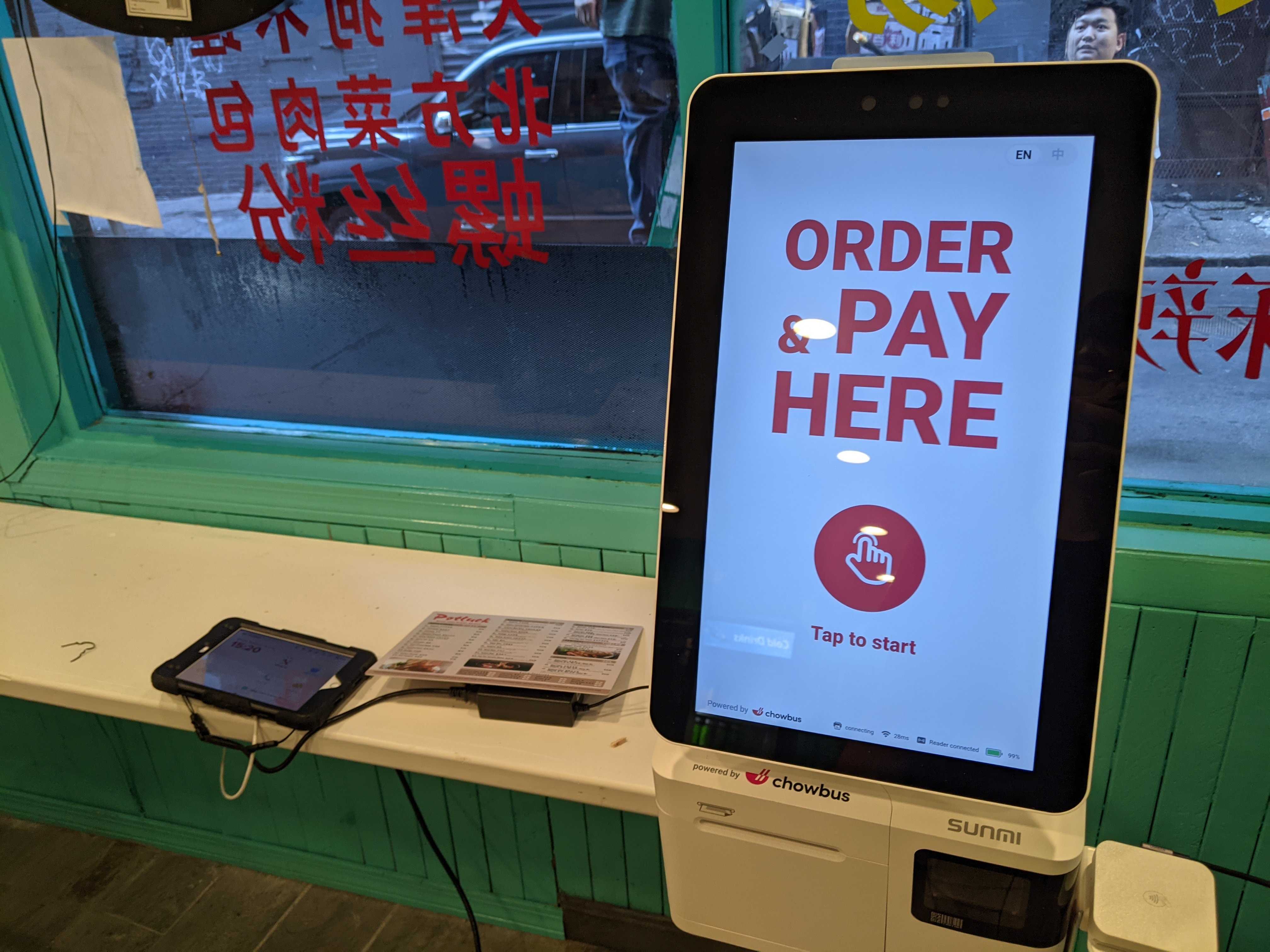
Restaurants handle this in a few ways. A kitchen display system that shows orders in sequence, with timers for each, helps cooks see what is waiting and for how long. Routing items to the right station, such as drinks to the drink station and fried items to the fryer, keeps one cook from receiving every ticket. Chowbus's kiosk sends orders directly to the kitchen display or printer, so there is no re-entry step between the guest and the line. Watch your ticket times for the first few weeks to see where the bursts cause delays.
Before: Guests said "the usual" or "make it spicy," and the cashier translated that into whatever shorthand the kitchen understood.
After: Guests choose every option themselves, and kiosks make it easy to customize. Tickets arrive with more modifiers than before: half sugar, less ice, extra toppings, no onions, sauce on the side. That is good for accuracy and often good for sales, since add-ons cost extra, but it means more for the kitchen to read on every ticket.
Review how modifiers appear on the kitchen screen or printed ticket. Group them clearly under each item, use short names cooks recognize, and highlight anything that changes how the dish is made, such as allergies. A ticket that is hard to read slows the line down more than an extra modifier does.
Make the order type obvious, too. A kiosk order may be for dine-in or takeout, and the kitchen needs to know which before it plates or packs. Print or display the order type at the top of each ticket, in large text, along with the order number the guest will listen for. Restaurants that also take online and delivery orders should label every channel the same way, so a cook glancing at the screen can tell at once whether a bowl goes on a tray or into a bag with utensils and sauce cups. Small mix-ups here create remakes and slow the pickup shelf on exactly the busiest days.
Before: Prep levels were set by experience. Cooks knew roughly how many orders of each item a Friday lunch would bring.
After: Kiosks often shift what sells. Items with good photos and easy add-ons may sell more, and combos placed prominently on the screen can change the mix. Kiosk sales data shows exactly which items and options guests choose, and when. Use that data after the first two or three weeks to adjust prep pars, so popular items are ready before the rush rather than made from scratch during it.
Some restaurants also rearrange stations. If drink orders grow, the drink station may need more space or a second person at peak. Bubble tea shops using kiosks can go further. Chowbus's kiosk can print drink labels with QR codes for shops connected to a compatible tea machine, so staff scan the label and the machine prepares the base drink.
Before: At least one person stood at the register for every open hour, more during rushes.
After: Kiosks take over much of the ordering and payment work, but most restaurants with kiosks still keep someone at the front. In many cases the hours move rather than vanish: a host near the kiosks helps first-time users and handles cash payers, an expediter checks orders before they leave the counter, and extra prep time helps the kitchen keep up with the bursts described above.
Look at your schedule after a month. Track where staff time actually goes during peak hours, and adjust shifts to match. Labor needs may change by daypart: kiosks might handle the entire lunch rush while the evening crowd, with more questions and larger groups, still needs a person at the counter.
Before: The cashier called out names or numbers, and guests waited close by since they had just ordered from that person.
After: Kiosk guests often don't know who is preparing their order or where to pick it up. Without a clear system, they crowd the counter and interrupt staff to ask. A dedicated pickup shelf, clear order numbers, and a screen showing order status reduce those interruptions. Chowbus's kiosk works with a customer pickup screen and sends SMS notifications when orders are ready, so guests can wait away from the counter.
Before: When an item ran out, the cashier simply told guests. A handwritten sign might go up on the register.
After: A kiosk keeps showing an item until someone removes it. If the kitchen runs out of a popular item and the kiosk doesn't know, guests keep ordering it, and staff have to find each guest to offer a substitute or a refund. Make marking items sold out part of the kitchen's routine, and confirm that a change on the POS updates the kiosks, online ordering, and any other channel immediately.
Menu changes also become more structured. Prices, photos, and descriptions on the kiosk need to be kept current, and seasonal items need start and end dates. Assign one person to own menu updates so changes are made once and appear everywhere.
Before: Most sales went through the register, and the cash drawer took real time to count at close.
After: With more guests paying by card or phone on the kiosk, the cash drawer shrinks and closing gets faster, as long as kiosk sales are recorded in the same POS. Kiosks that run on a separate system create a second report to reconcile every night.
A new routine appears as well: cleaning the screens. Kiosks are touched by every guest, and a smudged screen is less responsive and looks neglected. Add screen wiping to opening, mid-shift, and closing checklists, and keep the right cleaning supplies near the kiosks.
Kiosk sales leave a detailed record: which items and modifiers guests choose, how often they accept add-ons, how many orders come through kiosks versus the counter, and which hours are busiest. Review it monthly and compare it with the weeks before the kiosks arrived. It can guide menu changes, staffing, and promotions. Chowbus's kiosk can also display promotions and prompt guests to join a membership program during checkout, which gives you a way to bring kiosk guests back. For an overview of kiosk features and hardware, see the Chowbus restaurant kiosk page.

Q1: How do kiosks change kitchen operations?
Orders arrive in bursts instead of one at a time, and tickets carry more modifiers. A kitchen display with timers, clear modifier formatting, and routing to the right stations help the kitchen keep up.
Q2: Do restaurants with kiosks need fewer staff?
It depends on the restaurant and the daypart. Kiosks take over much of the ordering and payment work, but someone is usually still needed to help guests, expedite orders, or support prep during rushes.
Q3: How should a restaurant handle pickup after adding kiosks?
Set up a dedicated pickup area, use clear order numbers, and show order status on a pickup screen or send text notifications so guests don't crowd the counter.
Q4: What happens when an item sells out on a kiosk?
It keeps showing until someone marks it unavailable. Make updating sold-out items part of the kitchen routine, and use a system where a change on the POS updates every ordering channel at once.
Q5: Do kiosks make closing faster?
Usually, because more guests pay by card and the cash drawer is smaller. That depends on kiosk sales being recorded in the same POS, so there is only one report to reconcile.
Q6: What should I review after the first month with kiosks?
Check ticket times, item and modifier sales, the share of orders through kiosks, add-on rates, and where staff time goes during peak hours, then adjust prep, stations, and schedules.
The screens at the front are the visible part of self-ordering. Behind the counter, orders arrive in bursts, tickets grow more detailed, cashier hours move toward prep and pickup, and menu updates need a clear owner.
Plan for those changes before the kiosks arrive, then use the first month of data to adjust. Restaurants that prepare the kitchen, the pickup shelf, and the schedule alongside the screens get the most out of self-ordering.