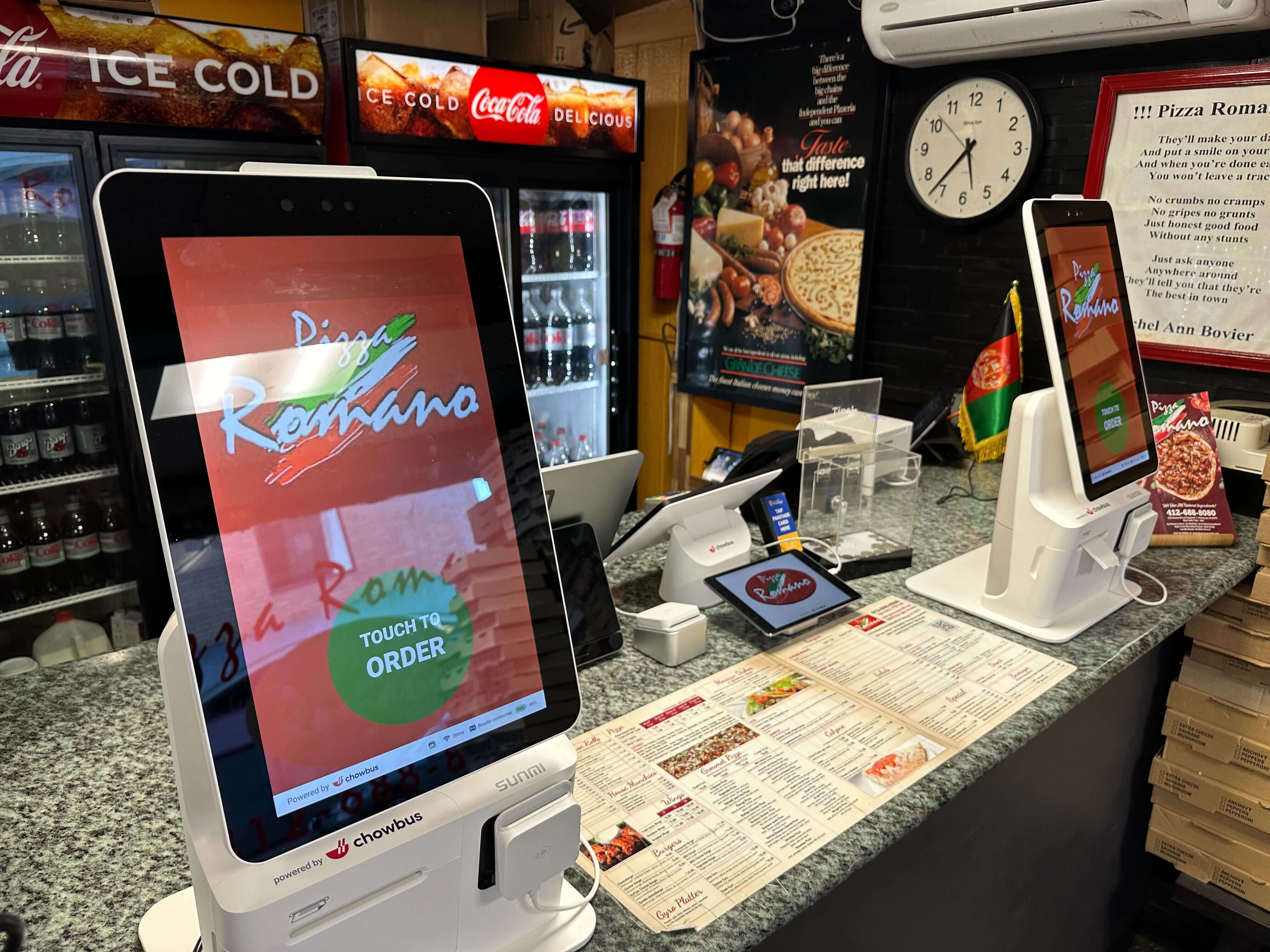
The line at the counter is twelve people long, and the owner is sure a kiosk will fix it. Before buying one, it helps to stand at the back of that line with a stopwatch. How long does each guest spend deciding what to order? How long does it take to pay? The answer tells you which kind of kiosk will actually make the line shorter.
"Payment kiosk" is used in two ways. Some vendors use it for any self-service kiosk that takes payment, where guests browse the menu, order, and pay on one screen. Others mean a pay-only station, where guests settle a bill or prepay without ordering on the device. This article compares the pay-only kiosk with the full ordering kiosk, explains which bottleneck each one solves, and shows how to tell which one your restaurant needs. For a general introduction, see this overview of what a payment kiosk is.
Every counter transaction has two main stages: ordering and paying. Ordering includes reading the menu, asking questions, choosing options, and the cashier entering it all. Paying includes the total, the card or cash, a tip prompt, and the receipt.
Spend twenty minutes during a rush timing ten guests. Note when each one reaches the counter, when they finish ordering, and when they finish paying. Most restaurants find one stage takes far longer than the other. At a bubble tea shop where guests choose sweetness, ice, and toppings, ordering usually dominates. At a restaurant where guests have already eaten and are paying a check at the front, paying dominates. The kiosk you choose should take over the slow stage.
An ordering kiosk lets guests browse the menu, customize items, and pay on their own. It moves the slowest part of many quick-service transactions, the decision, away from the cashier. Several guests can order at the same time on several kiosks, so one undecided guest no longer holds up everyone behind them.
Ordering kiosks work best when the menu has many options and guests take time to choose. They also help with accuracy. Guests enter their own modifiers, so there is less room for a cashier to mishear "half sugar, no ice." Orders go directly to the kitchen display or printer, which can shorten the time between ordering and the kitchen starting work.
Chowbus's self-ordering kiosk, for example, lets guests browse dish photos and descriptions, choose options such as sweetness and toppings, and pay, with orders sent straight to the kitchen display or printer. It can also prompt guests to join a membership program during checkout.
A pay-only kiosk handles the last step. Guests who have already ordered, from a server, at a counter, or on a table tablet, pay on their own at a station near the exit or the counter. Some restaurants also use pay-only stations for prepayment, such as paying an all-you-can-eat fee before being seated.
This fits restaurants where payment is the bottleneck. A dim sum restaurant where guests carry a card stamped with dishes to the front, a cafeteria-style line where trays are totaled at the end, or a buffet where guests pay at the door can all see payment lines form. A pay-only station lets guests settle without waiting for a cashier, and it frees staff for the parts of service that need a person.
Pay-only kiosks have limits. Guests still need a way to identify their bill, usually by scanning a code on a ticket or entering a table or order number. If that step is confusing, the kiosk adds a new delay of its own. Test the lookup process with real guests before relying on it.
In full-service dining rooms, the payment wait often happens at the table rather than at a counter. Guests wait for the check, wait for the server to take the card, and wait again for the card to come back. A kiosk at the front does little for that.
Tableside payment usually fits better here. A server with a handheld device can take payment at the table, including tip selection. Chowbus's handheld POS supports card and Apple Pay at the table. QR code payment is another option, letting guests pay from their own phones. This breakdown of QR payment at the table covers where it works well and where it doesn't.
A few common formats show how the choice plays out.
Bubble tea and coffee shops: Ordering is usually the slow part because of customization. An ordering kiosk tends to shorten the line most. Pair it with a pickup screen or text notifications so guests don't crowd the counter waiting for their drinks.
Fast casual and noodle shops: Ordering and paying are often both busy. An ordering kiosk handles both steps on one screen, and keeping one staffed register for guests who prefer a person covers everyone.
Dim sum and cafeteria-style service: Guests order or pick up food during the meal and pay at the end. Payment is the bottleneck, so a pay-only station near the exit, or more staff at the register during peak hours, makes more difference than an ordering kiosk.
All-you-can-eat with a fixed price: If guests pay before being seated, a pay-only kiosk at the entrance can speed up the start of the meal. If they pay at the end, tableside payment usually works better.
Full-service restaurants: The wait is usually at the table, not at a counter. Tableside handhelds or QR payment usually help more than any kiosk.
Restaurants that add ordering kiosks can notice a new crowd a few weeks later, this time at the pickup counter. Orders now reach the kitchen faster and in bigger bursts, and guests who ordered on a kiosk don't always know when or where to collect their food. They gather around the counter, ask staff about their order, and block the path for guests who are still ordering.
Plan pickup at the same time as the kiosk. A pickup screen that shows which orders are being prepared and which are ready lets guests wait at a distance. Text notifications let them sit down or step outside. Chowbus's kiosk, for example, syncs with its customer pickup screen and sends SMS notifications when an order is ready. A clearly marked pickup shelf, separate from the ordering area, keeps the two flows from colliding. If the kitchen becomes the new bottleneck, look at how tickets are routed to stations and whether prep can start earlier for your most popular items.
Whichever kiosk you choose, it should connect directly to your POS, so payments appear on the right orders, tips and refunds are tracked, and the end-of-day close includes kiosk sales automatically. A kiosk that runs on a separate system creates a second set of numbers to reconcile every night.
Also check payment options. Guests expect to tap a card or phone, insert a chip card, and use mobile wallets. Decide what to do for cash payers: some restaurants keep one register open, while others let kiosk guests choose "pay at counter." Make sure receipts and order numbers are clear, and that guests who need help can easily find a staff member.
After launch, time the line again. Compare the wait from joining the line to finishing payment with your earlier numbers. If the line is still long, look at which stage is slow now. The bottleneck may have moved to pickup or to the kitchen, which tells you where to focus next.

Q1: What is a payment kiosk in a restaurant?
The term covers two setups. Some use it for any self-service kiosk where guests order and pay, while others mean a pay-only station where guests settle a bill or prepay without ordering on the device.
Q2: Which shortens the line more, a payment kiosk or an ordering kiosk?
It depends on where your line slows down. If guests spend most of their time deciding and customizing, an ordering kiosk helps more. If the wait happens when guests pay, a pay-only station or tableside payment helps more.
Q3: How do I find the bottleneck in my restaurant's line?
Time ten guests during a rush, noting when they reach the counter, finish ordering, and finish paying. Whichever stage takes longer is the one to address.
Q4: Are pay kiosks a good fit for full-service restaurants?
Usually not as a first choice. In full-service dining, the payment wait happens at the table, so handheld devices or QR payment at the table tend to help more than a kiosk at the front.
Q5: Can a kiosk accept cash?
Most restaurant kiosks are designed for cards and mobile wallets. Restaurants that serve cash-paying guests typically keep a staffed register or offer a "pay at counter" option.
Q6: What should a restaurant kiosk connect to?
It should connect directly to the POS and kitchen display or printer, so orders, payments, tips, and refunds are recorded in one system and included in the daily close automatically.
A long line has a slow stage, and the right kiosk takes over that stage. When guests stall while deciding, an ordering kiosk gives them their own screen and time to choose. When they stall while paying, a pay-only station or payment at the table is usually the better match.
Before you buy, spend twenty minutes with a stopwatch at the back of your own line. Those notes will point you to the kiosk that will actually shorten your wait.