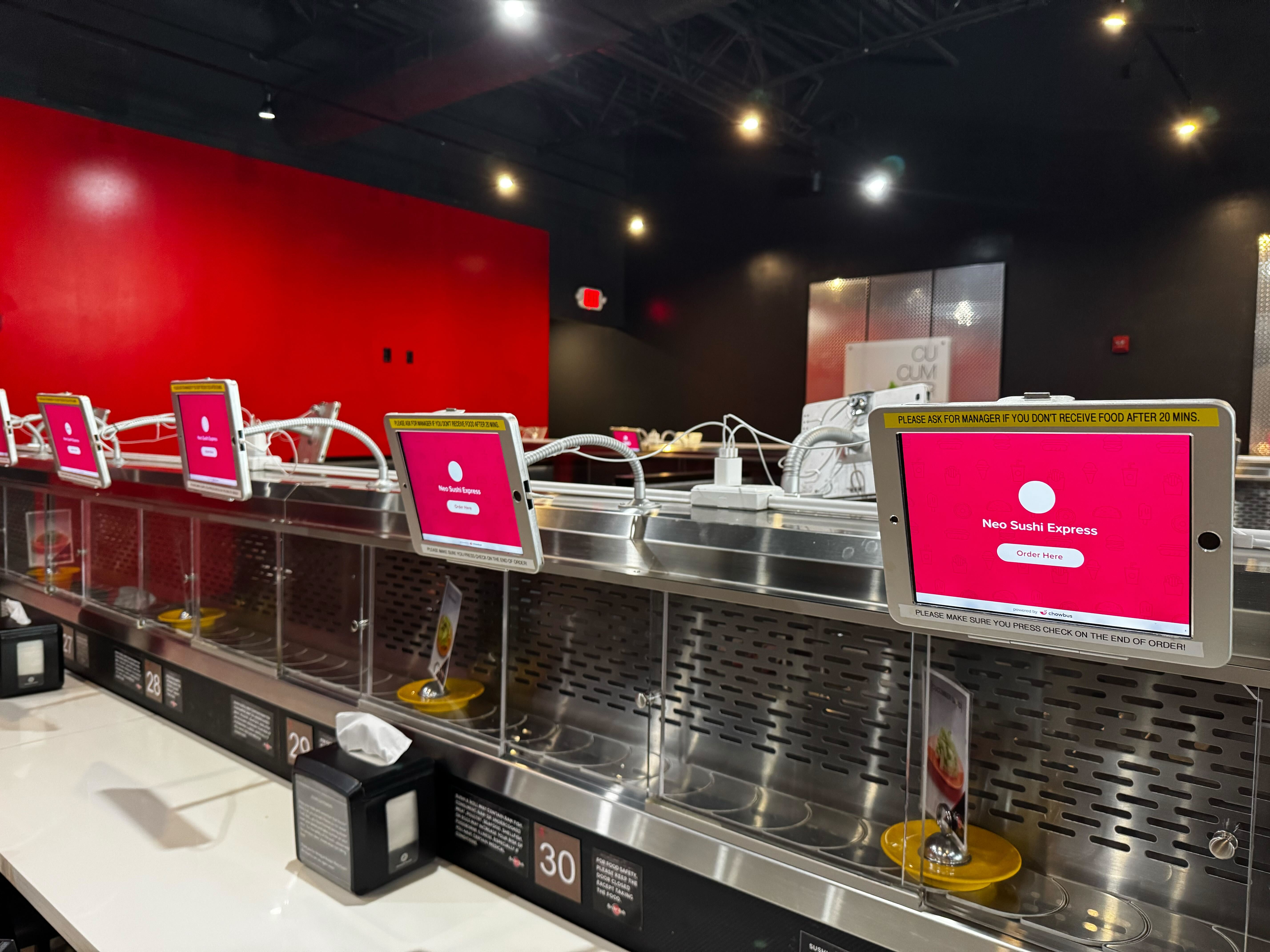
Every ticket that gets lost between the front of house and the kitchen costs you more than the dish itself — it costs you the table, the review, and the next visit. For high-volume Asian restaurants running multiple stations, a poorly managed kitchen workflow isn't a minor inconvenience. It's the reason your best cooks burn out and your guests stop coming back.
Across 9,000+ restaurants in all 50 states, the pattern is consistent: the operations that run tightest under pressure aren't the ones with the most staff. They're the ones with the clearest communication between the dining room and the kitchen. That gap — between the server hitting "send" and the cook knowing exactly what to make — is where kitchen display technology earns its place.
In this guide, you'll understand what a modern kitchen display actually does, how it compares to the paper ticket systems most restaurants still rely on, and what to look for when choosing one for your operation — so you can run faster service with fewer errors.
The difference comes down to what your kitchen sees, and when it sees it.
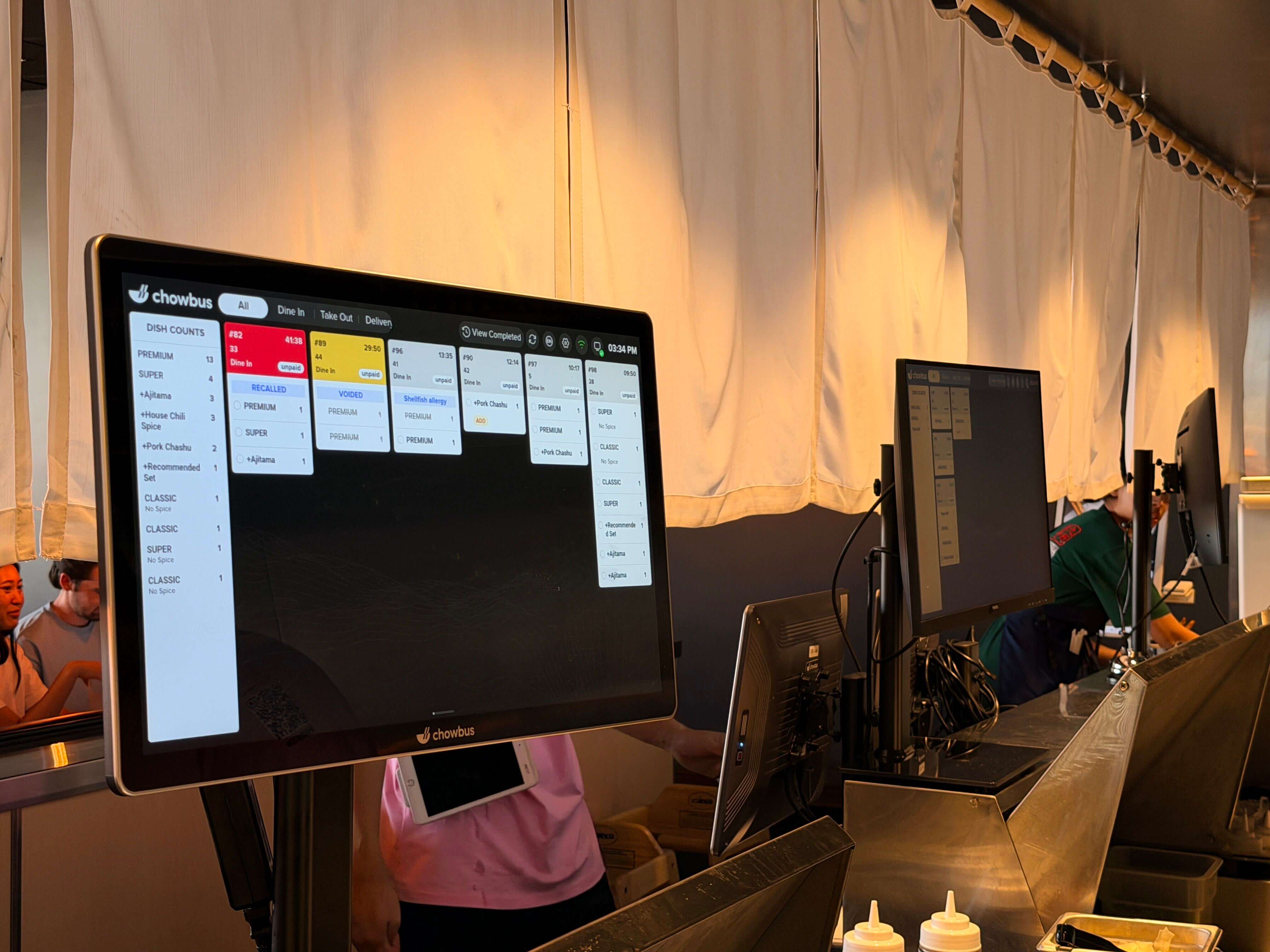
Strip away the marketing language and a kitchen display is a screen mounted in your kitchen that replaces printed tickets. Orders come in from the front of house — through your POS, QR code ordering, or online channels — and appear on that screen in real time, organized by station, time, and priority.
But that basic description undersells what it changes in practice. With a paper ticket system, a server writes or prints an order, walks it to a pass, and clips it to a rail. The cook works through a physical stack. If the ticket smudges, blows off the rail, or gets placed out of sequence, there is no backup. In a lunch rush handling forty covers at once, that is not a hypothetical. It happens multiple times per service.
A kitchen display eliminates that entire chain of failure. The order is digital, timestamped, and visible to every station that needs to see it simultaneously. A modification made at the table updates on the screen instantly — no reprinting, no running back to shout a correction. When a dish is ready, the cook marks it complete and the front of house knows without a phone call or a shout across the pass.
For multi-station kitchens — common in Chinese restaurants with a wok station, cold station, and dim sum station running in parallel — the ability to route specific items to specific screens is the difference between a coordinated service and a chaotic one.
Asian restaurant kitchens operate with a level of complexity that most generic POS systems don't account for. A single hot pot table might generate an order with twelve individual line items: two types of broth, multiple protein platters, vegetables, sauces, and add-ons ordered in batches throughout the meal. All-you-can-eat (AYCE) operations see continuous re-orders from the same table. A dim sum service runs entirely differently from a la carte.
When that volume hits a paper ticket system, the kitchen loses the plot. Tickets pile up. Cooks spend mental energy sorting and prioritizing rather than cooking. The average table wait time extends. Guests who ordered thirty minutes ago start looking for their server.
A kitchen display designed for these environments handles the complexity at the system level. Items can be grouped by course or by station. AYCE re-orders show up tagged to the originating table so cooks know what round each table is on. Broth base selections display alongside the table's full protein order so nothing gets assembled incomplete.
The result is a kitchen that runs on information rather than memory and improvisation.
Most operators who have never used a kitchen display system underestimate the cost of the paper system they already have. The cost is not just in consumables — though thermal paper and printer maintenance add up. The real cost is in errors and their downstream consequences.
A wrong dish sent to the wrong table costs the food and the labor to remake it. An order that gets buried under a newer ticket means one table waits much longer than another at the same time — and that guest notices. A kitchen that can't communicate back to the front of house about delays leaves servers guessing and tables frustrated.
Industry research consistently shows that order errors in high-volume restaurants are largely a communication failure rather than a cooking failure. The cook knew how to make the dish. The information about what the table wanted, modified mid-order, never reached them accurately.
A kitchen display closes that gap. For a restaurant doing two hundred covers on a Friday night, reducing errors by even 5% translates to measurable savings in food cost, remade dishes, and goodwill.
Not all kitchen displays are the same, and the wrong choice creates its own problems. Here are the features that matter for a serious restaurant operation:
Screen durability and visibility. A kitchen is a hot, humid, greasy environment. Consumer-grade screens fail quickly. Look for commercial-grade displays with brightness ratings sufficient for visibility under harsh lighting, and IP-rated enclosures that handle cleaning with commercial degreasers.
Integration with your POS. A standalone kitchen display that doesn't connect to your POS is just an expensive bulletin board. The display should receive orders automatically the moment they are entered, with no manual re-entry step. If your POS and KDS are from different vendors, integration reliability becomes a daily operational risk.
Multi-station routing. Larger kitchens need to route different items to different screens. A wok station doesn't need to see the cold appetizer tickets, and vice versa. Look for systems that allow granular routing by menu category or item type.
Bump and recall. Cooks should be able to mark items complete with one tap (bump) and recall a mistakenly cleared order without starting over. How intuitive this interaction is matters at speed.
Multilingual display support. For Asian restaurant operators managing bilingual kitchen staff, the ability to display order items in both English and Chinese — or other languages — reduces the cognitive load on cooks and eliminates translation errors. This is a feature most generic KDS systems don't offer, but it's operationally significant in any kitchen where English is not the primary working language.
Cloud connectivity. A cloud-connected KDS lets managers monitor kitchen performance remotely — ticket times, order volumes, station loads — without being physically present. For operators running multiple locations, this visibility is essential.
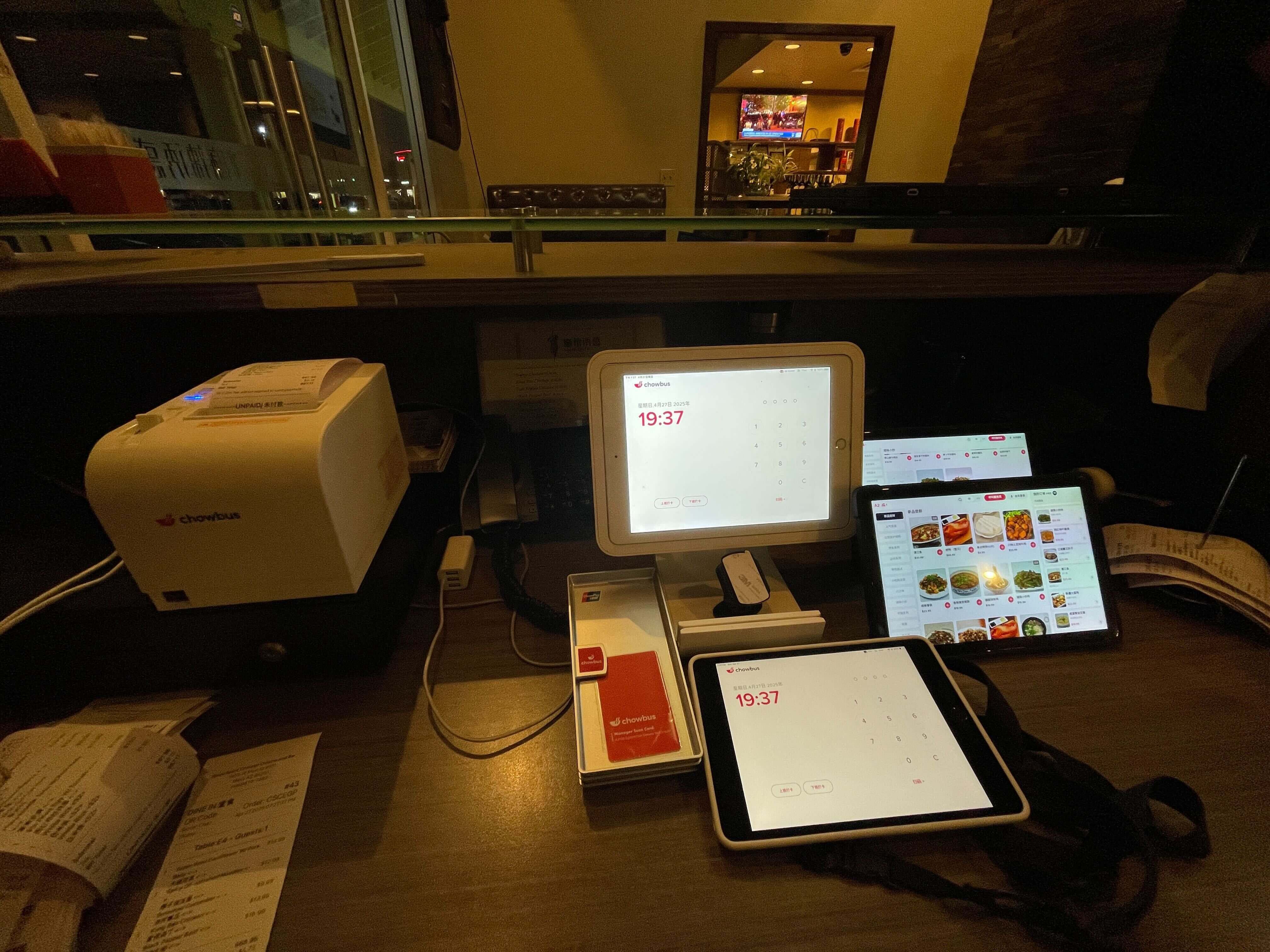
A kitchen display doesn't work in isolation. Its value multiplies when it is part of a fully connected system: the POS processes the order, the KDS displays it to the right station, the front-of-house staff can see when items are marked ready, and the manager can pull reports on average ticket times and station performance.
Chowbus builds its kitchen display as a native part of its all-in-one POS platform. When a server takes an order, modifies a dish, or adds a late request, that change appears on the kitchen screen immediately — no relay step, no manual update. For hot pot and AYCE restaurants, the system handles the continuous re-order flow that would overwhelm a ticket rail in thirty minutes.
The bilingual display capability means that item names appear in both English and Chinese across every screen, keeping the kitchen team aligned regardless of which language each staff member works in. That's not a cosmetic feature. In a kitchen with mixed-language staff, a mistranslation at the ticket level costs a dish.
Running a clean service requires clean communication. The kitchen display is the tool that makes that communication consistent rather than dependent on memory, habit, and luck. For a high-volume Asian restaurant — where the order complexity is real and the margin for error is tight — having that information displayed clearly, routed correctly, and updated in real time is not optional. It is the foundation of a kitchen that can actually perform under pressure.
The restaurants that invested in this infrastructure early aren't running faster because they have better cooks. They're running faster because their cooks aren't spending mental energy on work the technology should be handling. That is a competitive advantage that compounds every service.
If you're evaluating options, the right question is not whether to add a kitchen display. It's which system fits your kitchen layout, your staff's language needs, and your POS infrastructure — and whether those three things come from one platform or three different vendors you'll need to manage separately.
Q1: What is a kitchen display and how does it differ from a ticket printer? A: A kitchen display is a commercial screen mounted in the kitchen that receives orders digitally from your POS system and shows them in real time. Unlike a ticket printer, it updates instantly when orders are modified, doesn't run out of paper, and allows cooks to mark items complete so the front of house knows status without any verbal communication. For high-volume restaurants, the elimination of physical tickets removes an entire category of errors.
Q2: How do I know if my restaurant needs a kitchen display? A: If you're running more than fifty covers per service, managing multiple kitchen stations simultaneously, or dealing with frequent order errors and miscommunications between the front and back of house, a KDS will have a measurable impact. The case is even stronger for restaurants with complex order structures — hot pot, AYCE, dim sum — where ticket volume per table is high and re-orders are frequent.
Q3: Can a kitchen display work with my existing POS system? A: It depends on the POS. Most modern cloud-based POS systems can integrate with at least one KDS option, but the depth of integration varies significantly. A native integration — where the KDS and POS are from the same platform — is more reliable than a third-party bridge. Before purchasing a standalone KDS, confirm with your POS provider what integration is available and how modifications and voids are handled.
Q4: How much does a kitchen display system typically cost? A: Pricing varies by hardware grade and software model. Entry-level displays start around $200–$400 for the screen itself. Commercial-grade units built for restaurant environments run $500–$1,000 per screen. Most modern KDS solutions operate on a subscription model for the software, typically $20–$60 per month per location depending on the platform. When evaluating cost, factor in the savings from reduced order errors and reprinting, which for a busy restaurant often offset the hardware cost within a year.
Q5: Can a kitchen display support multiple languages? A: Standard KDS systems display orders in whatever language your POS menu is configured in. Multilingual support — showing items in both English and Chinese, for example — requires a POS platform that natively supports bilingual menus and passes that data to the KDS. Chowbus supports multilingual menu display across its POS and KDS, which matters practically for kitchens where staff work in different languages.
Q6: What happens if the internet goes down and my KDS is cloud-based? A: Reliable cloud-based POS and KDS systems include offline mode functionality. Orders taken while offline are stored locally and the KDS continues to display them. When connectivity resumes, data syncs automatically. Confirm this capability specifically with any vendor you evaluate — offline resilience is not universal, and for a restaurant mid-service, an internet outage that takes down your order system is a serious operational risk.