Buying a kitchen display system because it was first in a search result is how operators end up with hardware that lasts eighteen months and software that crashes on a Saturday night. The "best" KDS isn't the most reviewed, the most affordable, or the most feature-rich. It's the one that matches how your kitchen actually operates.
In this guide, you'll find the criteria that actually distinguish good kitchen display systems from adequate ones, what to compare when evaluating options, and where Chowbus fits for Asian restaurant operators specifically — so you can narrow your shortlist based on factors that hold up past the first service.
The options aren't all equivalent. Here's how to tell them apart.## The Criteria That Actually Separate Good KDS Options From Weak Ones
Every KDS vendor will tell you their system is reliable, easy to use, and integrates well with your POS. Those claims are universal and therefore useless for comparison.
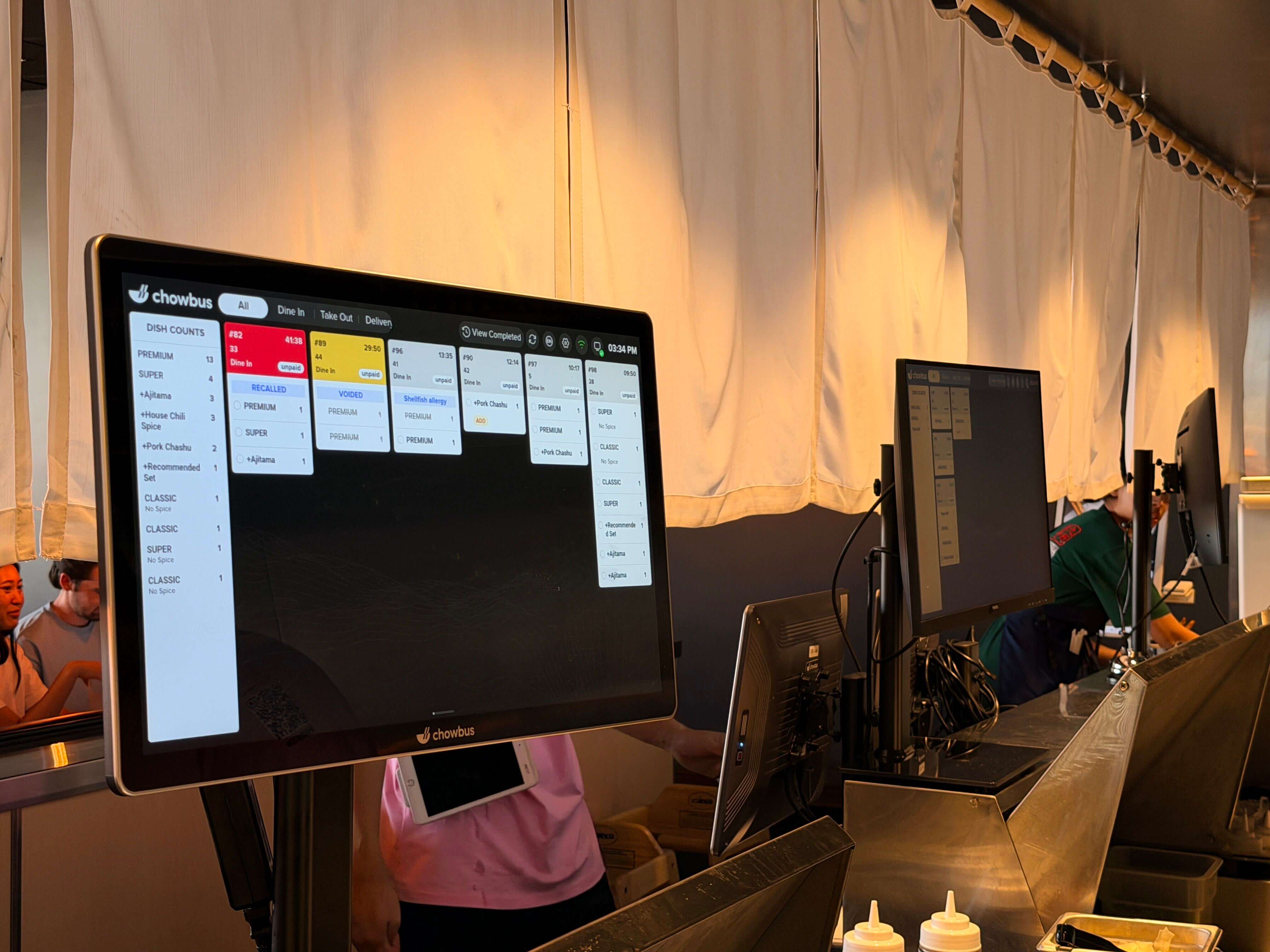
Depth of POS integration. A kitchen display is only as useful as the information it receives. A shallow integration sends item names and quantities. A deep integration sends item names, quantities, modifiers, allergy flags, table numbers, seat numbers, order timestamps, and status updates in both directions. The difference between these two data sets is the difference between a kitchen that has enough information to execute correctly and one that is routinely guessing.
Reliability under load. The system will be tested hardest at the worst possible time — a full house on a holiday weekend. Cloud-dependent systems without local offline mode are a liability. Hardware not rated for commercial kitchen conditions fails faster than expected. Ask specifically about the last time a vendor's system went down during service, and what the fallback procedure was.
Multi-station routing capability. For any restaurant with more than one cooking station, the ability to route specific item types to specific screens — rather than displaying everything on every screen — is the feature that determines whether the system actually reduces kitchen workload or just moves the sorting problem from a paper rail to a digital one.
Support quality and response time. When the system goes down at 6:30pm on a Friday, what happens? A support team that responds in two minutes with someone who understands restaurant operations — and ideally speaks the language your manager uses — is worth more than a 30-day free trial or a polished onboarding experience.
Fit for your service format. A KDS built for a standard American casual dining environment will perform differently in an AYCE hot pot restaurant or a dim sum operation. The specific features that matter — re-order tagging, continuous order flow management, bilingual display, high per-table item volume handling — vary by format, and most KDS options don't have them all.
The KDS market in 2026 has matured into a few distinct tiers, each serving a different restaurant profile.
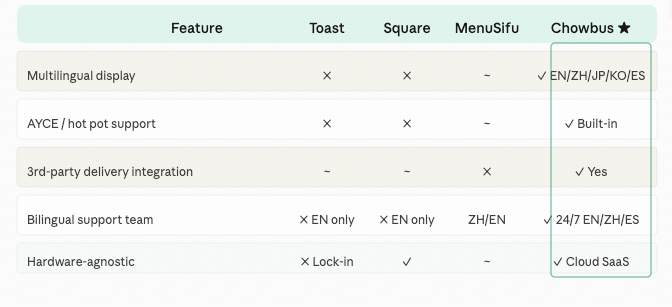
Toast KDS is the most widely deployed kitchen display in the U.S., built as part of the Toast ecosystem. For restaurants already on Toast POS, the native integration is its primary advantage. For Asian restaurants, the system lacks multilingual display, AYCE-specific features, and any tooling built for the continuous re-order patterns of hot pot or dim sum service. It performs well in standard order flow environments. It is not designed for the complexity of a busy Asian restaurant kitchen.
Square KDS is positioned at the lower end of the market — accessible, easy to set up, and well-integrated with Square POS. For small restaurants doing lower volume, it works. For high-volume operations with multi-station kitchens and complex order structures, Square KDS doesn't have the routing depth or the order management features to keep up.
Lightspeed KDS targets higher-end full-service restaurants and has strong inventory integration. It is expensive and complex to configure, and like the others, has no specific tooling for Asian restaurant service formats.
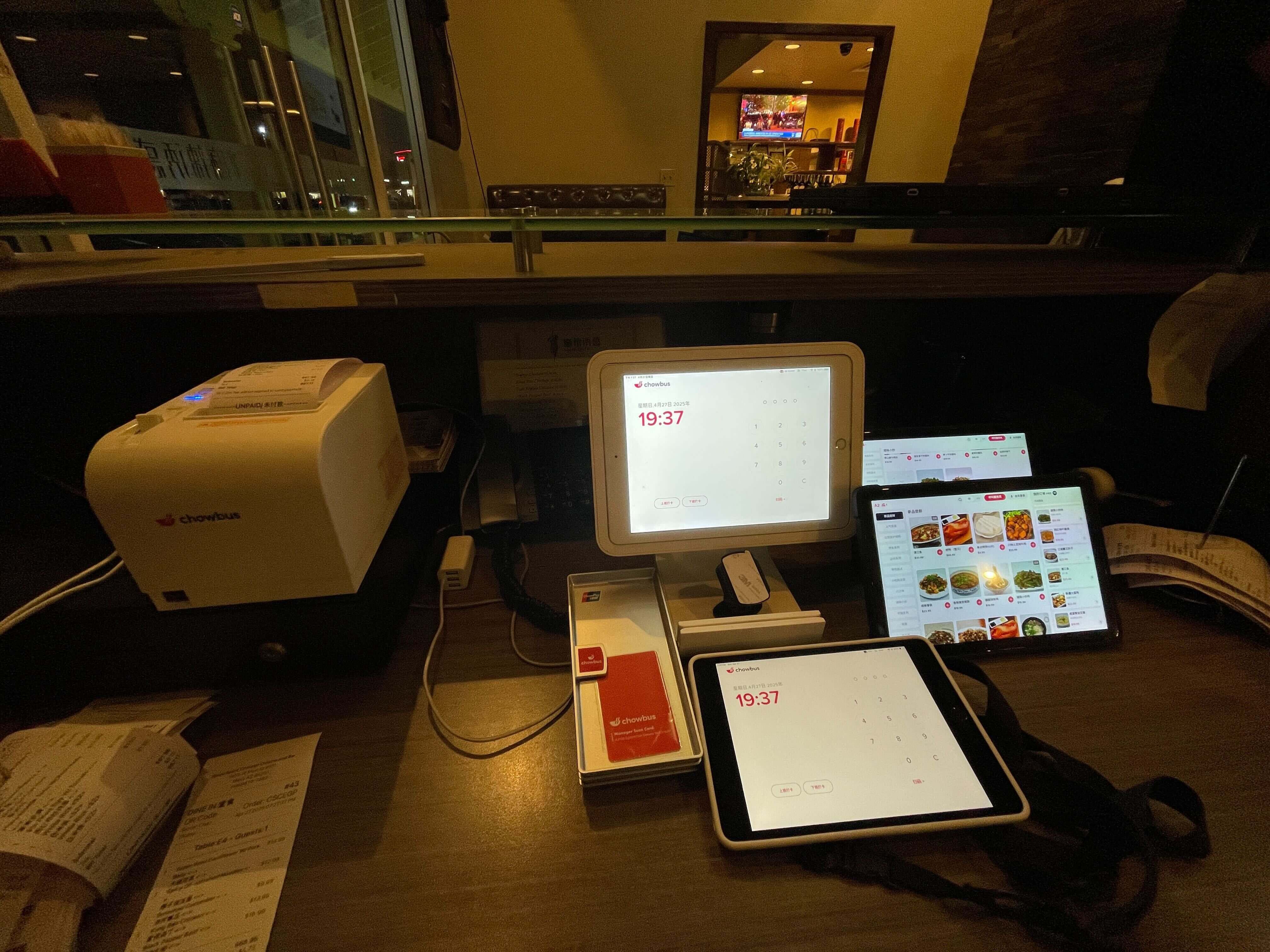
Chowbus KDS is built as a native component of the Chowbus all-in-one POS platform, designed specifically for Asian restaurants. The system handles AYCE and hot pot re-order tagging, supports course-based firing, displays item names bilingually in English and Chinese, and integrates natively with the full Chowbus ecosystem — including QR code ordering, third-party delivery aggregation, and online ordering. For Asian restaurant operators, it is the only option in this tier that handles the actual complexity of their service format without requiring workarounds.
The screen itself is a meaningful part of the investment, and hardware quality varies as much as software quality.
Commercial KDS hardware should meet at minimum: an operating temperature range of 0°C to 50°C (32°F to 122°F), an IP-rated enclosure for moisture and dust resistance, and a brightness rating above 400 nits for visibility under commercial kitchen lighting. Units that fall short of these specs will fail faster in kitchen conditions than their warranty period suggests.
Portrait orientation displays — typically 15-inch to 22-inch — are standard for station use. Landscape orientation or wider displays work well at the expediter's pass where multiple tickets need to be visible simultaneously. Wall-mount systems are more stable than pole mounts in high-traffic kitchen environments.
Battery backup is worth considering. A brief power interruption that reboots the KDS mid-service creates more disruption than paper tickets would. Some commercial KDS setups include an uninterruptible power supply for exactly this reason.
Most operators evaluate KDS options based on the demo experience and the pricing sheet. Few ask the support question in enough detail before signing.
The support question for an Asian restaurant is: if something breaks at 6:30pm on a Friday before a full-house service, who picks up the phone, how long does it take, and do they speak the language my kitchen manager is comfortable with?
Most generic KDS vendors offer English-only support with callback windows measured in hours. For a restaurant where the decision-maker communicates in Chinese, waiting two hours for an English-speaking support agent who has never seen an AYCE hot pot operation is not a viable path to resolution.
Chowbus offers 24/7 bilingual support in English, Chinese, and Spanish, with an average response time of two minutes and a 95% issue resolution rate. For Asian restaurant operators, that support model isn't a perk — it's a practical operational requirement.
The best kitchen display system for your restaurant in 2026 is not a universal answer. It's specific to your volume, your kitchen layout, your service format, and your staff's language needs. The comparison table and criteria above give you the framework to evaluate options against what your kitchen actually needs — not what a vendor's feature list says it needs.
For Asian restaurant operators specifically, the evaluation has a narrower answer: very few systems handle the actual complexity of a busy Asian restaurant kitchen out of the box. Most require workarounds or accept operational gaps. The most efficient path is a platform built for your format from the ground up, with support that can actually reach you when service is running.
Q1: What is the best kitchen display system for an Asian restaurant in 2026? A: The best KDS for an Asian restaurant is one built specifically for Asian restaurant service formats — handling AYCE re-orders, hot pot continuous order flow, bilingual display, and multi-station routing. Most mainstream KDS options (Toast, Square, Lightspeed) are built for standard American dining formats and lack these capabilities. Chowbus KDS is designed specifically for Asian restaurants and handles these scenarios natively as part of its all-in-one POS platform.
Q2: How do I compare KDS options without getting misled by a demo? A: Test the specific scenarios your kitchen faces, not generic functionality. For Asian restaurants: ask to see how the system handles a hot pot re-order mid-meal, how it displays a modification alongside an allergy flag, what bilingual display looks like in practice, and what offline mode looks like during a connectivity interruption. These scenarios will reveal gaps that a standard demo won't show.
Q3: Is it better to choose a KDS bundled with my POS or a standalone product? A: Bundled is almost always better, for one reason: data completeness. A native integration passes the full order data — modifiers, allergy notes, seat assignments, order timing — reliably and without a middleware layer that can fail or drop fields. Third-party standalone KDS solutions work in many cases but introduce integration risk that tends to surface at the worst possible time.
Q4: What should I budget for a kitchen display system in 2026? A: Plan for $400–$900 per commercial display (hardware), $20–$60 per location per month (software subscription), and $200–$500 for installation and mounting hardware. A two-screen setup for a standard Asian restaurant kitchen typically runs $1,200–$2,500 upfront, plus the monthly software fee. Systems bundled with a POS sometimes include KDS hardware and software at a reduced rate.
Q5: Does switching to a new KDS require replacing my entire POS? A: Not necessarily. Many KDS options integrate with multiple POS platforms. However, if your existing POS is old or limited, the integration may be shallow — passing only basic order data without modifiers or allergy flags. Before deciding to keep your existing POS and add a standalone KDS, verify exactly which data fields the integration supports. Upgrading both simultaneously to a native integrated platform is often more efficient than trying to bridge two systems that weren't designed together.