The average restaurant kitchen runs on two things: timing and communication. When both break down simultaneously — and they will, on a busy Friday night — the cost shows up in cold food, wrong orders, and reviews you can't take back.
The pattern that separates high-performing kitchens from struggling ones comes down to one operational decision made before the first service: how order information moves from the front of house to the people preparing the food. Start with the problem most operators don't realize they have.
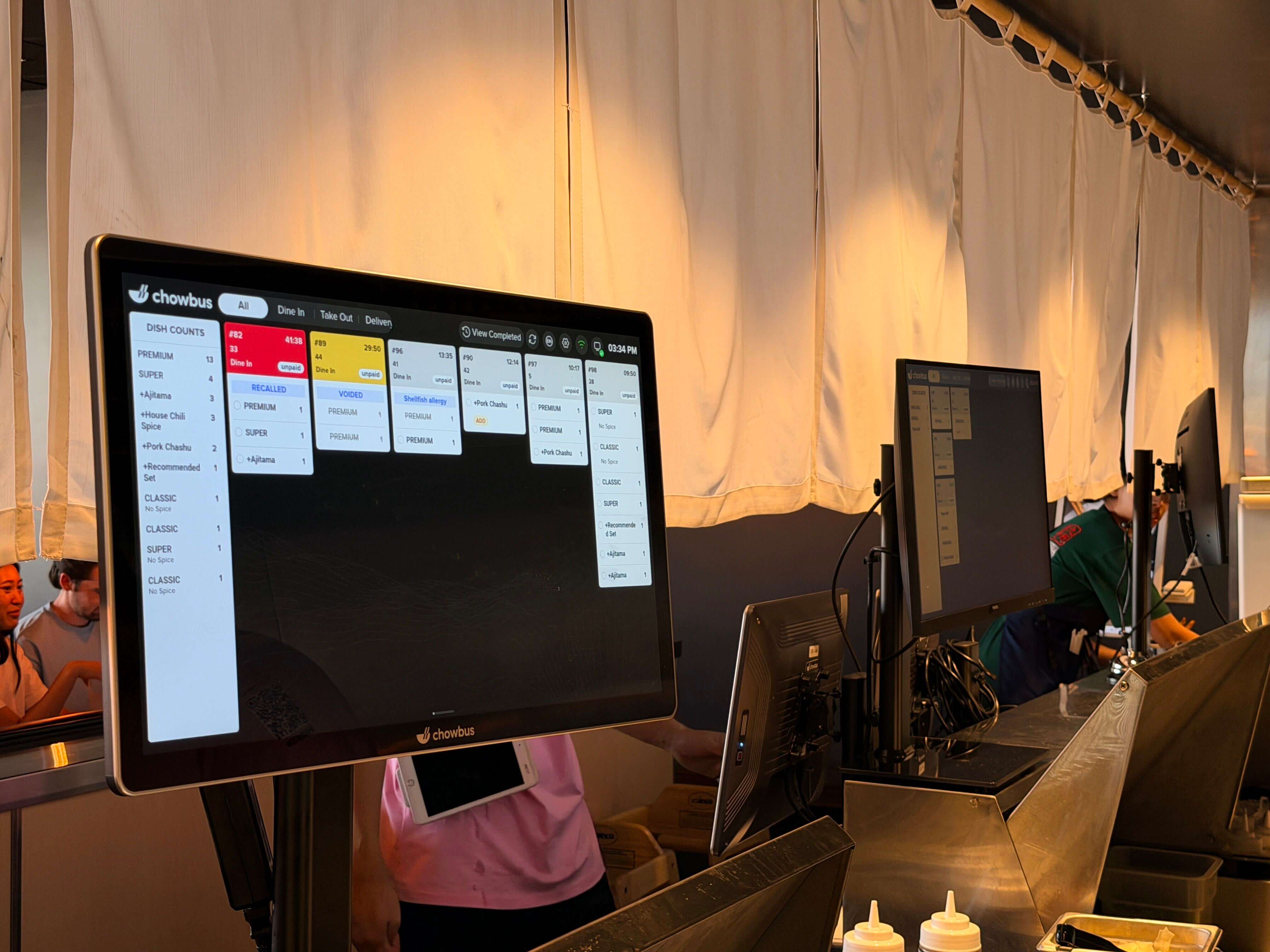
A kitchen display system is a screen-based order management tool installed at kitchen stations. When an order is placed — from a front-of-house POS terminal, a QR code scan, an online ordering platform, or a third-party delivery app — it appears immediately on the relevant kitchen display with all item details, modifiers, and special instructions.
The KDS replaces the kitchen printer. Instead of paper tickets accumulating on a spike or floating off a line in a humid kitchen, orders live on a digital screen. Staff mark items complete when ready, bump finished tickets off the display, and the system tracks timing automatically.
But a KDS is more than a paperless printer. The operational value comes from what the system does with the order data before it reaches the screen: routing, sequencing, timing, and consolidation. A well-configured KDS ensures that a five-item order is split correctly between a hot station and a cold prep station, fires in the right sequence so everything arrives at the table at the same time, and tracks which items are taking longer than expected so an expo can intervene before the guest notices.
For restaurants managing multiple order channels simultaneously — dine-in, delivery, online, and kiosk — the KDS becomes the single point of truth for what's in the kitchen and what needs to come out of it next.
Paper ticket systems persist in many restaurant kitchens — partly from inertia, partly from the assumption that "it's always worked." But the operational cost of paper is higher than most operators realize, and it compounds with volume.
Paper tickets are lost. In a busy kitchen, a spike gets knocked over, a ticket falls between the grill and the prep table, or a printer paper jam creates a gap in the order sequence that nobody notices until a guest asks where their food is. These events happen rarely enough that they feel like isolated incidents rather than a systemic problem — until the Yelp reviews start reflecting a pattern.
Paper tickets carry incomplete information. A modification entered at the POS — "no peanuts, extra spice, sauce on the side" — has to be correctly printed, correctly read, and correctly applied in a noisy, hot kitchen. When the modification matters for an allergy, the stakes of that communication chain are higher than a paper system can reliably manage.
Paper tickets create no timing data. A KDS captures exactly how long each ticket sat before it was bumped. That data, viewed across a week or a month, tells an operator which station is consistently the bottleneck, which menu items are taking longer than quoted, and where training or staffing adjustments are needed. Paper creates no such record.
For high-volume services — a Friday dinner rush, a weekend brunch with a wait list — paper ticket volume at the expo station creates a visual chaos that experienced cooks manage through years of practice. A KDS creates structure regardless of experience level, which matters enormously during training periods and staff transitions.
Setting up a KDS for the first time requires decisions at four levels: hardware placement, station configuration, routing rules, and channel integration. Getting each level right before the first service significantly reduces the adjustment period after go-live.
Hardware placement starts with identifying your kitchen stations. Most full-service restaurant kitchens operate with two to four stations: a hot line, a cold prep area, a fry station, and an expo or pass. Each station that prepares items independently should have its own display. Screens should be mounted at eye level for the primary cook at that station — typically 60–66 inches from the floor — in a position that allows easy viewing without turning away from the work surface. In high-humidity environments (common around steamers, woks, and dishwashing areas), select screens with IP54 or higher moisture resistance ratings.
Station configuration defines which items appear on which screen. A basic configuration maps menu categories to stations: appetizers and salads to cold prep, proteins and entrées to hot line, fried items to fry station. For Asian restaurant kitchens with more complex workflows — hot pot tables, AYCE re-order routing, dim sum tracking — station mapping requires additional configuration that reflects how your kitchen actually flows rather than how a generic template assumes it does.
Routing rules govern how the system handles modifiers, course firing, and multi-item orders. Course firing rules determine when each course is sent to the kitchen relative to the previous one — typically triggered either manually by a server or automatically by a timer after the previous course is bumped. Modifier handling rules ensure that changes entered at the POS or QR code system appear on the KDS with sufficient visual prominence that they are not overlooked in a busy kitchen.
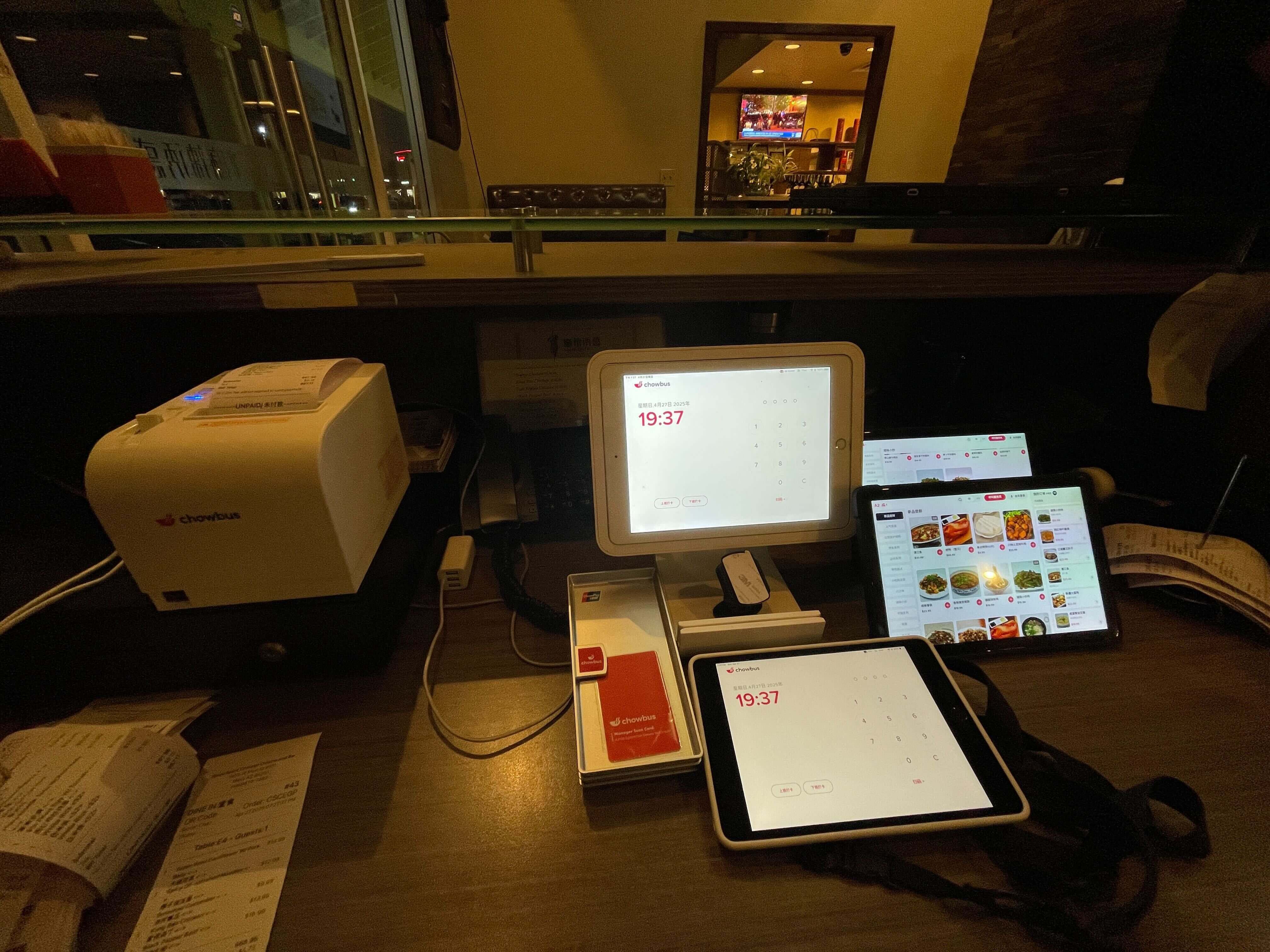
Channel integration ensures that every order source — dine-in POS, QR code ordering, online ordering, third-party delivery — flows into the same unified ticket queue on the KDS. Systems without full channel integration require staff to monitor multiple tablets, creating exactly the fragmentation a KDS is meant to eliminate.
The general setup process above covers most restaurant types. Asian restaurant operations introduce several additional requirements that should be addressed during configuration.
AYCE and hot pot re-order management requires a KDS that understands continuous ordering within a single table session. In an all-you-can-eat context, a table may place three, four, or five separate re-orders over the course of a meal. Each re-order needs to route to the kitchen clearly, without creating ticket confusion with the table's original order or subsequent rounds. Systems without native AYCE support either consolidate all orders into a single ticket (losing sequencing) or create separate tickets indistinguishable from new table orders (creating routing errors).
Multilingual display configuration requires setting item names and modifiers to display in the primary language of the kitchen staff at each station. For a kitchen where the wok station team reads Chinese and the cold prep team reads English, the KDS should support per-station language settings — not a single system-wide language choice.
High-volume table routing addresses the reality that many Asian restaurant tables generate significantly more items per turn than the average Western restaurant table. A hot pot table for eight guests may produce 40–60 individual line items over the course of an evening. The KDS must handle this volume without slowing display responsiveness or creating visual overload on a single screen.
WeChat and alternative communication channels for support matter when issues arise during service. For Chinese-speaking owners, the ability to communicate with a support team via WeChat — not just email or phone — affects how quickly problems are resolved during a live service. This is a support channel question, but it belongs in the KDS evaluation process because it affects what happens when the system needs attention mid-shift.
Evaluating KDS vendors means going beyond feature lists and pricing pages. The questions that reveal the most about whether a system will actually work for your operation are the ones vendors are least prepared to answer with marketing language.
Ask specifically whether the system supports your service format. If you operate an AYCE concept, ask for a demonstration of how re-orders are handled — not a description, a live demo. If your kitchen team reads Chinese, ask to see the multilingual display in action. If you receive orders from DoorDash and Uber Eats, ask exactly which integrations are supported and how the mapping is configured.
Ask about offline behavior. Every KDS will eventually face a network interruption. How the system behaves during that interruption — whether it holds orders locally and syncs when reconnected, or whether it stops functioning entirely — is a question with real service implications. Vendors who confidently answer this question with specifics have thought through operational reliability. Vendors who redirect to general reliability claims have not.
Ask for references from restaurants similar to yours. A glowing reference from a pizza chain is not meaningful for a high-volume hot pot operator. Ask specifically for contact with operators running the same service format and similar volume. The conversation you have with those operators will tell you more than any demo.
Ask about the support team's language capabilities and response time. For Asian restaurant operators, average response time and language availability are not secondary considerations. Request specific data: what is the average response time, what languages are supported, and what are the support hours. A vendor with a 24-hour response time in English-only support is a different operational partner than one with two-minute average response in English and Chinese.
The most common KDS implementation mistakes are not hardware failures or software bugs — they are configuration and process decisions made before the first service.
Installing a single screen for the entire kitchen is the most frequent mistake in smaller operations. A single KDS shows every order to every cook, creating visual noise and no clear ownership. Each station should receive only the items relevant to that station. The cost of an additional screen is low relative to the efficiency gain from correct station assignment.
Failing to configure course firing rules before go-live leads to all items from a table firing simultaneously — meaning appetizers and entrées arrive in the kitchen at the same moment and either the entrée sits while the appetizer is plated, or the appetizer is rushed so the entrée doesn't fall behind. Course firing configuration is a pre-service requirement, not an optional refinement.
Keeping delivery tablets separate from the KDS after installation. Some operators integrate their KDS for dine-in orders and continue handling delivery orders on separate tablets "for now." That transitional state often becomes permanent, eliminating half the operational benefit of the KDS. Channel consolidation should be completed at go-live, not deferred.
Not training staff on how to use the bump and recall functions before the first busy service. KDS training during a quiet period looks very different from KDS operation at 150 covers. Staff should practice bumping, recalling, and reading modified tickets before peak volume makes errors costly.
A kitchen display system is not a technology upgrade — it is an operational infrastructure decision that affects how your restaurant functions during every service. Getting it right means matching the system to the specific demands of your kitchen, not defaulting to the most familiar brand name or the lowest upfront cost.
For Asian restaurant operators, those specific demands are clear: multilingual ticket display, support for AYCE and hot pot workflows, unified channel management across all order sources, and a support team that can communicate in the language you operate in. These requirements narrow the field considerably from the general market options most operators encounter first.
The restaurants that get the most from their KDS investment share one approach: they treated the evaluation as seriously as they treated the kitchen layout decision. The right system runs quietly in the background while your kitchen team does what they're trained to do — prepare good food, consistently, at the right time.
Q1: What is a kitchen display system for a restaurant and how is it different from a kitchen printer? A: A kitchen display system replaces printed paper tickets with a digital screen at each kitchen station. Unlike a printer, a KDS updates in real time — modifications appear instantly, cancelled items disappear immediately, and timing data is captured automatically. A KDS also enables multi-station routing, where items are sent to the correct station rather than printing everything at one location. The core difference is that a printer outputs information and stops; a KDS manages information throughout the life of the ticket.
Q2: How many KDS screens does a restaurant need? A: The general rule is one screen per independent kitchen station. A two-station kitchen (hot line and cold prep) needs at minimum two screens. A more complex kitchen with a hot line, cold prep, fry station, and expo needs four. Asian restaurants with hot pot or AYCE stations benefit from a dedicated screen at those stations. An expo screen at the pass, visible to the person running food, is worth adding regardless of kitchen size — it gives the expo a view of overall ticket status without relying on verbal communication from each station.
Q3: Can a kitchen display system work with third-party delivery platforms? A: Yes, if the KDS is configured with the appropriate integrations. The KDS must connect to your POS, which in turn must have integrations with the delivery platforms you use (DoorDash, Uber Eats, Grubhub, etc.). When configured correctly, delivery orders flow into the same ticket queue as dine-in orders. Not all KDS platforms support this — MenuSifu, for example, does not currently offer third-party delivery integration. Chowbus and several general-market platforms include it.
Q4: What is the best kitchen display system for a Chinese restaurant? A: For a Chinese restaurant, the highest-priority criteria are multilingual display support (Chinese and English at minimum), the ability to handle high table volume, and support from a team that understands Chinese restaurant workflows. Chowbus KDS is built specifically for Asian restaurant operations and supports five languages, including Chinese, Japanese, and Korean. General-market systems like Toast and Square do not offer Chinese-language display support and lack features specific to Chinese restaurant service formats.
Q5: How long does it take to set up a kitchen display system? A: A basic single-station setup can be operational in a few hours. A multi-station setup with full channel integration — connecting dine-in POS, QR code ordering, online ordering, and delivery platforms — typically requires a half to full day for installation and configuration, plus a training period with kitchen staff. Most vendors recommend scheduling the go-live during a lower-volume service period to allow for adjustments before peak traffic.
Q6: What happens to kitchen display system orders if the internet goes down? A: This depends on the system. Cloud-based KDS systems that lack offline mode will stop receiving orders during an internet outage. Better-designed systems cache orders locally and sync when connectivity is restored, ensuring no orders are lost. When evaluating vendors, ask specifically about offline behavior and how long the system can operate without an active internet connection. This is a question that separates systems designed for real restaurant environments from those designed for ideal conditions.