Paper tickets have a failure mode every restaurant owner knows: they pile up, smear, fall off the rail, or get processed in the wrong order during a rush. For years, the alternative was expensive, complicated, or both. That's changed.
In this guide, you'll learn exactly what a kitchen display system is, how it works in a real restaurant kitchen, and whether it's the right investment for the kind of operation you run — so you can make an informed decision rather than a reactive one.
The concept is simpler than most vendors make it sound.## The Definition: What a Kitchen Display System Actually Is
A kitchen display system — KDS for short — is a commercial screen installed in a restaurant kitchen that receives orders from the POS in real time and displays them to kitchen staff. It replaces the printed paper ticket as the way the back of house knows what to make.
That's the full definition. Everything beyond that is implementation detail: how many screens, which stations they serve, how items are routed, how completion status is communicated back. But the core of what a KDS does is simple: it turns an order entered anywhere in your operation into information visible to the right cook at the right station, immediately.
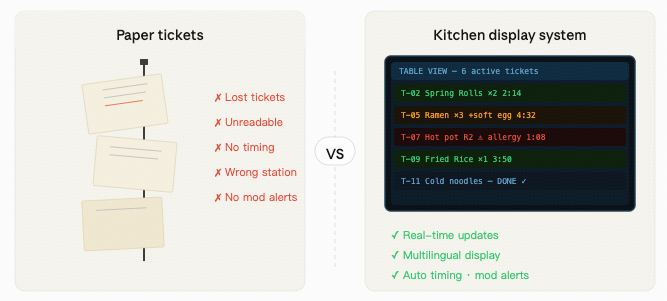
No printer. No paper. No rail. No physical ticket that can fall on the floor, get splashed with broth, or end up under three newer tickets during a rush.
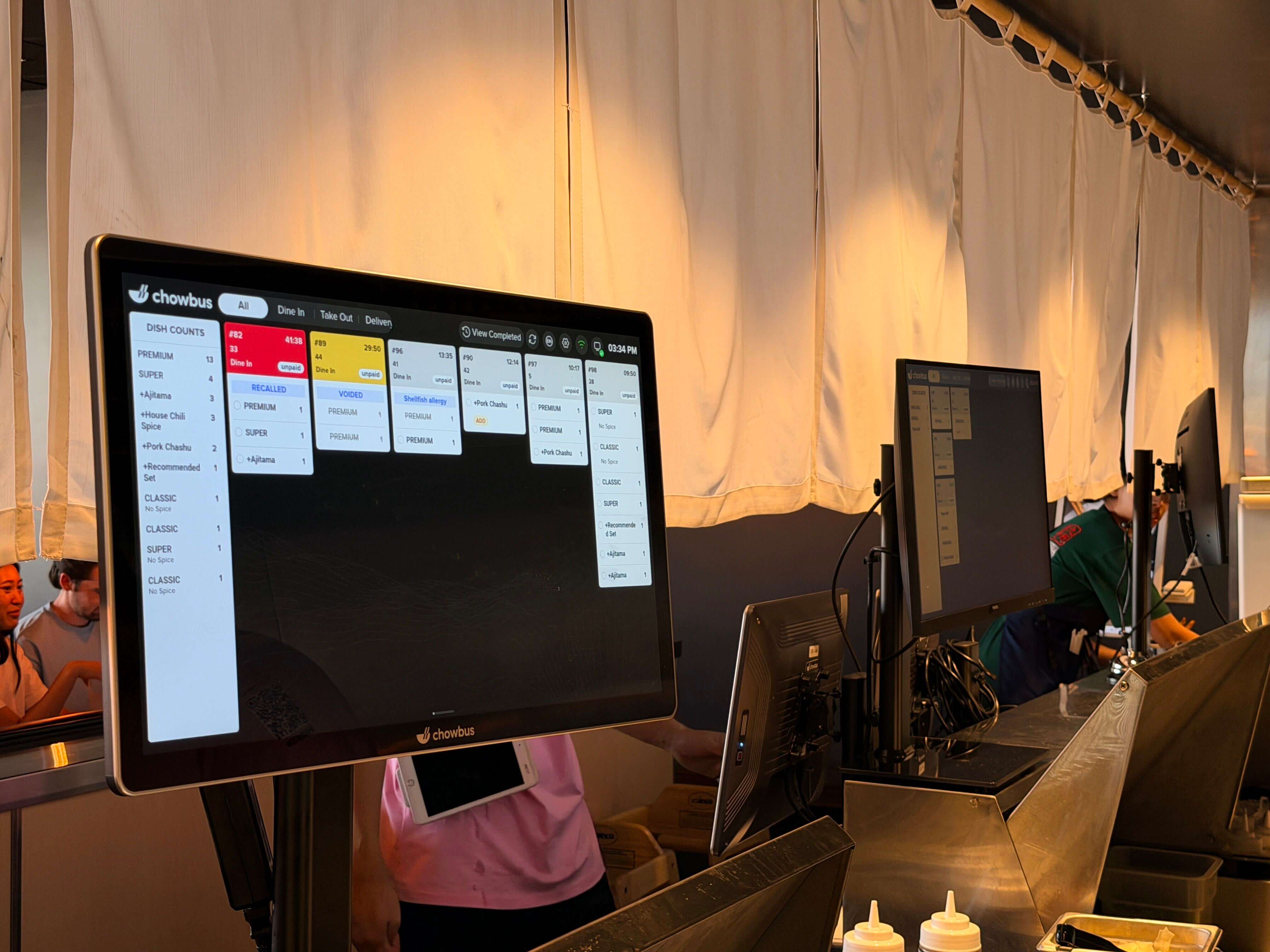
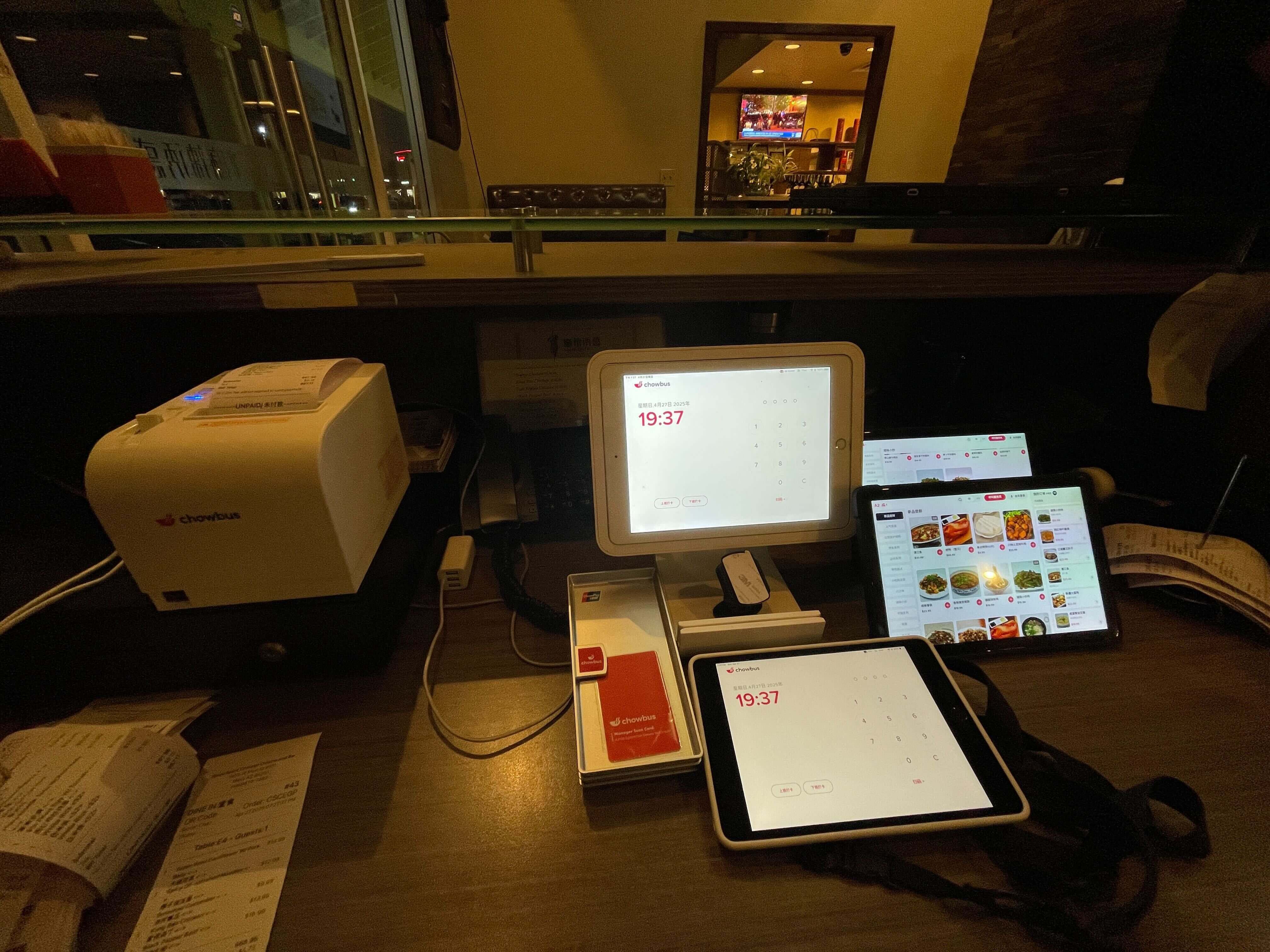
When a server takes an order on a POS terminal, that order data travels over your network to the KDS software. The KDS receives it and displays it on the appropriate station screen — based on routing rules you configure when you set up the system.
A dish like stir-fried beef goes to the hot station screen. A cold appetizer goes to the cold station screen. If your restaurant has a dedicated dim sum station or a hot pot prep area, those stations each have their own screen showing only the items relevant to them.
When the cook finishes a dish, they tap it on the screen to mark it complete. That completion status travels back through the system. The POS updates. The front-of-house staff — whether through a notification on their tablet or a change on an expediter screen — knows the dish is ready for pickup. No one has to walk back to the kitchen to check. No one has to shout across the pass.
If a server modifies an order after it's been sent — removing an ingredient, adding a note, changing a quantity — the KDS screen updates immediately. The cook sees the change clearly, usually with a visual indicator that the item has been modified. No reprint, no running back to tell the cook, no hoping the message arrived.
Understanding what a KDS is requires equally understanding what it isn't, because there is a lot of product marketing conflating different things in this space.
A KDS is not just any screen in the kitchen. A consumer tablet running a spreadsheet is a screen. A mounted TV showing a static order list is a screen. Neither is a KDS. A genuine KDS is purpose-built hardware paired with restaurant-specific software that integrates directly with your POS, handles order modifications in real time, and is physically durable enough to operate in a commercial kitchen environment for years.
A KDS is not a standalone product that works independently of your POS. Its value is entirely dependent on the quality of its integration. A KDS that receives incomplete order data — missing modifiers, dropping allergy notes, not receiving cancellations — is worse than a printer because it creates the illusion of a complete order when the information is actually incomplete.
A KDS is not a solution to every kitchen problem. It solves the information and communication layer: getting the right order to the right cook with complete information, instantly. It doesn't fix prep workflow, staffing levels, or equipment capacity. Operators who expect a KDS to solve throughput problems that are actually rooted in kitchen layout or staffing will be disappointed.
Once you've understood the concept, the evaluation question is which features are essential for the kind of restaurant you operate. The features that tend to matter most in practice:
Real-time order modification. When a guest changes their order after it's been sent, the kitchen needs to know. A modification that arrives as a new ticket is ambiguous — the cook doesn't know if it's a change or an addition. A modification that updates the existing ticket clearly, with a visual change indicator, is unambiguous.
Timer and alert display. Knowing how long a ticket has been sitting matters. Color-coded timers that change as tickets age — green to yellow to red — give the kitchen a visual priority system without requiring anyone to calculate elapsed time.
Recall functionality. A cook who accidentally marks an item complete should be able to retrieve it without starting over. One-tap recall is a small feature that prevents significant service disruption.
Course firing support. The ability to hold back a course — keeping second-course tickets from appearing on the kitchen screen until the server fires them — is essential for full-service restaurants serving multi-course meals. Without this, the kitchen receives all items at once and has to manually judge timing.
Integration with all order channels. If your restaurant takes orders through a QR code system, a third-party delivery app, and a POS simultaneously, all three channels should route to the same KDS. A fragmented setup — where some orders go to the screen and others go to a printer or a tablet — creates a two-tier kitchen that breeds confusion.
Not every restaurant needs a KDS, and the honest answer to this question depends on your volume and your kitchen structure.
For restaurants doing more than fifty covers per service, running more than one station simultaneously, or experiencing frequent order errors and communication problems between front and back of house — a KDS will have a clear, measurable impact.
For restaurants under thirty covers operating a single-station kitchen — the operational improvement may be real but modest. The cost-benefit calculation is tighter, and the priority might reasonably be other infrastructure.
For AYCE restaurants, hot pot restaurants, dim sum operations, and any format that generates high per-table order volume with continuous re-orders — a KDS is not optional. The volume and complexity of information flowing through the kitchen in these formats is simply beyond what a paper system can handle reliably past a certain cover count.
The specific question for Asian restaurant operators is not just "do I need a KDS" but "does the KDS I'm evaluating actually handle the way my kitchen works." Standard KDS solutions are built for standard order flows. If your service format differs significantly from that standard — and most Asian restaurant formats do — the evaluation needs to go deeper than price and screen size.
A kitchen display system is, at its core, a communication tool. Its job is to make the information your kitchen needs — what to cook, for which table, with what specifications — arrive accurately and immediately, every time. When it does that job well, the kitchen runs faster and with fewer errors. When it does it poorly, it creates a different category of confusion.
The concept isn't complicated. The execution — choosing the right hardware for your environment, the right software for your service format, and the right integration with your POS — is where the decision requires careful attention. For Asian restaurants with complex service formats, that attention should include verifying that the system handles the specific scenarios your kitchen faces every service.
Q1: What does KDS stand for in a restaurant? A: KDS stands for Kitchen Display System. It's the technology that replaces paper tickets in a restaurant kitchen, showing orders digitally on a commercial screen that receives data directly from the POS in real time.
Q2: How is a kitchen display system different from a regular monitor or tablet? A: A regular monitor or tablet is a general-purpose display. A kitchen display system is purpose-built hardware with restaurant-specific software designed to receive live order data from a POS, route items to specific stations, handle modifications and cancellations in real time, and operate reliably in the heat, moisture, and grease of a commercial kitchen. The software layer — not just the screen — is what makes a KDS a KDS.
Q3: Can I use a regular tablet as a kitchen display? A: Consumer tablets can run KDS software in some setups, but they're not designed for commercial kitchen conditions. Heat, humidity, and grease accelerate hardware failure. The more important limitation is reliability: a consumer tablet rebooting or freezing during a dinner rush causes more disruption than a paper ticket system would. Commercial-grade KDS hardware is built to run continuously in kitchen conditions for multiple years.
Q4: Does a kitchen display system work for small restaurants? A: Yes, though the return on investment is most pronounced for higher-volume operations. Small restaurants with a single station and under forty covers per service can use a KDS with positive results, but the impact is more significant when order complexity and volume are higher. Most KDS vendors offer entry-level pricing accessible to smaller operations.
Q5: How does a kitchen display system improve order accuracy? A: By eliminating the information loss that happens in a paper ticket system. Digital orders arrive at the kitchen instantly with complete modifier information, allergy notes, and table context. Modifications update the existing ticket rather than requiring a separate communication step. Allergy and special instruction flags display prominently rather than at the bottom of a physical ticket that can be easy to overlook under pressure.
Q6: What's the first thing I should check when evaluating a KDS? A: The integration with your POS. Specifically: does the KDS receive the complete order data your POS generates — item names, modifiers, allergy notes, table numbers — or only partial information? A KDS running on incomplete data creates its own category of errors. Start the evaluation by asking the vendor to show you a live modification and a live allergy flag on the kitchen screen.