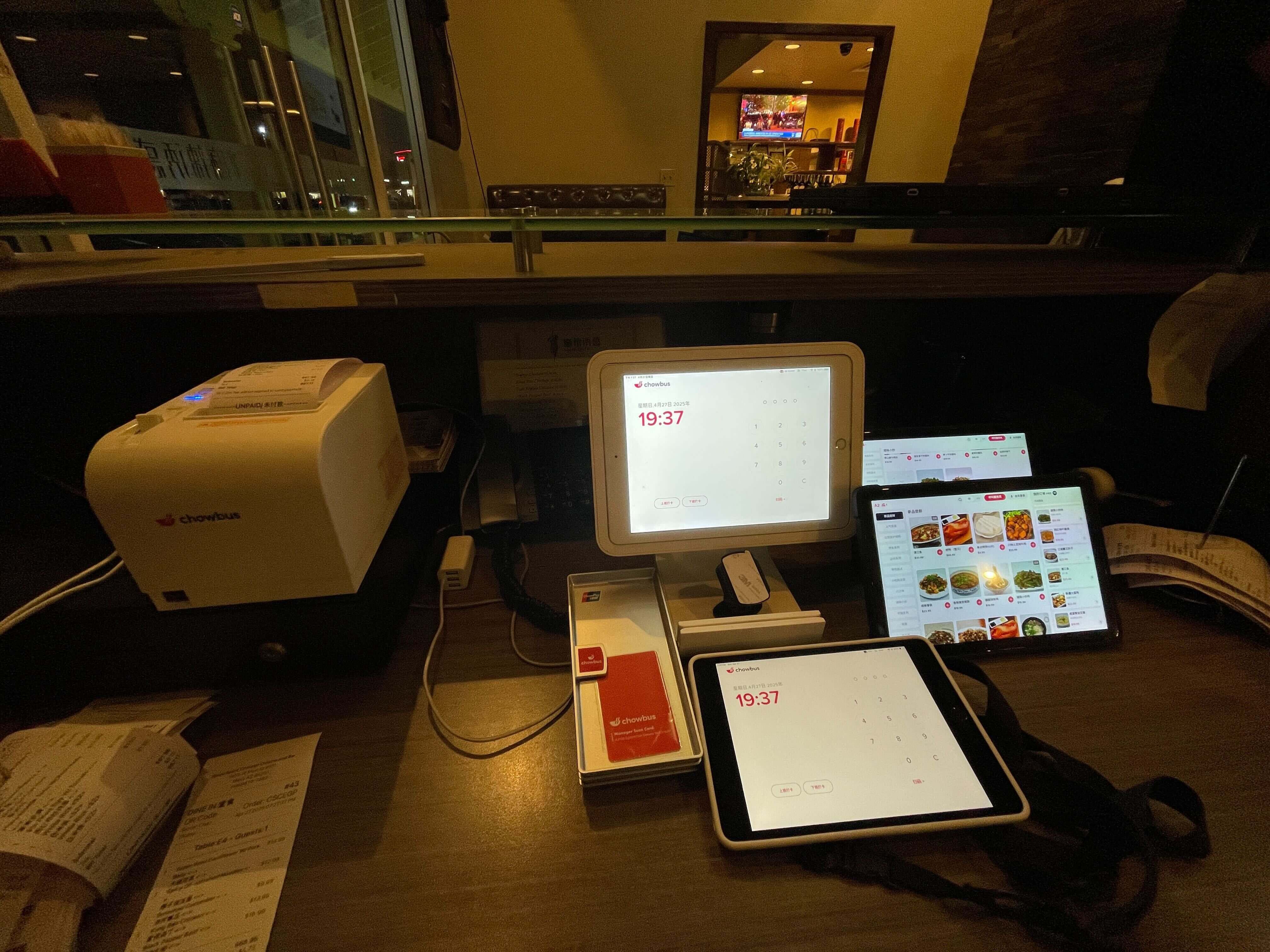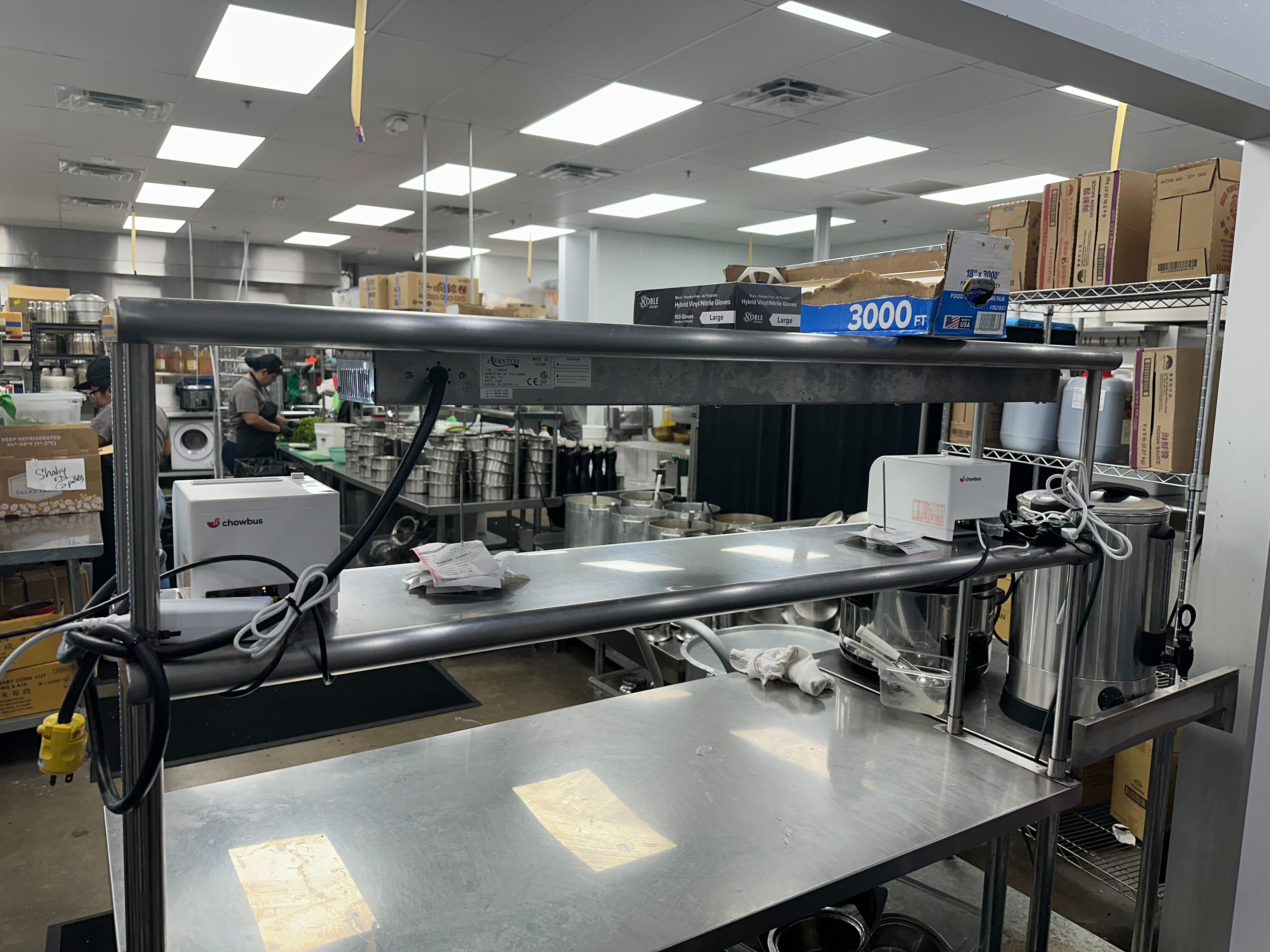
Four printers, three tablets, and a rail full of paper tickets — that setup might have worked when you were doing eighty covers a night. At one-fifty, it becomes the source of every problem your servers can't explain and your cooks can't fix fast enough.
The Asian restaurant sector is projected to reach $240 billion by end of 2026. The operators scaling into that growth aren't adding more staff. They're upgrading what their kitchen can see. A kitchen screen system is the piece of infrastructure that turns a busy kitchen into a coordinated one — and the difference between those two things shows up on every table.
In this guide, you'll learn how a kitchen screen system works in practice, what separates a well-configured setup from a frustrating one, and how to evaluate whether what's available in the market is actually built for the kind of restaurant you run — so you can make a change that holds up past the first busy weekend.
The problem most restaurants have isn't too much volume. It's that their kitchen can't read it clearly enough.## How a Kitchen Screen System Connects Your Operation
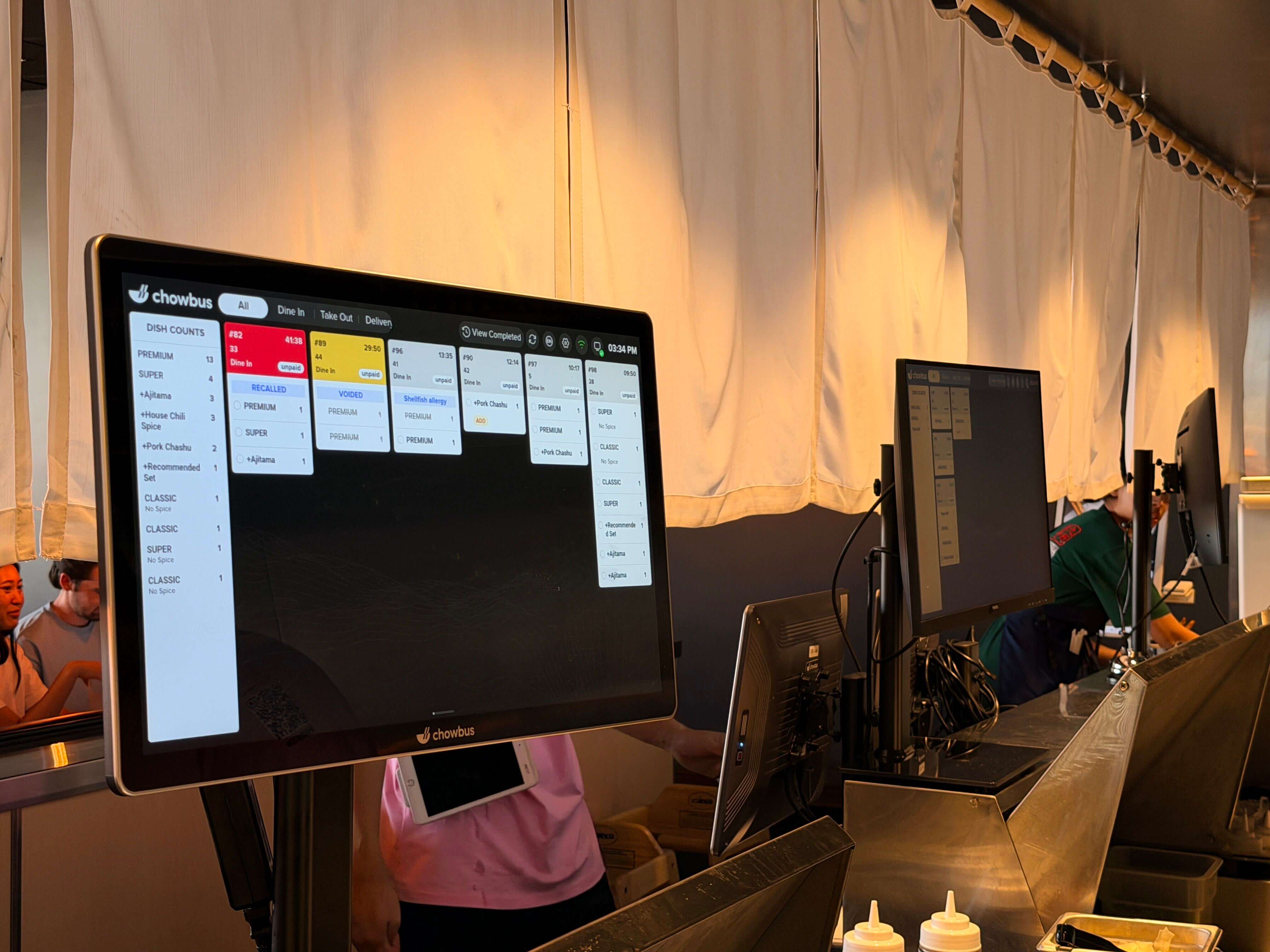
A kitchen screen system is a network of commercial-grade displays connected to your POS, positioned at each station where food is prepared. The moment an order is entered — whether through a server using a handheld, a guest at a kiosk, or an online ordering channel — it routes to the appropriate screen based on the item type.
The routing logic is where most of the value lives. A well-configured system doesn't just display everything on every screen. It separates the wok station tickets from the cold station tickets, keeps the hot pot prep queue distinct from the dim sum line, and surfaces the items each cook needs to see without forcing them to filter through everything else. When a table places a second round of orders mid-meal — common in AYCE environments — those items appear in context, tagged to the same table number, so the station knows it's a follow-up and not a new cover.
The communication loop closes when the cook marks an item complete. That status travels back through the system, notifying the front-of-house staff that the dish is ready. No shouting, no buzzing, no phone calls across the kitchen. The server knows when to go to the pass. The manager can see in real time which stations are running behind without walking back to look.
A basic display showing a Google Sheet of orders is technically a screen in the kitchen. It is not a kitchen screen system. The distinction matters because the configuration and reliability standards are not the same.
A genuine KDS is purpose-built hardware with software designed specifically for kitchen environments. The display is bright enough to read under commercial fluorescent lighting and direct heat. The enclosure is rated for moisture and grease. The software handles order modification, voiding, course firing, and recall — and it does so reliably because it is built on an architecture that doesn't crash during a dinner rush.
The software layer also handles complexity that a spreadsheet or a generic display tool simply cannot. When a table orders a dish with a special instruction — "no peanuts," "extra spicy," "gluten-free" — that modifier appears prominently alongside the item on the screen, not buried at the bottom of a long ticket. For restaurants serving guests with dietary restrictions or allergies, how that information is displayed on the kitchen screen is a safety consideration, not just an operational one.
The standard assumption is that a kitchen needs one screen. For a small, single-station operation, that may be accurate. For any restaurant running more than one culinary station simultaneously, the question is not whether to use multiple screens — it is how to configure them so they do not duplicate work or create confusion.
A three-station Chinese restaurant might configure its system like this: the hot side screen shows all cooked dishes, the cold station screen shows cold starters and pre-plated items, and a pass screen shows all items marked ready from any station so the expediter can see what needs to go out. Each cook looks only at their screen. The expediter watches the pass. When everything for a table is ready simultaneously on the pass screen, the server gets a notification and picks up the order.
This kind of synchronized service doesn't happen by accident. It requires a system designed to track item status across stations and surface the right information at the right time. Most paper ticket systems — and most standalone KDS that don't integrate deeply with a POS — cannot do this reliably.
A kitchen screen system is only as complete as the inputs it receives. A restaurant using a POS, a QR code ordering platform, and a third-party delivery aggregator will have three separate order streams. If those streams don't all route to the kitchen screen, the system is partial — and a partial system creates its own kind of confusion, because now cooks are watching one screen for some orders and a printer or a phone for others.
The strongest setups consolidate all order streams into a single kitchen display. QR code orders from the table, orders entered by a server, and delivery orders from third-party platforms all land on the same screen, in the same queue, with the same status-tracking capability. No order gets processed differently because of how it arrived.
For Asian restaurants that use multiple ordering channels — dine-in QR code, phone orders, and delivery apps simultaneously — this consolidation is the operational shift that actually reduces kitchen stress during peak hours.
A kitchen screen system that goes offline mid-service is worse than no system at all, because the kitchen has abandoned its paper backup. Reliability is not a feature — it is the baseline requirement, and it needs to be verified before choosing a system, not discovered the first time the dinner rush hits.
Cloud-connected systems should maintain local offline functionality. Orders taken during an outage should queue on the local device and sync when connectivity resumes. The POS and KDS should be on a local area network connection so that a temporary internet interruption does not break the kitchen display.
Hardware durability matters here too. Commercial-grade kitchen screens from established vendors are designed to run continuously for years in demanding environments. Consumer-grade tablets and monitors are not. The replacement cost and operational disruption of hardware failure during service is a hidden cost that many operators don't factor in when comparing system prices.
Chowbus builds its kitchen screen system as part of its integrated POS platform, which means the display, the POS, the QR code ordering module, and the loyalty system all share the same data layer. An order placed at the table, modified by the server, and flagged for a dietary restriction appears on the kitchen screen with all three pieces of information intact — no manual relay, no information lost in translation between systems.
A kitchen screen system is infrastructure, not a gadget. Its job is to make the information your kitchen needs available clearly, instantly, and without a failure point in the middle. For a restaurant pushing through a hundred covers on a weekend night, the cost of unclear information is measured in wrong dishes, cold food, and frustrated guests — none of which a faster cook fixes.
The restaurants running the tightest services aren't working harder than everyone else. They've simply removed the places where information gets lost. A properly configured kitchen screen system is the most direct way to do that — and the more complex your kitchen, the bigger the return.
Getting the configuration right matters as much as choosing the right system. Multi-station routing, consolidated order channels, offline reliability, and multilingual display support are not secondary considerations. For Asian restaurants specifically, they are the features that determine whether the system actually fits how your kitchen works or creates its own layer of friction.
Q1: What is a kitchen screen system and how does it work in a restaurant? A: A kitchen screen system is a set of commercial displays installed in the kitchen that receive orders directly from your POS in real time. Orders are routed to the appropriate stations based on item type, show modification and allergy alerts prominently, and allow cooks to mark items complete — which notifies front-of-house staff without any verbal communication. It replaces paper tickets with a more reliable, faster, and fully traceable digital flow.
Q2: How many screens does my restaurant need? A: A single-station kitchen may work with one display. A restaurant with separate cooking stations — wok, cold prep, dim sum, hot pot — should have a dedicated screen at each station, plus an optional pass screen for the expediter. The goal is that each cook only sees the tickets relevant to their station. Over-displaying creates noise; under-displaying misses items.
Q3: Can a kitchen screen system handle dietary restrictions and allergy alerts? A: Yes — and this is an area where digital systems are significantly safer than paper. A good KDS highlights special instructions and allergy flags visually on the display, making them harder to miss than a handwritten note at the bottom of a paper ticket. Some platforms also support color-coded alerts for common allergens. Confirm this capability specifically when evaluating systems.
Q4: What's the difference between a kitchen screen system and a kitchen display system (KDS)? A: These terms are often used interchangeably. "Kitchen display system" or KDS is the more common industry term; "kitchen screen system" refers to the same category of technology. What matters more than the label is whether the system is purpose-built for restaurant use — commercial hardware, restaurant-specific software, and native integration with your POS.
Q5: Does a kitchen screen system work with third-party delivery orders? A: It depends on whether your POS integrates with the delivery platform. If your POS aggregates delivery orders from platforms like DoorDash or Uber Eats, those orders can flow into the KDS alongside in-house orders. If your delivery system is standalone and not connected to your POS, orders from that channel won't appear on the kitchen screen. Consolidated order management through a unified POS is the most reliable setup.
Q6: How does a kitchen screen system handle the re-order flow for AYCE restaurants? A: AYCE operations generate continuous re-orders from the same table throughout the meal. A well-designed KDS tags each incoming order with its table number and round number, so the kitchen always knows the context — a second beef platter for Table 4 displays differently from Table 4's initial order. Without this contextual tagging, the kitchen can't tell whether an item is a first order or a re-order, which creates both preparation and timing confusion.