"Free POS" is one of the most effective phrases in restaurant software marketing, and one of the most misleading. There's no such thing as a free point-of-sale system — there's only a system whose cost is moved somewhere you're not looking. Usually that's a higher payment-processing rate, locked-in hardware, or features you'll have to pay to unlock the moment your restaurant grows past the basics.
Most "best free POS" articles just list the free tiers. This one does something more useful: it shows you where the cost actually hides, how to calculate what a "free" system really costs your restaurant over a year, and when free genuinely makes sense versus when it quietly becomes the expensive option.
Key takeaways: A "free" POS isn't free — its cost shows up in payment processing rates, hardware, paid add-ons, and feature limits that bite as you grow. Compare total cost of ownership over a year, including the processing rate on your real volume, not the monthly software fee. For most growing and Asian restaurants, a purpose-built paid platform with predictable pricing and bilingual support costs less in true terms than a "free" system with a high processing markup.
Here's the counterintuitive truth. For most restaurants, the monthly software fee is a minor line item compared to payment processing. If your restaurant does $80,000 a month in card volume, even a half-percent difference in processing rate is $400 a month — $4,800 a year. A POS that's "free" on software but adds a markup to your processing rate can quietly cost you far more than a paid POS with a fair processing rate and a transparent monthly fee.
So the headline "free" tells you almost nothing about the real cost. The processing rate, applied to your actual volume, is usually the number that matters most — and it's the one "free" marketing is designed to keep you from comparing.

This is the big one. A free POS makes its money on the spread between what it pays the card networks and what it charges you. A higher effective rate on every transaction, every day, dwarfs a modest monthly software fee over a year. Always ask for the all-in effective rate and apply it to your real monthly volume.
"Free" software often comes with hardware you must buy from that vendor, sometimes proprietary, sometimes priced to recover the software they "gave away." And if the hardware is locked to that vendor, leaving later means rebuying everything — a switching cost that's invisible on day one.
Free tiers are usually stripped down. The moment you need real online ordering, loyalty, a kitchen display, or multi-location support, those are paid add-ons — and the stack of add-ons can quickly exceed an all-in paid plan. You started with free and ended with a higher, less predictable bill.
Some costs don't show on an invoice at all. A free POS that can't handle your service type — no real modifier engine for boba, no per-head AYCE billing, no bilingual menu — costs you in slow service, errors, and capped marketing. That's an opportunity cost, and for a specialized restaurant it can be the largest cost of all.
Do this before choosing anything. For each option — free and paid — total a full year across: payment processing (your real monthly card volume × the all-in effective rate × 12), software fees, hardware (amortized), and the add-ons you'll actually need. Then add an honest estimate of feature gaps — orders lost to slow service, or marketing you can't do without unified data. Compare the annual totals. More often than not, the "free" option lands higher than a paid platform with a fair processing rate, because the processing markup and add-ons outweigh the saved software fee. This is just total cost of ownership applied honestly.
To be fair: free can be the right call in specific situations. A brand-new, very low-volume operation testing an idea, a pop-up or seasonal stall, or a tiny single-person concept where card volume is small enough that the processing markup barely matters — these can legitimately start on a free tier and upgrade later. The key is to know you're choosing it deliberately, with eyes open to the processing rate and the upgrade path, rather than being sold on the word "free."
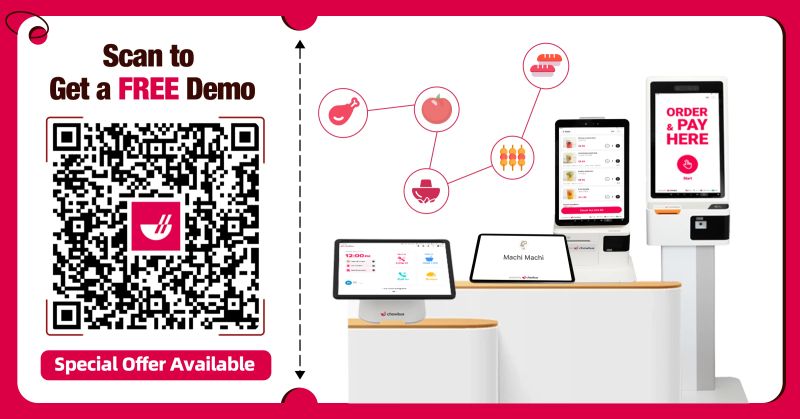
Two factors make "free" especially risky for Asian restaurants. First, specialization: a free generic POS rarely handles multilingual menus, AYCE/hot pot billing, or family-style checks, so the feature-gap cost is high from day one. Second, growth: Asian concepts that work tend to expand fast — a second location, kiosks, online ordering — and that's exactly when a free tier's add-on fees and ceilings start to bite. A platform built for Asian restaurants with predictable pricing, fair processing, and bilingual support is usually cheaper in true terms precisely because it doesn't charge you later for the things you were always going to need.
Not really. Some vendors offer free POS software, but they recover the cost elsewhere — typically a higher payment-processing rate, required hardware purchases, or paid add-ons for features like online ordering and loyalty. Compare total cost of ownership, not the software fee, to see the real price.
Often it isn't, once you count payment processing. The processing rate applied to your real card volume usually dwarfs the monthly software fee, so a "free" POS with a higher processing markup can cost more per year than a paid POS with a fair rate and transparent pricing.
The cost is moved where you're less likely to compare it: a higher processing rate on every transaction, proprietary or required hardware, paid add-ons for features you'll need as you grow, and feature ceilings that limit specialized restaurants. None of these show up in the word "free."
Total a full year for each: payment processing (your monthly card volume × all-in effective rate × 12), software, amortized hardware, and the add-ons you actually need, plus an estimate of orders or marketing lost to feature gaps. Compare the annual totals — that's the real comparison.
For very low-volume or early-stage situations — a new concept testing demand, a pop-up, a seasonal stall, or a tiny single-person operation — where card volume is small enough that the processing markup barely matters. Choose it deliberately, knowing the rate and upgrade path.
Because free generic systems rarely handle multilingual menus, AYCE/hot pot billing, or family-style checks, so the feature-gap cost is high immediately, and Asian concepts that succeed tend to grow fast — exactly when add-on fees and ceilings bite. A purpose-built paid platform is often cheaper in true terms.
"Free" is a pricing strategy, not a gift. The real cost of a POS lives in the processing rate, the hardware, the add-ons, and the features you don't have — and a one-minute total-cost calculation usually tells a very different story than the word on the homepage. Compare the annual total on your real volume, decide free deliberately or not at all, and you'll never be surprised by the bill.
If you're weighing a free POS against a paid one for 2026, run the year-long total-cost comparison first. Explore the Chowbus POS platform and check its all-in cost against the true cost of "free" on your actual volume.