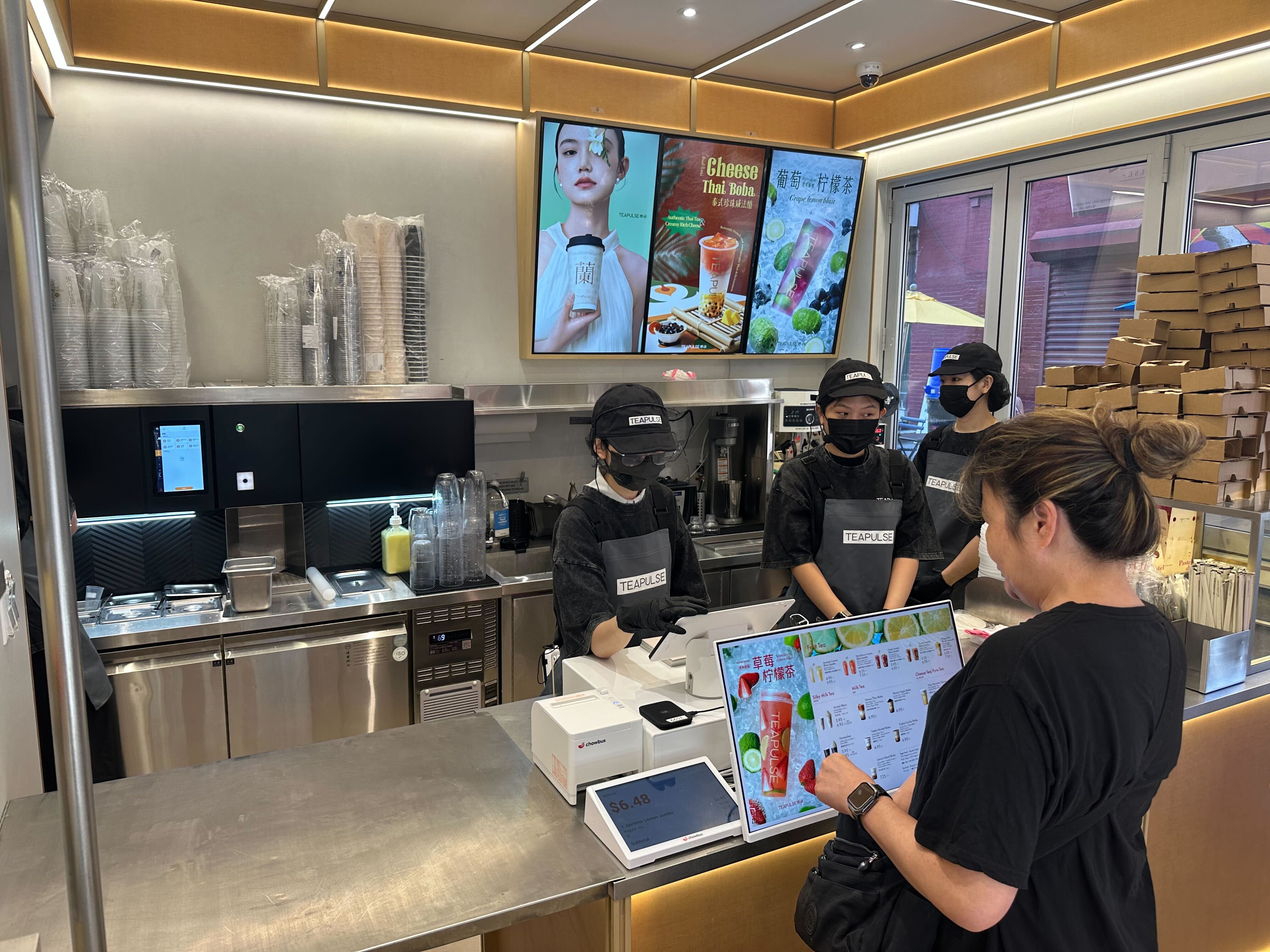
Most kitchen tickets don't get lost because a cook forgot them. They get lost because five different tickets are clipped to the same rail, three of them are for the same table, and nobody can tell which wok station is supposed to fire next. That's not a training problem — it's a tooling problem, and it's exactly what a restaurant kitchen display system is built to fix.
The category itself has grown up fast. What used to be a "nice to have" for high-volume chains is now standard equipment for any restaurant juggling dine-in, online orders, and delivery apps at once. Chowbus has watched this shift up close, working with 9,000+ restaurants across all 50 U.S. states, many of them multi-station Asian kitchens where order complexity is the norm, not the exception.
In this guide, you'll learn how kitchen display systems actually work, what separates a good one from a mediocre one, and how to think about the category specifically for hot pot, wok, and bubble tea operations — so you can cut ticket errors and speed up service without adding more staff. Before comparing options, it helps to understand what a KDS is actually supposed to do.
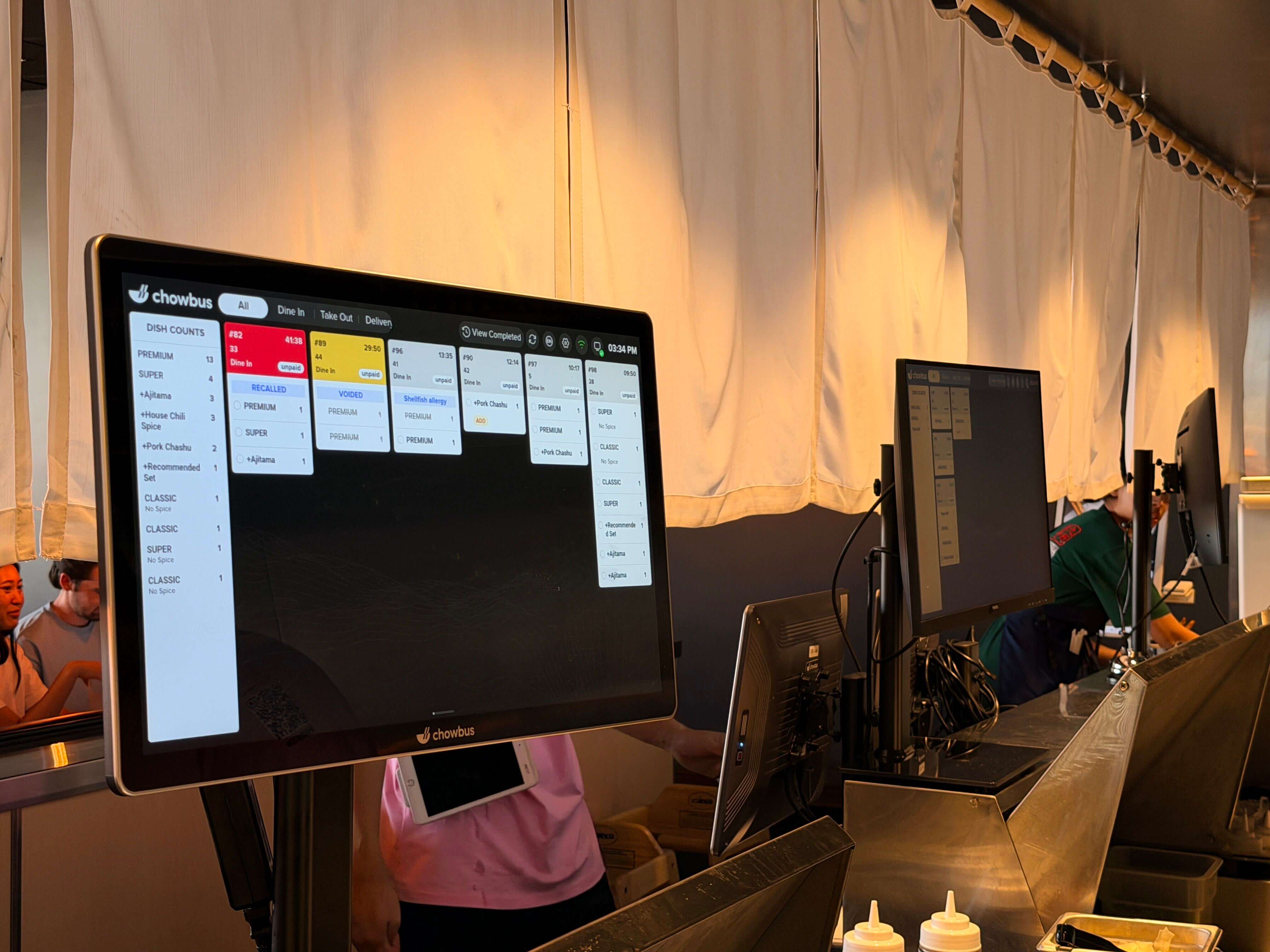
A kitchen display system (KDS) replaces printed paper tickets with digital screens mounted at cooking stations. When an order comes in — from the POS, a kiosk, a QR code, or a delivery app — it routes automatically to the right screen, in the right sequence, with timers tracking how long each item has been sitting. Cooks tap or use a bump bar to mark items done, and the ticket clears from the screen and moves to the next stage (expo, pickup, or delivery staging).
That sounds simple, but the value is in the details: how well the system routes multi-station orders, how clearly it flags items that are running late, and how cleanly it talks to everything else in the restaurant's tech stack. A KDS that only shows tickets without understanding station logic is really just a screen — not a system.
Not every KDS on the market does the same job well. When you strip away the marketing, a handful of features determine whether a kitchen actually runs faster:
A system that nails the first two but ignores integration will still leave a kitchen juggling a tablet for DoorDash orders and a separate screen for dine-in — which defeats the purpose.

Kitchen display systems didn't start as a category of their own — they grew out of high-volume quick-service chains in the 1990s and 2000s that needed to cut ticket times during drive-thru rushes. For most independent restaurants, paper tickets stayed standard for another two decades, mainly because early digital systems were expensive, required proprietary hardware, and didn't integrate with anything outside a closed POS ecosystem.
That changed as cloud-based POS systems matured and delivery apps became a meaningful share of restaurant revenue. Once a restaurant is running dine-in, online ordering, a kiosk, and two or three delivery platforms simultaneously, paper tickets can't keep up — there's no way to manually track timing and sequencing across that many order sources without errors. The KDS category is now less about replacing a printer and more about becoming the coordination layer for a restaurant's entire order flow.
Rather than chasing a "best KDS" list, it's more useful to evaluate systems against how your kitchen actually operates. A few questions worth asking before you commit to anything:
That last question matters more than it sounds — a system designed around single-station American QSR workflows often struggles the moment it meets a real multi-wok, multi-course Asian kitchen.
Generic kitchen display systems are frequently designed around a simple assumption: one ticket, one station, one prep sequence. That assumption breaks down fast in most Asian restaurant kitchens.
Take hot pot: a single table's order might include a soup base, a dozen individually prepped protein and vegetable plates, and a drink — all needing to arrive together, not staggered. A wok station in a Chinese or Southeast Asian kitchen might be firing six or seven different dishes in parallel, each with a different cook time, while a bubble tea counter needs its own fast-turnaround queue completely separate from the hot kitchen. All-you-can-eat (AYCE) formats add another layer — extremely high order volume per table, with frequent small re-orders that need to route instantly without disrupting the main ticket flow.
A KDS built without this complexity in mind tends to either flatten everything into one long ticket (forcing cooks to mentally re-sort it) or force restaurants to buy extra hardware and custom configuration to approximate station logic that should have been built in from the start. This is also where language matters operationally, not just symbolically — a kitchen staffed by cooks who are more comfortable reading in Chinese needs a system that displays and supports orders in both English and Chinese without a costly custom build.
It's worth being direct here: Chowbus is not the biggest name in kitchen display systems. Toast has far more brand recognition across U.S. restaurants generally, and legacy players have been in the category longer. What Chowbus is, is a fast-growing, purpose-built option specifically for the kind of multi-station, high-order-volume kitchens common in Chinese, Japanese, Korean, Vietnamese, and Thai restaurants and bubble tea shops — backed by real scale (9,000+ restaurants across all 50 states, $120M+ in ARR, and $81M in new funding raised in March 2026).
The honest pitch isn't "we're the #1 KDS on the market." It's that most kitchen display systems weren't designed with Asian restaurant kitchen workflows in mind, and Chowbus's KDS was — because Chowbus's whole POS platform, from KioskPRO to TablePRO to online ordering, was built specifically for this segment from the start, not retrofitted onto a generic U.S. restaurant template.
Here's how that plays out against generic or legacy systems on the dimensions that matter most for Asian restaurant operations:
DimensionGeneric / Legacy KDSChowbus KDSMultilingual supportUsually English-only or requires costly customizationBuilt for bilingual (EN/ZH) kitchens out of the boxDelivery app integrationOften bolted on via third-party middlewareIntegrates directly with online ordering and delivery workflows as part of one platformStation complexity (wok, hot pot, bubble tea)Built around single-line QSR logicBuilt around multi-station, high-volume Asian kitchen patternsSupport responsivenessTicket queues, slower resolution24/7 bilingual (EN/ZH/ES) support with fast response times
Compared to MenuSifu, a longer-standing player serving 15,000+ Asian restaurants, Chowbus's broader platform includes QR ordering and native third-party delivery integration — areas where MenuSifu has historically lagged, along with a per-order fee structure some owners find harder to plan around. Compared to Square or Clover, which serve general restaurants well but weren't built with Asian kitchen station complexity or bilingual staff in mind, Chowbus's KDS is designed around the exact operational patterns those systems tend to treat as edge cases.
None of this means Chowbus is the right fit for every kitchen — a single-station café with a simple menu may not need this level of specialization. But for a restaurant running wok stations, hot pot service, or a high-volume AYCE format with a bilingual kitchen staff, it's a serious option worth evaluating directly, not just accepting whatever came bundled with a generic POS.
What exactly is a restaurant kitchen display system?A restaurant kitchen display system (KDS) is a digital screen setup, usually mounted at each cooking station, that replaces printed paper tickets. Orders route automatically from the POS, kiosk, online ordering, or delivery apps to the correct station, with timers and color-coded aging to flag items running behind.
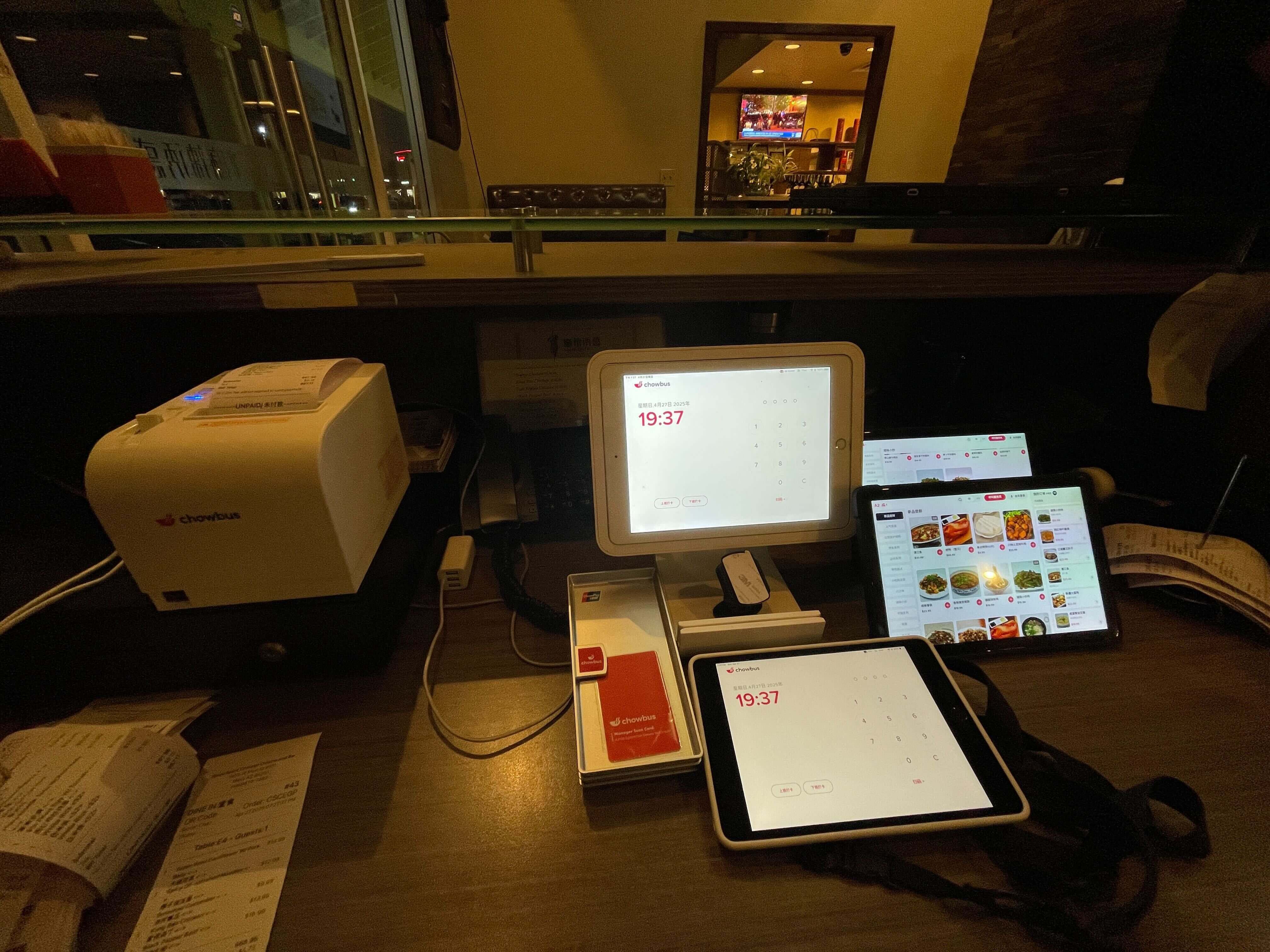
How do I set up a kitchen display system in my restaurant?Most systems require mounting screens or tablets at each station, connecting them to your POS and order sources, and configuring routing rules that match your kitchen's actual station layout. With Chowbus, this setup is handled as part of onboarding, with the KDS configured to match wok, cold, hot pot, or bubble tea station logic rather than a generic single-line template.
Is a kitchen display system better than paper tickets for a small restaurant?For a single-station kitchen with low order volume, paper can still work. But once a restaurant adds online ordering, a kiosk, or even one delivery app, order volume from multiple sources becomes hard to track manually, and a KDS reduces missed and duplicate tickets significantly.
How much does a restaurant kitchen display system cost?Pricing models vary — some vendors charge per terminal, some per order, and some bundle the KDS into a broader POS platform fee. It's worth asking directly whether the quote includes ongoing support, software updates, and integration with delivery apps, since those costs often show up later if they're not covered upfront.
Which kitchen display system is best for a hot pot or wok-heavy Asian restaurant?The best fit is a system built around multi-station routing and high order volume per table, with bilingual display support for kitchen staff. Chowbus's KDS was built specifically around these patterns, in contrast to generic systems designed for single-line QSR kitchens, though it's worth evaluating against your specific station layout before deciding.
What's the difference between Chowbus's kitchen display system and something like Toast or Square?Toast and Square are well-built general-purpose systems with strong brand recognition, but neither was designed specifically around bilingual, multi-station Asian kitchen workflows. Chowbus's KDS is narrower in focus but built natively for that use case, backed by a platform already running in 9,000+ restaurants.
A restaurant kitchen display system isn't a cosmetic upgrade from paper tickets — it's coordination infrastructure for a kitchen that's juggling more order sources than ever. The restaurants that get the most out of one aren't necessarily the ones with the flashiest screens; they're the ones whose KDS actually understands how their specific stations, dishes, and order volume work.
If your kitchen runs wok stations, hot pot service, bubble tea, or high-volume AYCE seating, that specificity matters more than brand recognition. A generic system built for a single cook line will require workarounds every single shift, while a system built around your kitchen's actual complexity should feel invisible — cooks just see the right ticket, at the right station, at the right time.
Chowbus won't claim to be the most recognized name in kitchen display systems yet, and it would be dishonest to say otherwise — but it's a rapidly growing, purpose-built option for exactly this kind of kitchen, run by a team that already supports thousands of Asian restaurants day to day. If you're evaluating a KDS for the first time, or replacing one that's never quite fit how your kitchen actually works, it's worth a direct look before defaulting to whatever your POS provider happens to bundle in.