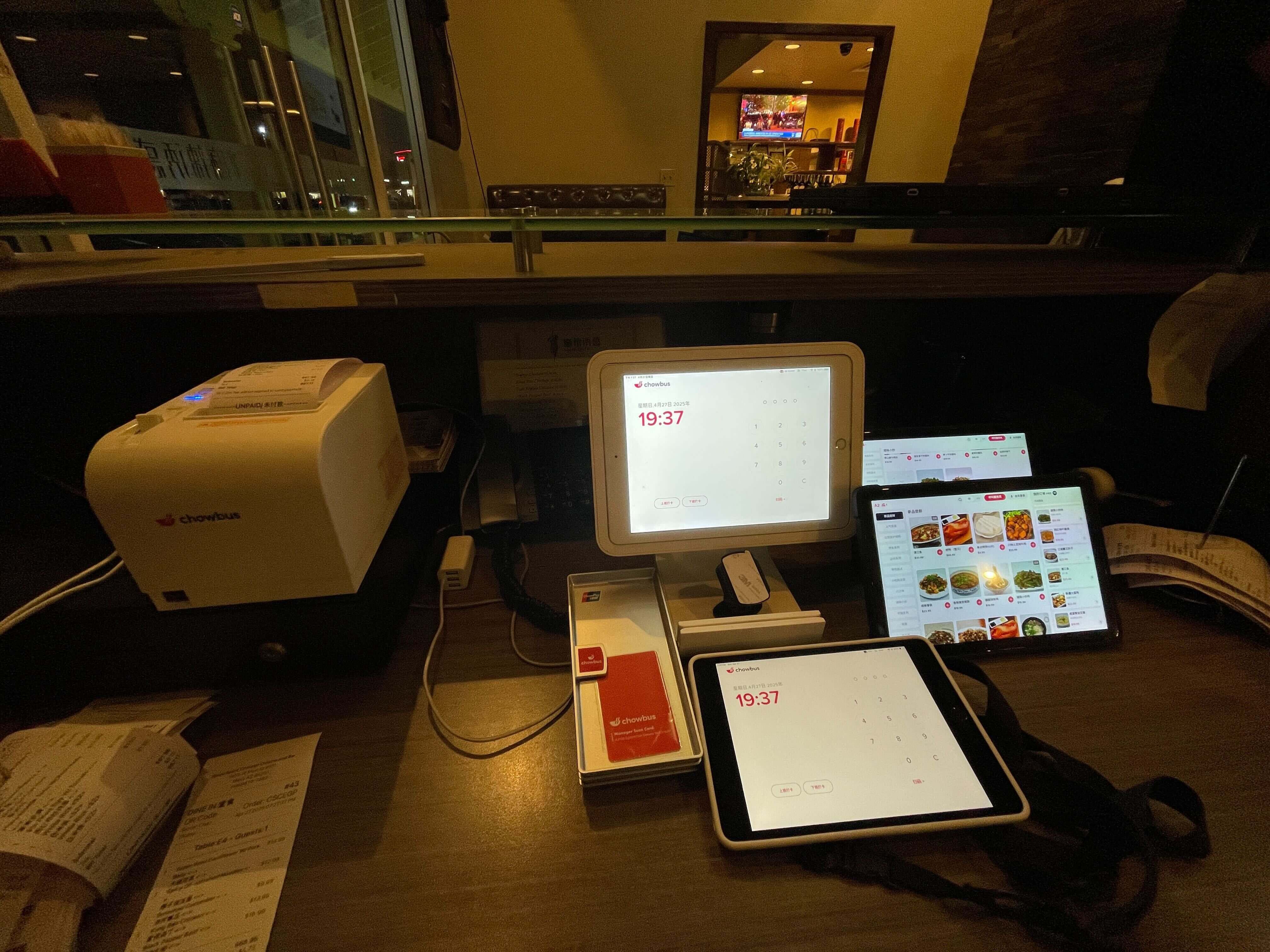
Talk to enough restaurant operators about the screen mounted above a pickup counter — the one that flashes a guest's name or order number the moment food is ready — and the terminology never quite settles: pickup screen, order-ready display, guest KDS, calling board. Meanwhile "KDS" already means something specific in a kitchen — it's the ticket screen facing the cooks, not the one facing guests. That mix-up wastes real time: an owner researching how to set up a customer-facing pickup screen often lands on articles about kitchen display systems instead, and sometimes ends up asking a vendor for the wrong piece of hardware entirely. This piece is about the screen guests actually look at — what it's for, where it physically goes, how it talks to the kitchen and the register, and what trips people up the first time they install one.
An order-ready display is a screen — usually a wall-mounted TV rather than a tablet — positioned wherever a guest naturally stands or sits after paying and before food is in hand. In a straightforward counter-service shop, that's directly above or beside the pickup counter. Picture a fried chicken sandwich spot with six stools lined along the front window: the screen sits above the expo line at a height meant for someone standing in a queue, not seated at a table, because that's where the eyes are during the two or three minutes between ordering and pickup.
Drive-thrus use a smaller version of the same idea, usually mounted near the second window, confirming to the driver that the bag being handed over matches what they ordered and paid for a minute earlier. Self-serve and hybrid concepts — a boba counter, a fast-casual noodle bar — tend to put the screen right above wherever the finished product appears, since that's the spot a guest's attention is already pointed toward.
What lands on the screen is deliberately thin. No prep notes, no allergy flags, no modifier detail — none of the information a line cook needs to build the order correctly. That's the kitchen display's job. The guest-facing screen shows a number, a name, sometimes both, and it moves an entry from "preparing" to "ready" the moment food comes up. Some setups tack on an estimated wait time. The better ones resist adding much else, because the entire value of the screen is a two-second glance, not a dashboard to study.
Placement ends up mattering more than most owners expect going in. A screen needs a sightline from every spot a waiting guest might stand or sit, which in a narrow storefront sometimes means two screens instead of one — a second near the door for anyone waiting outside the main line of sight. Glare is the mistake that shows up over and over: a taco counter with floor-to-ceiling windows facing west can have a screen that reads perfectly at noon and turns into a washed-out rectangle by mid-afternoon. Walk the space at different hours before deciding where to bolt anything to the wall.
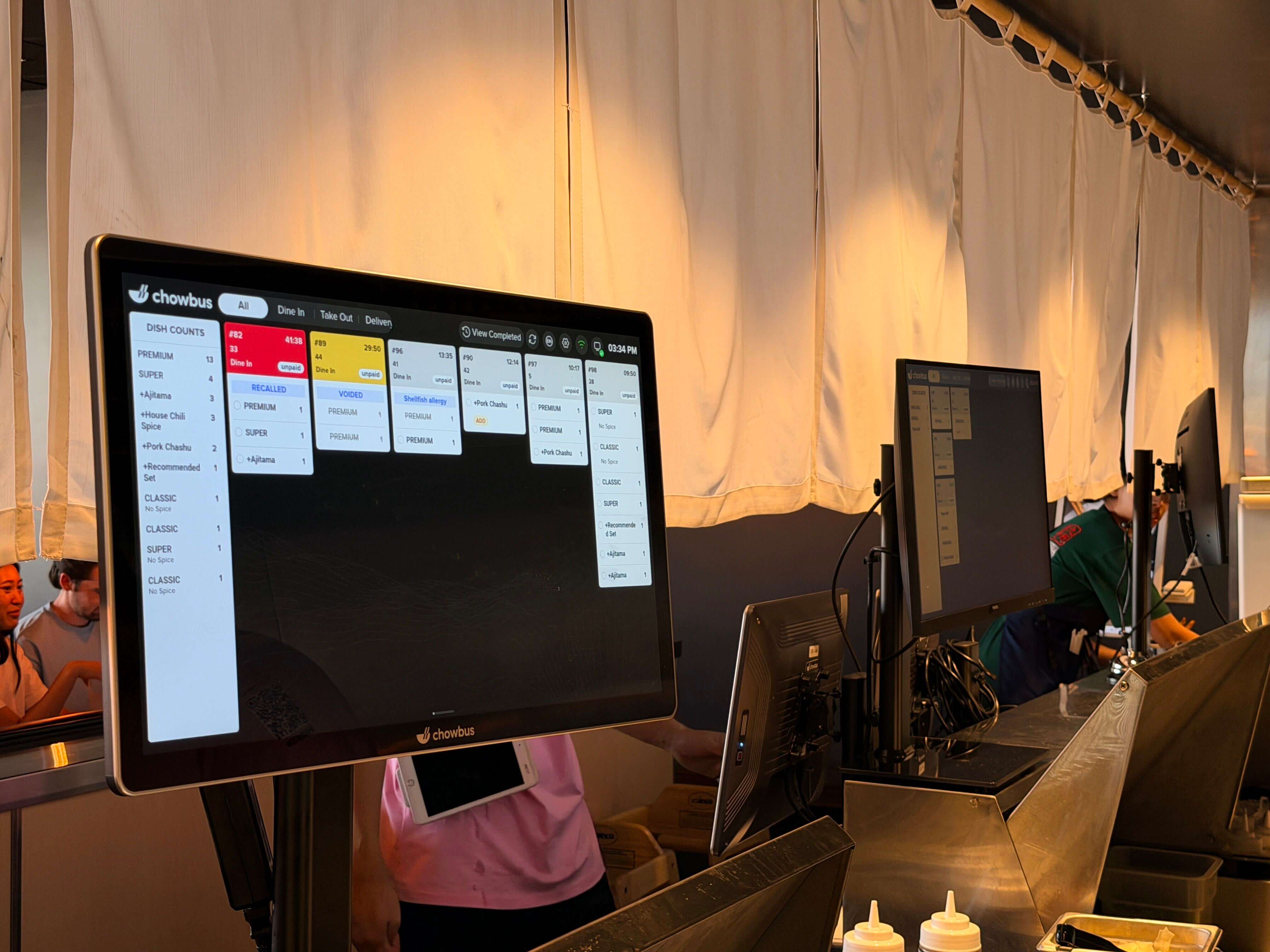
This screen can't do its job sitting off on its own. It only earns its keep if it's wired into the same order flow as the kitchen display and the POS, because whatever moves an order from "preparing" to "ready" has to come from somewhere — and it shouldn't come from a person standing there tapping a button. In a properly connected setup, the moment a cook marks a ticket complete on the kitchen display, that same event pushes the order onto the guest-facing screen automatically. One order, one system, two screens showing two different filtered views of the same data.
The friction shows up in restaurants built piece by piece over several years: a POS bought in year one, a kitchen display added in year three, a guest-facing screen bolted on last year from a completely different vendor because it was cheaper or a rep pitched it well. When those three pieces don't share a single order record, somebody on staff ends up doing the connecting work by hand — tapping a button to advance the counter screen after already marking the ticket done in the kitchen. That's an extra step during the exact rush the screen was supposed to remove work from. Worse, if an order gets modified or canceled at the register after it's already fired to the kitchen, a disconnected guest screen can keep showing a stale entry, and now a guest is standing at the counter for a bag that doesn't exist anymore.
Chowbus runs this the connected way: a ticket completing on the kitchen side updates the customer-facing screen without anyone touching a second device, because both screens pull from the same order record. A restaurant already on Chowbus POS and kitchen display doesn't stand up a new system to add the guest-facing screen — the order record already exists, and the screen just reads from it, no separate login or second dashboard for staff to manage.
The case for an order-ready screen is clearest in high-volume counter service, anywhere the register and the pickup point are physically separate and staff genuinely can't hold twenty simultaneous orders in their head. Fast-casual bowls, sandwich counters, fried chicken and burger QSRs all fit this pattern: a guest orders, steps aside or sits down, and needs some passive way to know when to come back. Without a screen, that job falls to shouting a name or number across a loud room, which gets lost during a lunch rush and forces staff to repeat themselves while the line behind that guest keeps building.
Ghost kitchens and multi-brand pickup operations need it even more. Picture a single six-burner kitchen producing for four different delivery-only brands at once, orders staged on the same twenty inches of counter space, each one destined for a different courier who's never set foot in the building before and has no idea which bag belongs to which brand. A shared screen split by brand — color-coded columns, order number, courier initials — cuts down meaningfully on the wrong courier grabbing the wrong bag, which otherwise turns into a remade order or an eaten refund. If your kitchen already routes self-serve or QR orders alongside delivery, it's worth checking whether that flow has its own failure points too.
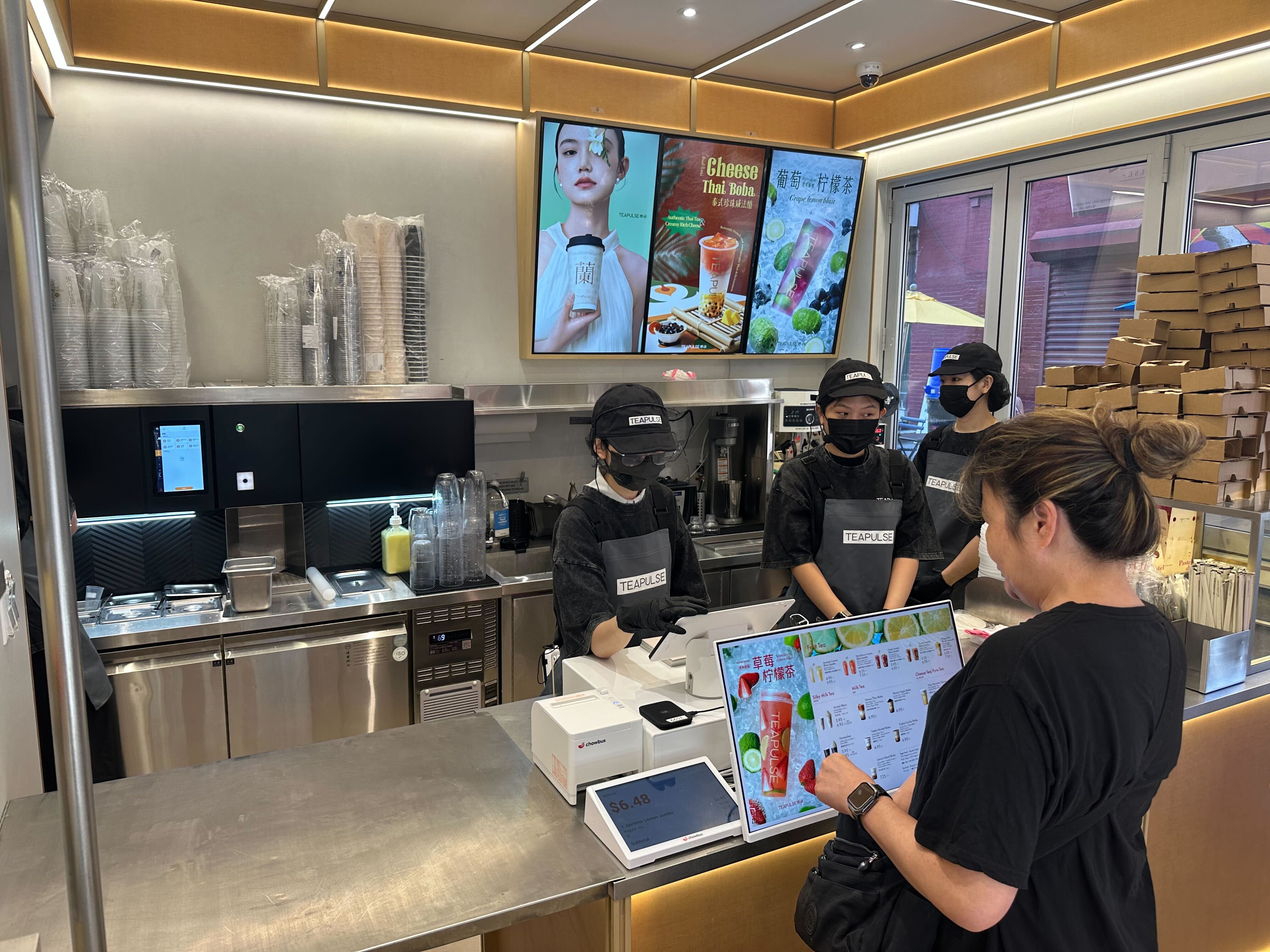
Bubble tea and cafe counters are a slightly different case, and they usually run names instead of numbers. Prep cycles are shorter, the counter interaction feels more personal, and a first name flashing on a screen is easier to recognize than an order number scribbled on a cup sleeve five minutes earlier. The catch is duplicate names. A boba shop running a Saturday afternoon rush can easily have three "Kevin"s in the queue within a few minutes of each other, and if the display isn't set up to handle that, three confused Kevins converge on the counter at once. Most systems solve it by tagging a last initial or a short order code next to the name once a duplicate shows up — a small setup detail worth confirming before opening day rather than discovering during a Saturday rush.
A few decisions tend to get made too quickly, and they're worth slowing down on before a screen goes up. Brightness is the first: outdoor-rated or high-nit displays cost more, but a standard indoor screen next to a sunny storefront window will wash out by mid-afternoon no matter how carefully it's mounted, and swapping hardware after the fact means a second install visit and a second bill. Check what's rated for the specific spot before ordering, not after.
Number versus name is the second real decision, and it isn't purely aesthetic. Numbers are faster to scan and don't raise privacy concerns about displaying a stranger's name on a public screen, which matters more in some markets and concepts than others. Names feel warmer and suit concepts built around a personal counter relationship, but they need a plan for duplicates, and in some cases for guests who'd rather not have their name up on a screen at all. A short numeric code tied to the name, printed on the receipt, splits the difference for concepts that want both.
The third is language, and it's easy to overlook until a shift where half the waiting guests read the display in a second language, or don't recognize the name format the system assumes by default. Concepts with a genuinely multilingual customer base — common in neighborhoods with a large Chinese, Korean, or Spanish-speaking population — benefit from a display that can show a guest's name in more than one script rather than transliterating it into something the guest doesn't immediately recognize. It's a small feature on paper and a real friction point in practice, and it's one of the more specific requests Chowbus hears from restaurants running multilingual menus and multilingual guest-facing screens across the U.S. and Canada. Worth asking about directly if your guest base isn't monolingual, because not every vendor offers it, and it's not a gap you notice until a guest is standing at the counter unable to find their own name.
The technology underneath all of this is simple, which is exactly why it tends to get treated as an afterthought bolted on after everything else is already installed. What actually needs deciding is straightforward: a screen goes up, it needs a live data connection to the kitchen display and the POS rather than a manual workaround, someone has to pick numbers or names up front, and the room needs a walk-through at different times of day so the sun doesn't wash it out. Skip that planning and the more likely result is three unconnected screens, a staff member tapping through order statuses by hand during the rush, or a guest squinting at a washed-out monitor wondering if their order even printed.
If you're setting up a new counter-service concept, or fixing a pickup process that's been held together with shouted names for the last two years, treat the order-ready screen as part of the same system as your POS and kitchen display, not a separate purchase to sort out later. Ask any vendor, Chowbus included, how the screen ties into the order data you already have before asking what it costs or what it looks like — the answer to that one question determines whether the screen quietly does its job or becomes one more thing staff has to babysit. If it's easier to just see it running, book a Chowbus demo and watch a ticket move from the kitchen screen to the counter screen without anyone touching a second device.
Handled that way, the screen stops being something anyone in the building thinks about. Guests glance up, catch their name or number, and walk to the counter without asking anyone anything — which means a quieter counter, a shorter line, and a few fewer interruptions per hour for whoever's working the register.

An order-ready display is the customer-facing screen near a pickup counter, drive-thru window, or self-serve station that shows guests an order number or name once their food is ready for pickup. It's separate from a kitchen display system (KDS), which faces the cooks and shows tickets, prep times, and modifiers rather than pickup status. The two get confused often because they sit close together physically, but they serve opposite audiences.
The screen needs to read from the same order data as your POS and kitchen display rather than operating as a separate device someone updates by hand. If your current POS and KDS are from the same provider, adding a connected guest-facing display is usually a matter of pointing another screen at the existing order feed. If your systems come from different vendors, check whether they support a shared integration before buying hardware, since a mismatched setup often ends up needing manual updates during service.
For low-volume counters, calling names works fine and keeps a personal touch some concepts want. Past a certain volume, roughly the point where more than a handful of orders are in progress at once, calling out names gets lost in ambient noise, forces repeated announcements, and pulls staff attention away from the line. A screen removes that ambiguity for the guest without needing a staff member to interrupt what they're doing.
Seat count matters less than order volume and prep time variability. A boba counter that gets a rush of walk-in and mobile orders at once, even with limited seating, benefits from a screen because multiple drinks finish at different times and guests need a passive way to track their own order among several. A slower QSR with steady, spaced-out traffic may genuinely get by without one until volume picks up.