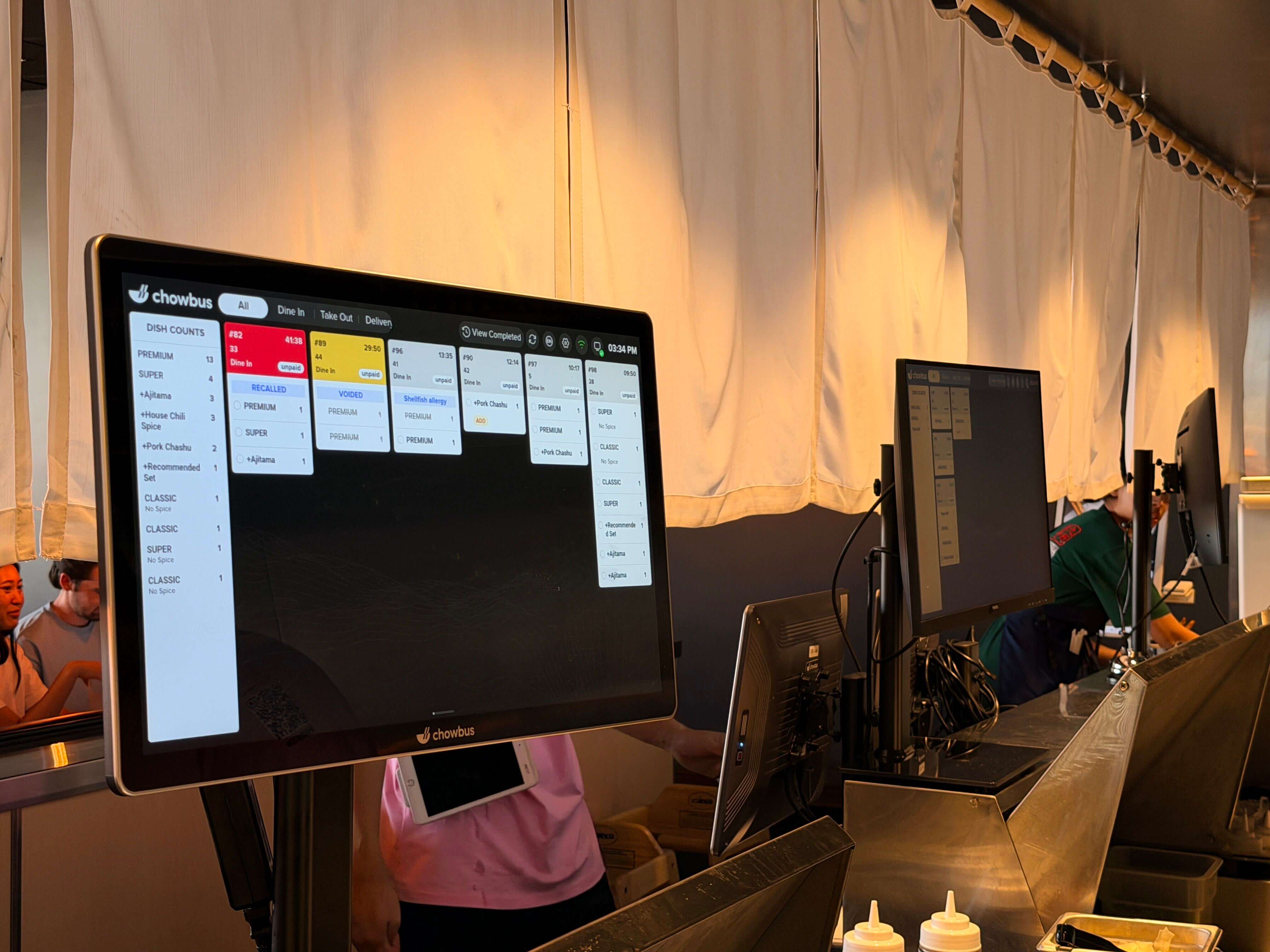
Most owners shopping for a kitchen display system assume any screen that shows tickets is basically the same. It isn't — and the difference usually doesn't show up during a five-minute sales demo. It shows up about six weeks in, when the printer that was supposed to disappear quietly reappears next to a stack of handwritten tickets.
We've watched enough of these rollouts to recognize the pattern. Install day goes fine, the screens look sharp, and then somewhere around week six someone on the line starts writing orders by hand again "because the screen thing didn't work out." It's almost never the hardware itself. It's one of five decisions that got skipped or rushed before the screens ever got mounted — and in a kitchen already juggling several disconnected systems, a KDS that doesn't fit how the line actually moves just becomes a sixth thing to manage.
Here are the five we see most often, along with what actually breaks because of each one and what to check before you sign anything.
Real station routing means the system reads what's on a ticket and sends each item only to the station cooking it — grill gets the ribeye, fry gets the calamari, neither screen sees what isn't theirs. A lot of systems skip this and just broadcast the full ticket to every screen in the building, which looks identical in a demo and behaves completely differently at 7pm on a Friday.
Take a mid-size line: grill, fry, sauté, three station screens, one expo screen pulling it together. Without routing, the fry cook has to eyeball every ticket that lands on the screen — including grill's ribeyes and sauté's risotto — and manually pick out what's actually his. That filtering habit costs maybe ten or fifteen seconds a ticket. Across forty tickets in a rush, that adds up to real minutes, and it ends up slower than paper, because a paper ticket at least got sorted and clipped to the right station before a cook ever looked at it.
Before you buy, make the vendor route a real order off your actual menu through the system, live, not their demo menu. If something like shrimp fried rice needs both wok and fry, watch it split correctly and reassemble at expo. If they can't show you that on your menu, they're asking you to take it on faith.
Physical interface matters more here than in almost any other piece of restaurant tech, because the environment is actively hostile to a touchscreen. Some KDS units use a bump bar — a strip of physical buttons under the screen a cook can hit with a knuckle or the side of a gloved hand without really looking. Others are pure touch, which is fine until someone's hands are covered in flour or raw chicken and they're trying to land a fingertip on a half-inch target with three tickets already queued behind it.
Heat and glare cause a quieter version of the same problem. A screen facing a flat-top or a wok station takes steam and radiant heat directly, and hood lighting can wash out a display at exactly the angle a cook stands. One kitchen we know of remounted a $2,000 screen twice after installation, because nobody checked sightlines against where the heat actually was before hanging it.
Walk your line the way food moves through it before you buy, and put the vendor on the spot with one question: can this screen be used all night by someone with wet, greasy, gloved hands, in the exact spot you're planning to hang it? If they hedge, that's your answer.
A KDS that isn't wired directly into your POS is really a second system somebody has to keep in sync by hand. When the connection is loose, staff end up re-keying orders into the display, or the two systems run on a lag — tickets showing up in the kitchen 20, 40, sometimes 90 seconds after the guest actually ordered.
That lag sounds trivial until it hits a specific table. A guest orders an appetizer and an entree expecting the appetizer first; if the sync is slow or inconsistent, both can land on the kitchen screen at nearly the same moment, or a modifier gets dropped somewhere in the re-keying — "no cilantro," "extra spicy," "allergy: shellfish." A dropped allergy note isn't a service hiccup, it's a real risk.
This is where a system built as a genuine extension of your POS, rather than bolted onto it after the fact, earns its keep — modifiers, order timing, and course firing stay attached to the ticket automatically instead of depending on someone typing fast enough during a rush. When you're evaluating vendors, don't accept "compatible with most POS systems" as an answer. Ask whether the KDS reads your ticket stream natively in real time, or whether it needs middleware, an export file, or a person keeping up by hand.
Screens freeze. Wi-Fi drops. Power blinks during a storm. None of that is rare — what actually separates a good rollout from a bad one is how fast the kitchen has a working backup path once it happens.
A kitchen running on a single screen with no fallback has exactly one point of failure standing between the guest and the food. If the grill screen locks up at 7:45 on a Friday, the POS keeps ringing in orders regardless — nobody in the kitchen can see them until someone digs up a printed backup or restarts a terminal while six tables wait. It's one of the more common ways a kitchen quietly ends up back on handwritten tickets: no bad hardware, no bad intentions, just no answer ready for the ten minutes a screen was down.
Ask before you buy, not after an outage: does the system fail over automatically to a backup printer or a second screen? Do orders that were sitting on a dead screen come back once it's up, or are they just gone?
The easiest mistake to avoid on this list is also the one we see most: someone installs the hardware, walks the head chef through it, and assumes the rest of the line will pick it up by watching. It doesn't work that way. A cook on their second shift who's never touched a bump bar is going to hesitate, misread a modifier, or bump a ticket too early — and that moment becomes the story that gets repeated in the walk-in about how "the new system doesn't work."
We've watched the exact same hardware succeed at one location and get quietly abandoned at another, with training as close to the only variable as we've ever seen. One kitchen ran a slow Tuesday lunch on the new system with someone standing next to the line answering questions — forty-five minutes, real tickets, no live pressure. It kept the system. Another got a five-minute walkthrough during setup and was back on paper within a month — not because the hardware failed, but because nobody on the line had built enough trust in it to reach for it under pressure.
Training has to cover the failure cases too, not just the happy path — what a cook actually does when a screen freezes mid-ticket — because a team that's only ever seen things go smoothly panics the first time something breaks, and panic reaches for paper.
None of these five mistakes are really about the screens. They're about whether the buying decision matched how a specific kitchen actually runs — who's touching the screen, where the heat is, what the plan is when something breaks, and whether anyone actually trained the people using it every night.
Get those five things right and the system tends to disappear into the background — nobody talks about the KDS because it just works. Skip enough of them, and it eventually lands in the same spot the old ticket printer used to occupy, next to a stack of handwritten orders.
If you're mid-shop right now, the questions above are worth writing down before your next vendor call — or bring them to a live free POS demo and watch a vendor answer them in real time. What you get, or don't get, will tell you more than any feature sheet.

A kitchen display system replaces or supplements paper tickets with screens mounted at each cooking station, showing orders in real time as they come in from the POS. A properly configured KDS can also route items to the specific station that needs them, track how long a ticket has been sitting, and flag orders running behind — none of which a printed slip does on its own.
Walk your actual line before you buy, and test routing against your real menu, not a demo menu. Ask vendors direct questions about POS integration, offline behavior, and how the screen holds up near heat and wet hands — and build a real training plan, with a slow shift for hands-on practice, into your go-live date instead of treating it as an afterthought.
Pricing varies by vendor and screen count, generally running from a few hundred to a couple thousand dollars per station once hardware, mounting, and software are included. A KDS that's natively integrated into your POS, like the one on the Chowbus platform, often ends up cheaper in practice than a standalone system plus the middleware or staff time needed to keep a disconnected system synced — check current numbers on the pricing page.
Not necessarily. A single screen at expo can work fine for a small kitchen where one or two cooks handle the whole menu together. Routing logic becomes essential once separate stations are working different parts of the same ticket independently — typically once a kitchen grows past a two- or three-person line.