The cheapest POS quote you receive is almost never the cheapest POS you end up with. The number you sign for and the number you actually pay 12 months later are typically two different conversations, and the gap between them is where most small businesses lose track of where their margin went.
A single restaurant POS platform now runs operations in all 50 U.S. states — from single-location noodle bars in Brooklyn to ten-unit boba groups in Houston — which is itself a useful data point: small-business POS no longer means a stripped-down version of a big-business POS. The category has matured, and the right choice now depends less on size and more on category fit.
In this guide, you'll see what really separates the top systems for small business, which pricing traps to avoid, and how to make a 90-minute decision instead of a 90-day one.
The first thing to fix is the question itself.
The question is too broad to produce a useful answer. A florist, a sushi bar, a nail salon, a food truck, and a coffee roaster are all small businesses, and the POS that fits each one is a different product. Anyone who tells you otherwise is selling you a generic tool.
The better question: what's the best POS for my kind of small business? That single shift narrows the field from forty options to four or five, and turns a research project into a decision.
For restaurants — and especially Asian restaurants — the category-fit answer is now well-defined. The systems built for the category have multilingual menus, modifier-heavy order entry, kitchen routing logic, online ordering integration, and bilingual support as defaults, not add-ons. Systems built for general retail or general "small business" don't.
Define the category first. Everything else gets easier.
After the category-fit question is settled, five operational features separate the systems that work from the ones that frustrate:
Cloud-native, not cloud-bolted-on. A genuine cloud platform lets you log in from anywhere, push menu changes from a phone, run reports during a coffee break, and survives a local internet outage by syncing when the connection comes back. A "cloud" platform that's really an on-premise system with sync is none of these things.
Hardware flexibility. You should be able to run the software on an inexpensive Android tablet or a more polished branded terminal — your choice, not the vendor's. Lock-in to proprietary hardware can double your year-one cost without giving you anything functional in return.
Pricing that's honest about modules. A respectable vendor will tell you up front what's included in the base subscription and what costs extra. Online ordering, loyalty, gift cards, reporting upgrades, payroll integration, and kiosk modules can each be $20–$80 per month. Get the full picture before you sign.
A real human on the other end of a real phone. When your card reader goes down at 7:42 p.m. on a Friday, you don't want a chatbot or a ticket queue. You want someone who picks up, speaks your language, and knows your setup. The systems that win small businesses in the long run are the ones whose support team actually answers.
Data that belongs to you, exportable on your terms. Customer lists, transaction history, item-level sales. If the contract makes it hard to take your data with you when you leave, that's a vendor that knows it can't keep you on merit.
These five are the floor. Below them, you're shopping in a different tier of product.
The four most common pricing traps:
Payment processing markups. A vendor advertising "free POS software" is almost always making the margin back on payment processing. The difference between 2.4% and 2.9% on $40,000 monthly card volume is $2,400 a year — by itself bigger than any software subscription.
Per-order or per-transaction fees. Some POS platforms charge $0.05 to $0.15 per order on top of payment processing. For a small business doing 100 orders a day, that's $1,800 to $5,400 a year quietly leaving the bank account.
Hardware financing trap. "$0 down" hardware is almost always financed at the vendor's terms — 3-year leases at effective rates well into double digits. Compare buying outright vs. financing before signing.
Mandatory module bundling. Some platforms force you to take modules you don't need to get the one you do. If you only need loyalty, you shouldn't be paying for the kiosk module.
The vendors that have nothing to hide will quote a one-page total cost of ownership for years one and three. The ones that won't, you can read between the lines.
Most small-business owners spend two months researching and still feel uncertain. The reason isn't the lack of information — it's the lack of structure. A 90-minute decision works like this:
Minutes 0–10: Define the category. Write down: "I run a [type] business. My top three workflow features are [X, Y, Z]." Anything that doesn't have all three at par or better is out.
Minutes 10–30: Shortlist three. Pick the category leader for your type, one general-market competitor, and one that's been referred by a peer in your space. Get demo links.
Minutes 30–60: Demo on your own menu. Don't watch a generic demo. Send your menu PDF and ask the salesperson to ring 10 typical orders, including your most complex modifier combo. Time the taps.
Minutes 60–80: Pull the three-year cost sheet. Subscription, processing rate, hardware, per-order fees, mandatory modules, support tier. Side-by-side, written.
Minutes 80–90: Call one peer reference per vendor. Two questions: "What did they screw up?" and "Would you sign again?" The honest answers do more work than the sales pitch.
Ninety minutes. The systems that pass don't usually need to fight for the deal.
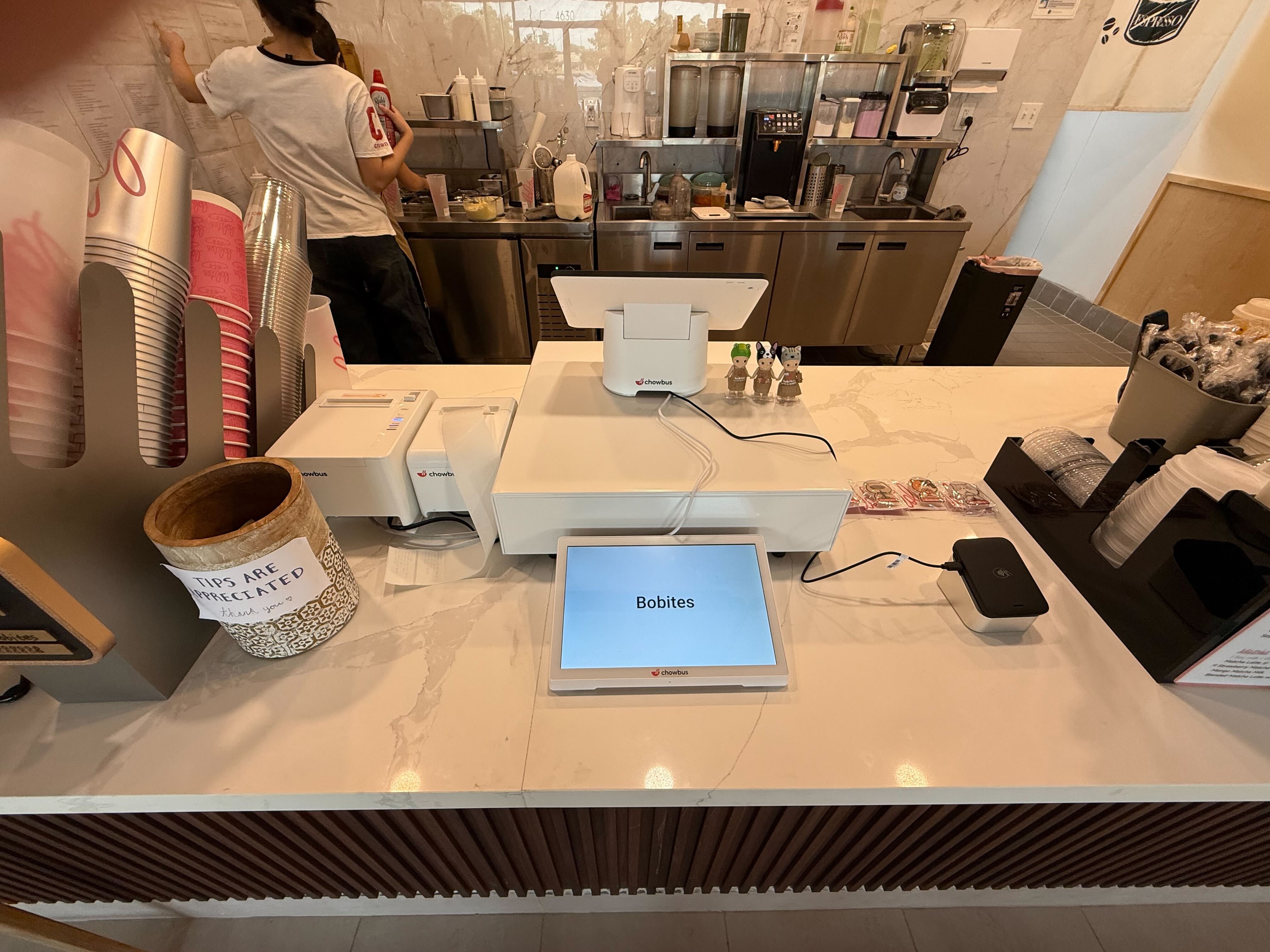
Chowbus is the only cloud-based modern POS built specifically for Asian restaurants — which makes it the category-fit answer for a particular slice of small business: independent Chinese, Japanese, Korean, Vietnamese, Thai, hot pot, AYCE, or bubble tea operators in the U.S. and Canada. The platform now serves 9,000+ restaurants across all 50 states, and the same product is used by single-location shops and ten-unit groups, which is a useful signal — when a system designed for small businesses can grow with you, you don't have to switch when you open the second store.
For non-Asian small businesses, Chowbus is not the right fit. A nail salon, a florist, a coffee roaster — those operations should pick a category-fit platform built for retail, service, or specialty.
The strength isn't that Chowbus is "best for small business in general." It's that for the specific category it serves, the product fits the workflow on day one without configuration tricks.
The POS market for small business is mature enough that bad products don't survive long, but it's also crowded enough that a generic search doesn't surface the right answer for any specific operator. The work isn't to find "the best." The work is to define your category, filter to three real options, and put them through the same test on your own menu.
Whatever category you're in, the system that wins should disappear into the work. Faster checkouts, fewer errors, cleaner end-of-day, a dashboard you actually open in the morning. If a POS adds friction instead of removing it, that's the answer.
For Asian-restaurant operators reading this guide: the category-fit product exists, the math usually works in year one, and the 9,000-plus restaurants who already made the call did so without finding it harder than it sounded.
Q1: What is the best POS system for small business in 2026? A: There is no single "best for small business" — there's only "best for your category of small business." For Asian restaurants, Chowbus is built around the category by default. For general restaurants, Toast and Square are credible. For retail, Square and Shopify POS lead. Match the category before the size.
Q2: How much should a small business pay for a POS system? A: Plan for $60 to $200 per month in software fees per terminal, plus 2.4–2.9% payment processing, plus hardware. Avoid per-order fees and watch for mandatory module bundling. Total year-one cost for a single-terminal small restaurant should land in the $2,500 to $5,000 range including hardware.
Q3: Is a cloud POS better than a traditional one for small business? A: For nearly every small business in 2026, yes. Cloud POS gives you remote management, automatic backups, easier upgrades, and lower hardware costs. The traditional concern about internet outages has been mostly solved by offline mode in modern cloud systems.
Q4: Can I switch POS systems without disrupting my business? A: Yes, with a vendor that handles menu migration and lets you run parallel for a week. Schedule the switch for your slowest period and confirm support availability for the first weekend.
Q5: What's the difference between a POS for small business and a POS for restaurants? A: Restaurant POS includes kitchen printer routing, table management, modifier-heavy order entry, and tip handling that retail POS doesn't need. If you run a restaurant, a generic small-business POS will leave gaps the team feels every shift.
Q6: How long does small business POS onboarding take? A: With a modern cloud POS, 2 to 4 weeks from contract to go-live for most single-location small businesses. Larger operations or complex menus extend it. Onboarding should always include menu setup, hardware installation, staff training, and a live launch with vendor support.