
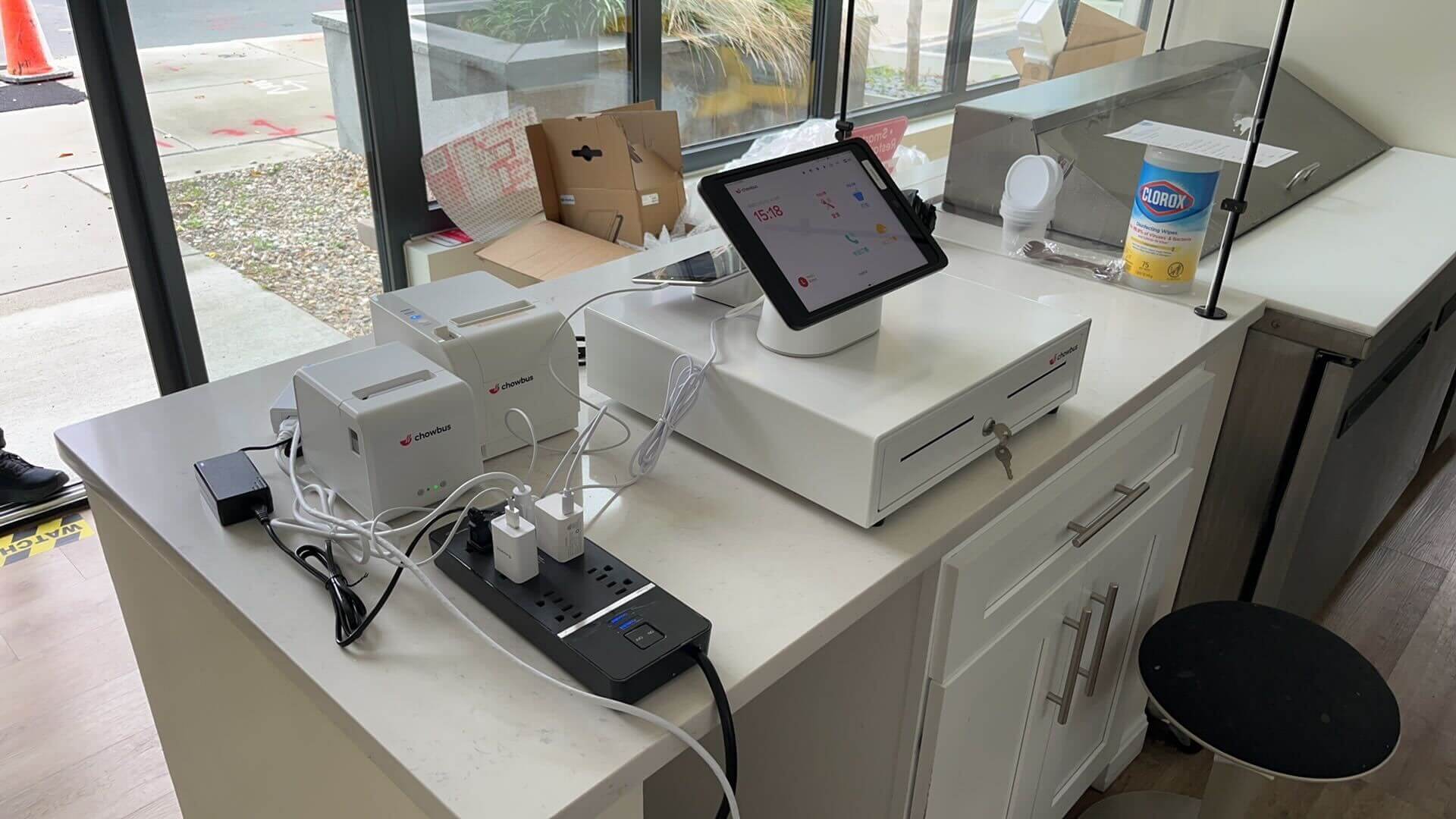
At a hot pot restaurant in Rowland Heights, the host stand runs four tablets side by side: one for DoorDash, one for Uber Eats, one for Grubhub, and the actual POS terminal wedged in underneath. When several orders land at once during a Friday dinner rush, someone has to stop bagging a to-go order or running food and manually retype each delivery ticket into the kitchen system — usually whoever's standing closest, not necessarily the person who knows the menu well enough to catch that "tripe" and "lamb belly" sit two lines apart on a cramped tablet screen. Mix-ups like that happen often enough at multi-platform restaurants that kitchens develop workarounds: someone double-checks anything typed in a hurry, or the tablets get moved somewhere less chaotic. Neither one fixes the actual problem.
The actual problem is structural. The POS and the delivery tablets were built by different companies that never agreed to share data with each other, so a person has to stand in the gap and manually move information from one system to the other, order after order, night after night. That's true of a lot more than delivery apps. For many independent restaurants, the POS looks like the center of the operation, but it's really one island in a small archipelago — delivery platforms, accounting software, loyalty programs, inventory tracking — each one competent on its own, each one blind to what the others are doing. The cost lives in the space between them, and it stays invisible until someone reconciles the books at month-end or the kitchen runs out of an ingredient nobody flagged. Four integration gaps show up over and over in restaurants running this way. Here's where they live, and what they actually cost.
Restaurants running more than one delivery platform usually have each one arriving on its own tablet, printer, or app — separate from the POS that fires kitchen tickets and tracks sales. Someone has to see the order, read it, and key it in by hand. The automated version of this is called order injection, and going without it is one of the more common gaps we hear about from multi-platform kitchens.
The failure mode is rarely dramatic — it's small and constant. A modifier gets missed because whoever's retyping is also bagging a to-go order. An order gets forgotten because a tablet's notification sound got muted after the fifth ding of the night. And because sales from third-party platforms don't land in the POS's own reporting automatically, an owner checking end-of-day numbers is really only looking at dine-in and pickup, unless someone's manually tallying four separate apps by hand. During a real rush, the retyping step alone can eat a minute or two per order — not much on its own, but forty times in one dinner service it adds up to a server who's now doing two jobs.
The fix is orders that arrive from DoorDash, Uber Eats, or Grubhub and print on the kitchen printer or show on the display exactly like a dine-in ticket, with the sale recorded automatically. No tablet forest, no retyping, no items swapped because two menu names looked alike under pressure.
This next one doesn't show up anywhere near the dining room — it shows up in the bookkeeper's inbox on the first of the month. Without a connection to accounting or payroll software, someone (often the owner, sometimes a hired bookkeeper) has to export sales data by hand, categorize it, match it against tips, and enter it into QuickBooks or whatever the system happens to be. The POS calculates sales tax correctly, but the accounting software has no idea how to split that number between food tax, alcohol tax, and local surcharges — someone rebuilds that split from a spreadsheet, every single time.
Payroll carries its own version of the same problem, and it tends to bite harder. Tip pooling across a mix of counter and table service produces numbers inside the POS that then have to move, by hand, into whatever system runs payroll. A restaurant paying fifteen employees biweekly does this reconciliation twenty-six times a year. Each round is tedious rather than genuinely difficult, which is exactly the kind of task that produces typos — and a mistyped shift total turns into a wrong paycheck and an uncomfortable conversation with an employee who noticed.
Connect the two systems and daily sales, tax breakdowns, and tip data move into the accounting platform automatically, usually overnight. The bookkeeper's job shifts from typing numbers in to checking that they're right, which is a real difference at a restaurant where the owner is also the scheduler and the person expediting on Saturday night.
Online ordering and loyalty programs frequently get bought as two separate tools, sometimes years apart and from two different vendors, and the seams show. A customer who orders online every Tuesday might not be earning loyalty points at all, because the ordering system has no idea a loyalty program exists. Or the same person ends up with two accounts — one from ordering online, one from signing up at the counter — each holding half an order history, neither with enough points to redeem anything.
The practical cost is that a restaurant loses the ability to recognize its own regulars across channels. A birthday email that references someone's usual order only works if the ordering data and the loyalty data are the same dataset, not two records that happen to share a customer's name. Online ordering built on the same platform as loyalty and CRM keeps every order — dine-in, pickup, delivery, online — feeding one customer profile, so points accrue no matter how someone ordered, and a server can actually see that the regular standing in front of them has come in eleven times this year. Chowbus builds Online Ordering, Loyalty & CRM, and POS as one connected system for exactly this reason — recognizing a regular shouldn't require three separate tools comparing notes at the end of the day.
The last gap costs real money, and it rarely announces itself. There's no error message for it — food cost just runs a little high some months, and nobody can point to exactly why. If the kitchen display system and inventory tracking aren't wired into the same POS that's handling delivery and online orders, the kitchen can 86 an item in real life while three different ordering channels keep selling it anyway. A customer orders salmon on Uber Eats twenty minutes after the kitchen ran out, and now someone has to call, apologize, and substitute or refund — mid-rush, with no real time for a phone call.
Inventory depletion is the other half of it. Every dish sold should subtract from a running count of the ingredients it uses, and that only happens automatically if every channel — not just the register — feeds the same inventory engine. A restaurant tracking depletion only from in-house sales, while delivery and online orders bypass it entirely, ends up with counts that are wrong by design, not by accident. That surfaces as ingredient shortages mid-shift, and as over-ordering "just in case," which ties up cash in the walk-in instead of the bank account.
Wired together properly, every order — regardless of channel — hits the kitchen display in the order it came in and depletes inventory the moment it's placed, not the moment someone counts stock at close.
Getting all four of these connected isn't a single afternoon project, and it isn't free — a lot of it comes built into a modern POS, and some of it needs a middleware subscription to bridge older systems together. Whether it's worth doing depends less on a formula than on how often you're already seeing the symptoms: a retyped order sent to the wrong customer, a payroll number that didn't match, a regular who mentioned they never got their birthday reward, a dish 86'd in the kitchen that a delivery app sold anyway twenty minutes later.
Chowbus runs point-of-sale for more than 9,000 restaurants across the U.S. and Canada, and the pattern holds across that base: restaurants running one connected system spend less time moving data by hand and catch fewer errors after the fact — not because the software is flashy, but because the information only has to be entered once. If any of the four gaps above sounded familiar, the next step is usually a direct question to whoever runs your current POS: what does this actually connect to out of the box, and what needs a third-party bridge to work at all? Book a POS demo and bring that question with you — it's the fastest way to find out whether it's time to consolidate.

It means your point-of-sale system exchanges data automatically with the other software you run — delivery platforms, accounting tools, online ordering, loyalty programs, or inventory systems — instead of someone manually transferring information between them. A well-integrated POS receives a DoorDash order the same way it receives a dine-in order, and pushes sales data to your accounting software without anyone exporting a spreadsheet.
Ask the POS provider directly for their list of native integrations, and be specific about the exact product and version you're running, since some integrations only support certain plans or newer versions. If a direct integration doesn't exist, ask whether the provider supports a middleware layer, like Deliverect or Otter for delivery orders, that can bridge the gap. Get this in writing before signing a contract, not after.
Built-in integrations are generally more reliable because there's one vendor responsible when something breaks, and one system to log into. Middleware works, and it's sometimes the only option when you're attached to a specific accounting or delivery tool, but it adds a layer that can fail independently of either system, and troubleshooting means figuring out which of two vendors actually owns the problem.
The goal is getting DoorDash, Uber Eats, and Grubhub orders to print or display in your kitchen exactly like a dine-in ticket, without anyone retyping anything, and having all three feed the same sales and inventory data as your in-house orders. That usually means either a POS with native order injection for all three platforms or a single middleware tool that connects to all of them at once, rather than three separate one-off connections that each behave differently.


