
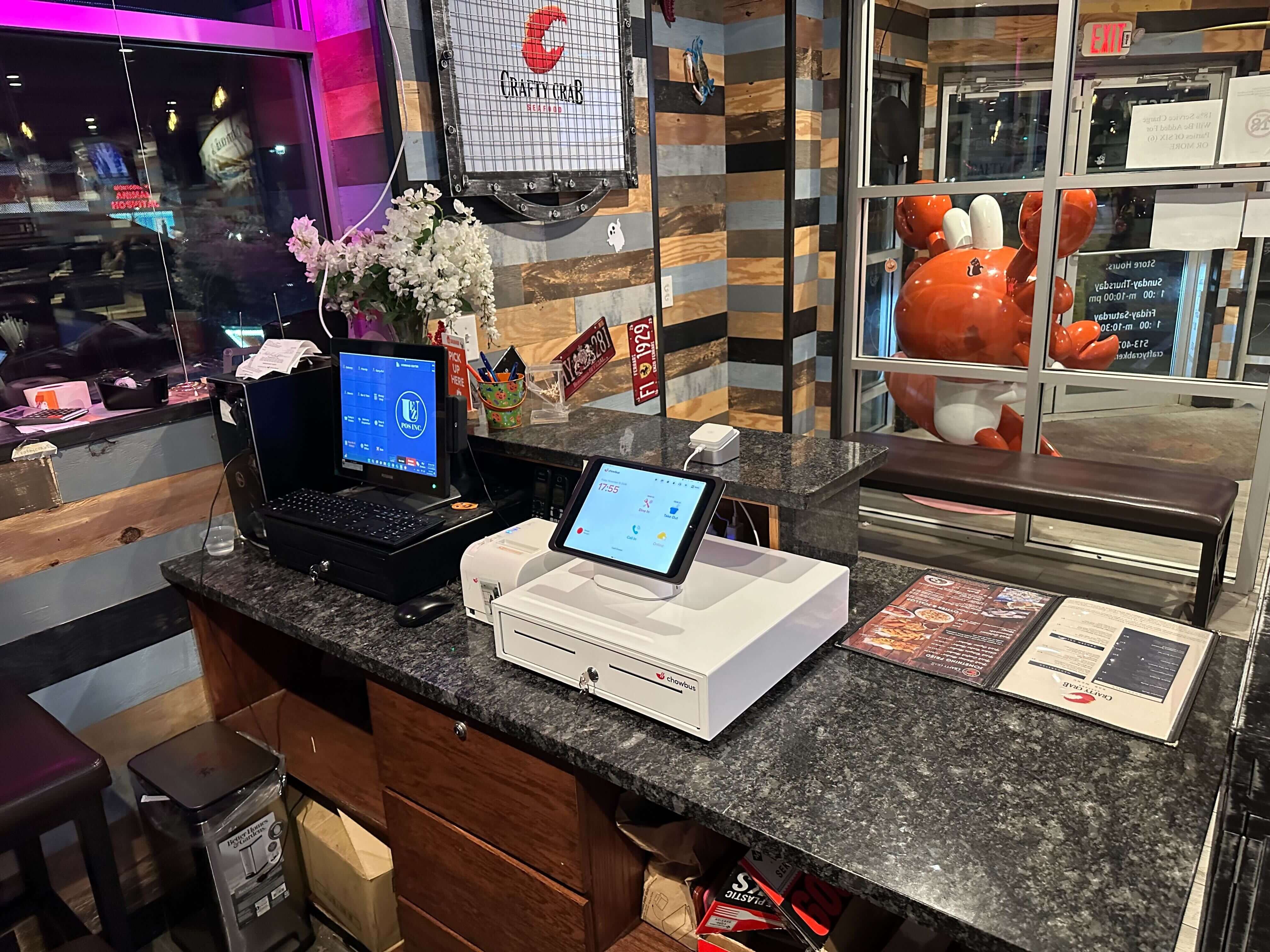
The most common opening-night POS problem has nothing to do with the software itself. It's a terminal that's still running the demo menu — eight sample items, placeholder prices, none of it real — because somewhere along the way, someone assumed the system would basically configure itself once the hardware showed up. It doesn't. The terminal doesn't know your menu, the printers don't know which ticket goes to which station, and your staff hasn't touched any of it, no matter how smooth the sales demo looked. Getting a POS genuinely ready for opening night is less like flipping a switch and more like assembling a small, temporary machine out of menu data, hardware, and muscle memory — one that has to work on the single night you can least afford it not to. If you're still comparing vendors, this piece picks up once you've already signed, and walks through what actually needs to happen, week by week, to get a POS system built for a new restaurant opening from "just installed" to "ready for a real service." Start with the part almost every first-time owner underestimates: the menu itself.
Thirty days out feels early to be touching the POS at all. It usually isn't. Menu building tends to eat more hours than owners plan for, mostly because typing in item names feels like an afternoon's work. It rarely is, not if it's done right.
Say a ramen shop has 38 menu items once bowls, sides, and drinks are all counted. Each bowl probably needs a modifier group — spice level one through five, a noodle swap for gluten-free, extra egg, extra chashu. Each of those modifiers has to route correctly: an extra egg needs to hit the same kitchen printer as the bowl it belongs to, not print separately five minutes later after the cook has already plated it. Combo pricing needs testing too. If a lunch set bundles a bowl with a side and a drink at a discount, ring one up and confirm the discount applies the way it was priced on paper, not the way the system assumed it meant.
This is also when tax categories get set correctly. Alcohol, prepared food, and packaged retail items — bottled sauces, branded merchandise if any is sold — often fall under different rules depending on the state, and getting this wrong usually doesn't surface until an accountant is reconciling month one. Run a mock ticket for every item, print it, and check that it landed on the right kitchen station. If there's a wok station and a noodle station, this is the week that shows whether printer routing actually reflects the kitchen's real layout or just a generic template someone set up by default. It's tedious work, but it's also the one week in this process where the payoff is fairly direct: an error caught now is an error a line cook won't be swearing about on a Friday night in six weeks. Even the demo menu still sitting on the terminal — possibly the same one from the product demo that got everyone excited about the system in the first place — gets replaced with something real this week, instead of still being there ten days before opening.
Two weeks out, the conversation shifts from menu logic to physical reliability. This is the point to count terminals against the actual floor plan, not the plan that existed in someone's head. Three fixed terminals plus one handheld sounds right for a 60-seat room until the handheld's Wi-Fi signal drops near the walk-in cooler, because the compressor interferes with the router.
Test every printer under real load, not a single test ticket. Print ten tickets back to back and see whether the printer keeps pace or starts jamming on ticket six. For a kitchen display screen instead of paper tickets, check it from the actual cook line rather than the pass — the angle and the glare from hood lights can make text unreadable exactly where it matters.
Network redundancy is the piece most often skipped, and the one most regretted. The primary connection, fiber or cable, will go down eventually; the only real question is whether that happens on a slow Tuesday or during a grand opening. Set up a cellular failover — a simple 4G or 5G hotspot the system can switch to automatically — and then actually test it: unplug the main router mid-transaction and watch what happens. If the POS can't take a card payment offline, or the failover isn't clean, that's worth knowing with two weeks of runway left, not at 7:40pm on opening night with a line at the door.
One week out, the hardware works and the menu is right. Now it has to survive contact with people who've never touched it before. Role-based permissions matter more than most new owners expect. A server might reasonably be able to apply a comp up to $10 without pulling in a manager, but a void over that amount, or any refund, should probably require a manager PIN. Hosts generally shouldn't be able to touch the till at all. Setting these tiers now avoids fumbling through permission menus mid-shift because a server can't fix a wrong order and the manager is in the walk-in.
Training tends to work better as rehearsal than as lecture. Twenty minutes of screen-sharing gets nods and forgets half of what it covered by the next shift. A fake dinner rush works better: servers ordering for each other while playing difficult customers, a check split three ways with one person paying cash, an item voided after it's already been sent to the kitchen, a birthday discount that doesn't quite fit the promo as built. The muscle memory from practicing under mild, low-stakes pressure sticks in a way that watching someone else demo it never does. Clock-in and clock-out belongs in this week too — if the POS handles timekeeping, get every employee's login tested and PIN memorized before day one, not typed in for the first time while a table is waiting on its check.
The day before opening is for finding out what got missed, ideally with friends and family in the seats instead of paying customers. Twenty or thirty guests, comped meals, every order run through the system exactly as if it were a real service — full menu, full modifiers, full payment flow.
Break things on purpose during this run-through. Decline a test card deliberately to see how the terminal handles it and how fast staff recover. Pull the paper out of a printer mid-ticket to see if anyone notices before the kitchen is missing an order. Split a check six ways, because someone eventually will ask for that on a busy Saturday. Process one refund start to finish. Anything that feels shaky here is better found tonight than tomorrow. A soft open that goes flawlessly and a little boring is close to the best possible outcome — it means the real opening night gets to be just a restaurant opening, not a systems test with paying customers watching.
Opening night, something will not go according to plan. It's rarely the same thing twice across different restaurants, which is exactly why the fix isn't preventing every failure — it's having a fallback ready before it's needed.
Keep a physical order pad and pens behind the counter, not buried in a drawer, in case a terminal freezes mid-rush and someone needs to keep taking orders by hand while it reboots. Print a few copies of the full menu with current prices, in case a guest asks to see it while a tablet is tied up or charging. Have one backup device — a phone or tablet with a card reader — charged and ready, so a single terminal failure doesn't take down the whole register. Tape the manager override PIN somewhere only management can see it, not on a sticky note visible to guests, but somewhere faster to find than digging through a phone. And save the POS provider's support number under a name that's recognizable at 8pm mid-panic, not buried in an installation email from three weeks earlier. A system like Chowbus, which includes 24/7 bilingual support, is worth having that number saved for before service starts, not looked up after something already broke.
None of this is complicated on its own — it's the compression that causes problems. Building a menu, testing printers, rehearsing with staff, running a dry service, keeping a backup pad behind the counter: each of these takes an evening or two done separately, and most of a week done all at once, ten days before opening, because nobody carved out time for it earlier. Giving the process the thirty days it actually needs doesn't change the total workload. The only real variable is whether it happens calmly, with room to fix what breaks, or during the week a line is already forming outside.
If there are still a few weeks before opening, start with the menu build — it's the piece everything else depends on. If time is tighter than that, start wherever the calendar allows, but don't skip the dry run. Even a shortened version of it means the worst surprises show up in front of friends who ordered for free, not customers who are paying and watching.

For a full-service restaurant with a moderately complex menu, thirty days from first login to opening night is a reasonable target — not because any single task takes that long on its own, but because menu building, hardware testing, staff training, and a proper dry run each need their own uninterrupted time to do well. Simpler concepts can compress that. A quick-service or fast-casual menu, with fewer modifiers and a shorter combo list, often gets through the same steps in two to three weeks.
Not necessarily. Even when menu data can be imported, modifier groups, printer routing, and tax categories rarely map over cleanly, and staff still has to relearn workflows on new screens. It's safer to budget close to the same runway and treat the import as a first draft that needs testing, not a finished setup that can be trusted as-is.
Usually not. Staff nod along during a screen-share and forget half of it by the next shift. A short rehearsal service — servers ordering for each other, a comp applied, a check split three ways, an item voided after it's already fired to the kitchen — builds muscle memory that a lecture doesn't. It's worth scheduling that rehearsal close to opening rather than weeks ahead of it, so it's still fresh when it matters.
It can be skipped, and skipping it is where a lot of opening-night problems trace back to. A soft open with comped meals for friends and family is the cheapest place to find a printer that jams on ticket six, or a discount that doesn't apply the way it was priced on paper. Skipping the dry run doesn't remove those problems — it just moves them to a night with paying customers watching.
Many providers include menu setup and training support as part of onboarding at no extra cost, so it's worth checking what a plan actually includes before assuming a separate setup fee is required. Doing it independently is possible, and some owners prefer the control, but it takes real hours — menu building alone for a restaurant with 30-plus items and modifiers often runs several evenings, not one. The number worth weighing isn't the setup fee; it's the time, and the risk of mistakes surfacing during the first week of service instead of before it.


