
Most first POS demos follow the same script: a rep drags menu icons around a polished sample screen built for a made-up burger joint, and twenty minutes in, nobody has touched anything that looks like your restaurant. If you run a hot pot spot with per-person AYCE pricing, a two-hour seating limit, and spice-level modifiers stacked across forty different proteins, none of that shows up unless you make it show up.
That's not entirely the rep's fault. Most are trained on one clean sample menu because it's the version that never breaks mid-call. The messy parts of running a real kitchen — modifiers, split checks, seat-based billing, a combo that changes price after 3pm — get skipped unless someone in the room insists otherwise. In conversations with owners who've gone through more than one of these calls, a pattern comes up often: the ones who interrupt the script early and hand the rep their actual menu tend to run into fewer surprises after they sign. That's not a controlled study, just something worth testing on your own call.
What follows is the specific list of things worth asking, and what a real answer sounds like next to a dodge.
Bring your menu to the call — not a description of it, the actual PDF or spreadsheet, with every modifier, every combo, every pricing rule you've accumulated over the years because a regular asked for something once and it stuck.
Ask the rep to build one of your most complicated items live, on screen, while you watch. Running AYCE pricing? Have them set up a per-person fixed price with a time limit and show you what the guest check looks like when someone orders something that costs extra on top of the flat rate. Run a bakery with a wholesale wedding-cake side business? Ask how a deposit on a custom order gets tracked separately from counter sales. If a spice-level or protein-swap modifier touches forty items on your menu, ask how many modifier groups can stack on one line before the kitchen ticket turns unreadable.
Time how long it takes. A rep who's genuinely used the back end will have your item built in two or three minutes. One who says "we'd loop in implementation for that" before even trying is telling you something, whether or not they mean to.
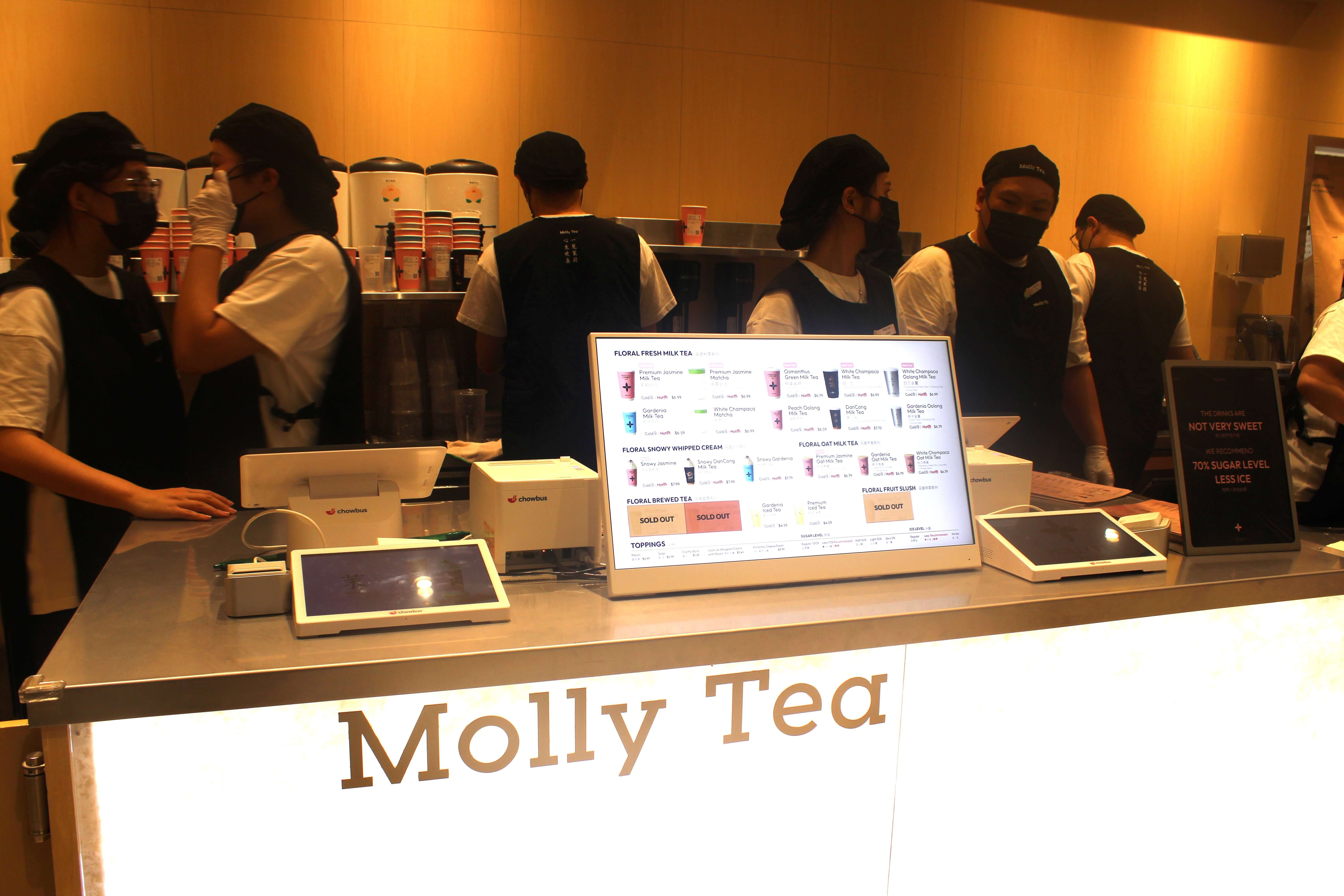
If you run a multilingual menu, this is also the moment to have them flip the customer-facing display into Chinese, Korean, or Spanish live on the call. Easy to promise in a slide deck, harder to fake with the screen in front of you. Chowbus's point of sale system supports menus in English, Chinese, Japanese, Korean, and Spanish — worth confirming in real time rather than taking on faith.
Every restaurant loses internet eventually. The question isn't whether it happens, it's what the POS does in the ninety seconds after.
Have the rep simulate it, right there. Some systems let them toggle offline mode on the demo unit. Watch three things: can a server still ring in an order and send it to the kitchen printer, can a guest still close out a check and run a card, and what happens to that data once the connection returns. A system that freezes or spins for thirty seconds during a Friday dinner rush is a real problem, not a hypothetical one.
Get specific about payments too. Some offline modes take an order but won't process a card — which means a server telling a table to wait, or running the card manually on a slip and hoping it clears later. Ask directly: during an outage, can a guest pay and leave, or does the system just queue the order and hold payment until service comes back? Then ask how long it can run in that state before something breaks. Fifteen minutes of grace is very different from four hours.
Every demo ends with a dashboard that looks impressive and tells you almost nothing you'd use — bright charts, sales ticking up in real time, maybe a map with pins on it. None of that is what you'll open at 9am Monday to figure out how the weekend went.
Ask for the specific reports you already pull today, by name. Labor cost as a percentage of sales, broken down by shift, not just by day. Void and comp activity by employee, so you can see whether the same server keeps comping desserts for tables that don't need it. Sales by modifier — for a hot pot or Korean BBQ menu, one of the only ways to see which spice levels or protein add-ons drive revenue versus just sitting on the menu unused. Running more than one location? Ask how the roll-up report works across stores and whether you can still drill into a single location without exporting three spreadsheets first.
Then ask the question nobody asks: can this data leave the platform cleanly? If your bookkeeper works in a spreadsheet or your accountant needs a CSV every month, find out whether that export takes one click or a support ticket.
Every vendor says their support is fast. It's the easiest claim to make on a call and one of the hardest to verify from a slide — so don't take their word for it.
Have the rep contact support live, during the demo, with a real if minor question, and time how long it takes to get a human. If a company advertises 24/7 bilingual support — Chowbus, for instance, covers English, Chinese, and Spanish — ask what language the person on the other end speaks, and whether that holds at 11pm on a Tuesday or only during business hours in one time zone. Ask what happens when the first agent can't solve something on the spot: does it go to a supervisor within minutes, or into a queue with no timeline attached?
Ask for a reference call too, ideally with a restaurant close to your size and cuisine. A vendor confident in their support connects you without hesitation. One that stalls, or offers only a written testimonial, is telling you something about how those calls usually go.
A few patterns are worth flagging the moment you see them, because they tend to predict how things go after you sign.
The rep can't answer a specific integration question — whether the system connects to your accounting software, say, or a particular delivery platform — and instead of "I don't know, let me find out," goes straight to "let's get you on a call with implementation." That's sometimes a legitimate next step. It's a red flag when it happens on every specific question, because it usually means the rep is trained on the pitch, not the product.
A demo that only ever runs on a pristine sample environment, never anywhere near a live system with real restaurant data behind it, is worth noticing too. So is pricing that gets vaguer instead of clearer the more you ask — especially around per-transaction fees or hardware costs that only come up once you push; a transparent pricing page is a useful thing to hold the conversation against. And there's a quieter one: a rep who answers "can it handle X" with an immediate, enthusiastic yes before you've finished describing X.
A rep who pauses and says "let me check on that" isn't failing the demo. Usually it means someone's being careful with the answer instead of just trying to get through the call.
The gap between a demo that looks good and a system that holds up for your restaurant almost always comes down to whether anyone made the rep deal with your menu, your outage scenario, your Monday morning. A polished walkthrough of a fake burger joint won't tell you how the software behaves when a hot pot table orders three broth refills and a to-go box at the same time.
None of this requires being difficult. It just means showing up with your menu printed out, a short list of questions, and a willingness to ask the rep to do something instead of describe it. The vendors worth working with welcome that. The ones who get uncomfortable are giving you useful information too.
Before you book your next demo, pull the messiest item on your menu and plan to ask them to build it first. Everything else you learn on that call will be more honest for it.

Q: What should a POS demo cover for a restaurant owner? A: A useful demo goes beyond a generic sample menu and covers four things specifically: how the system handles your actual menu's complexity (modifiers, combos, AYCE pricing), what happens during an internet outage, which reports you'd realistically check weekly, and how support responds when contacted live. If a demo only shows a polished default menu and a dashboard, ask the rep to go deeper before you evaluate anything else.
Q: How do I prepare for a POS demo call so I get real answers instead of a canned pitch? A: Bring your actual menu, including every modifier and pricing rule you use today, not a summary of it. Write down three or four of your most complicated order scenarios ahead of time, like a split check with a discount or a per-person AYCE package, and ask the rep to build them live on screen. Also decide in advance which reports you currently pull each week so you can ask for those by name instead of accepting whatever dashboard they show you.
Q: Should I demo more than one point of sale system before deciding? A: Yes, generally two or three demos gives you a real comparison baseline, since it's hard to judge how fast a rep answered a question or how a system handled your menu without something to measure it against. A side-by-side comparison of a few vendors going in makes it easier to keep the details straight when the calls are spread out over a week or two. Keep the same list of questions across every demo so the comparison is apples to apples, and pay attention to which vendors let you test your own menu versus which ones stay on their sample data the whole call.
Q: What should I do after a demo if the system seems like a good fit? A: Ask for a short trial period or a sandbox login where you can build out more of your real menu yourself, outside the pressure of a live call. Also ask for at least one reference restaurant of similar size and cuisine that you can call directly, and confirm in writing what implementation and training actually look like before you sign anything. A vendor confident in their product will make all three of those easy to get.


