If you run a small restaurant, you already know the job description never fits on one page. You’re not just the owner. You’re often the manager, scheduler, buyer, accountant, and sometimes even the cashier during rush hour.
That’s exactly why choosing the right POS for small restaurant operations matters more than many people realize. It’s not just about ringing up orders. It’s about creating a system that quietly supports you every day without demanding extra time, extra training, or extra stress.
Let’s talk about what actually matters.
Large chains often adopt complicated systems because they manage dozens of locations and corporate reporting structures. But most small restaurant owners don’t need that level of complexity. What they need is visibility and control.
A practical POS for small restaurant environments should help you answer simple but critical questions quickly:
If you have to dig through multiple dashboards just to close your day, the system is working against you.
The best technology for small operators reduces mental load instead of increasing it.
When the lunch rush hits, speed matters more than features. A POS that requires too many taps or freezes during peak volume creates tension behind the counter. Staff frustration leads to mistakes. Mistakes lead to refunds. Refunds eat into margins.
A well-designed POS for small restaurant use keeps the interface clean and intuitive. Orders move from front-of-house to kitchen smoothly. Payments process quickly. Receipts are automatic. No bottlenecks.
The difference becomes obvious on your busiest days.
Closing a small restaurant shouldn’t feel like solving a puzzle. Owners need straightforward reporting that shows sales totals, payment breakdowns, voids, discounts, and labor hours in one place.
When reporting is clean and digestible, you can make faster decisions. Maybe a menu item needs repricing. Maybe staffing needs adjustment. Maybe third-party delivery fees are eating too much margin.
A POS should help you see patterns—not hide them.
Small restaurants often rely on manual tracking or separate spreadsheets. That works—until it doesn’t.
A POS for small restaurant setups doesn’t need advanced supply-chain automation, but it should connect sales to ingredient usage. When you can see how menu performance impacts inventory levels, food cost becomes manageable instead of reactive.
Small insights add up over time.
Many owners start their search by asking: “What’s the cheapest POS?” That’s understandable. Margins are tight.
But here’s the better question:
How much time and money does the system save you every week?
If a slightly higher subscription reduces ordering mistakes, speeds up checkout, and improves reporting accuracy, it may pay for itself quickly.
Total cost includes:
When evaluating a POS for small restaurant operations, think in terms of total operational impact—not just price tags.
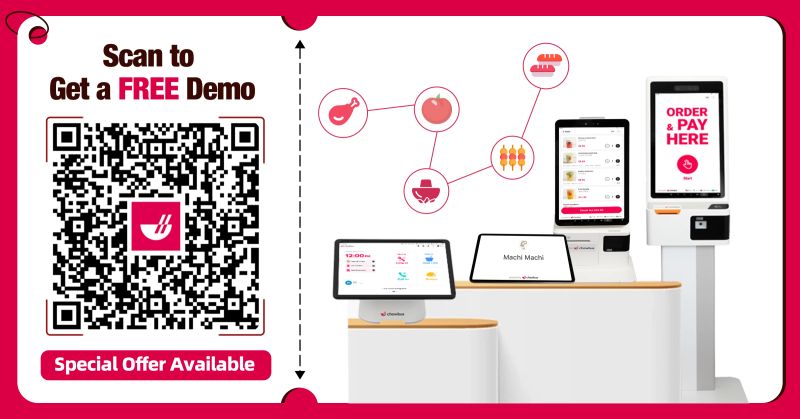
If you're exploring options and want to see how an integrated POS system works in a real small restaurant workflow—from order entry to reporting—it’s worth reviewing a live walkthrough. Seeing how everything connects often makes the decision much clearer.
Today you may operate one location. Tomorrow you might add online ordering, catering, or even a second storefront. The POS you choose should grow with you.
Cloud-based systems allow remote access, menu updates across devices, and centralized reporting. Even if you don’t need all those features today, having the option protects your investment.
Replacing a POS system later is disruptive. Choosing a scalable solution early prevents that headache.
Over time, many operators say they wish they had:
Technology decisions are easier when you think beyond the immediate setup.
Simplicity, reliability, and meaningful reporting matter more than advanced enterprise features.
Costs vary, but evaluating long-term operational savings is more important than focusing only on subscription price.
Cloud systems offer flexibility and remote access, which can be helpful even for single-location operators.
Indirectly, yes. Faster checkout and streamlined reporting can reduce administrative workload.
Most modern systems can be learned within a few hours if the interface is well designed.
Choosing the right POS for small restaurant operations isn’t about finding the most advanced system on the market. It’s about finding the one that quietly supports your daily rhythm—during rush hour, during closing, and during long-term planning.
If you'd like to evaluate how a POS solution fits your restaurant’s size, workflow, and growth goals, consider requesting a demo or speaking with a specialist to explore practical use cases tailored to your operation.
%20(1).png)