Most "best small business POS" lists are written for a hypothetical business that sells one product at one price with one tax rate. Walk into an actual small business — especially a restaurant — and none of that holds true. You've got modifiers, combo pricing, happy hour rules, delivery platforms, and a kitchen that needs to know about an order before the customer even finishes paying.
The point-of-sale market has exploded with options precisely because "small business" covers everything from a boutique to a bubble tea counter, and generic software forces owners to bend their operations to fit the tool. In the restaurant world specifically, more than 9,000 restaurants across all 50 U.S. states have moved to purpose-built systems rather than general retail POS software, because the day-to-day mechanics of running a kitchen are just different.
In this guide, you'll learn what separates a genuinely good small business POS from one that just has a nice sign-up page — so you can pick a system that fits how your business actually runs, not how a demo video makes it look. Before you compare feature lists, it helps to understand what "small business POS" even needs to mean for a food service operation.
A point-of-sale system used to mean a cash register with a barcode scanner. Today, for a small restaurant or café, "POS" is really shorthand for an entire operating system: payments, order management, kitchen communication, inventory, staff scheduling, customer data, and increasingly, online ordering and marketing. When people search for the "best" one, they're rarely asking about the register screen — they're asking which system won't force them to run five different logins to keep the business open.
For a small business owner, the real evaluation criteria are:
Generic small business POS platforms are often strong on the first two and weak on the last three, especially once your menu gets more complex than "sandwich, side, drink."

Most of the big-name small business POS platforms were built for retail first and adapted for food service later. That shows up in small but painful ways: modifier trees that cap out at two levels when your hot pot menu needs four, no native support for combo/set-meal pricing, and menu builders that assume every dish name fits in twenty characters and one language.
For Asian restaurant operators, this gap gets bigger. A Sichuan restaurant menu might run 150+ items with spice-level modifiers, protein substitutions, and combo logic. A bubble tea shop needs sugar level, ice level, and topping combinations that can produce dozens of variations per drink. A hot pot or AYCE concept needs table-side ordering, per-person pricing, and time-limit tracking that a retail-first POS was never designed to handle. Add a bilingual staff and a bilingual customer base, and a system that only speaks English in the back office becomes its own daily source of friction.
This is the specific niche a system like Chowbus's POS was built to fill — it's a cloud-based point-of-sale designed from the ground up for the mechanics of Asian and multi-cuisine restaurant service, rather than a general small business tool with food service features bolted on.
"Best" and "cheapest" are not the same question, but cost is still where most small business owners start. A realistic small business POS budget includes:
A cheap-looking monthly fee can hide a high processing rate, and a "free" hardware bundle can lock you into a specific processor for years. When comparing options, ask for the all-in monthly cost at your actual transaction volume, not the marketing number. It's also worth asking whether the quote includes ongoing support, or whether that's a separate line item — some small business platforms treat support as a premium tier rather than a baseline.
Every POS website lists "inventory management," "employee scheduling," and "reporting" as bullet points. What actually differentiates a good small business POS is how deep those features go once you're using them daily:
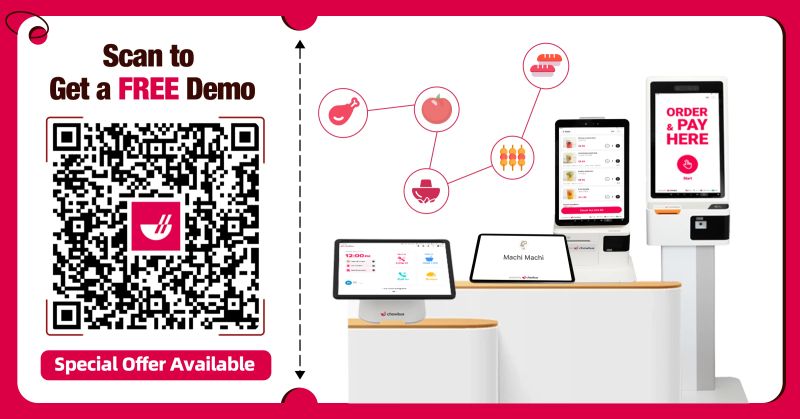
This is where all-in-one platforms earn their keep. Chowbus, for example, bundles POS, kiosk ordering (KioskPRO), table-side ordering (TablePRO), loyalty and CRM, and online ordering into one system, which matters because small businesses rarely have the staff to manage six separate vendor relationships and reconcile six separate reports.
Small business owners frequently underestimate how long POS setup takes — menu building, staff training, and hardware installation can eat two to four weeks if done without support. The systems that earn "best small business POS" rankings tend to have onboarding teams that build the initial menu with you rather than handing over a blank template and a help article.
Ask any vendor directly: who builds my first menu, how long does training take for a new hire, and what's the actual timeline from signing to first live transaction? The answers reveal more about day-to-day usability than any feature comparison chart.
A POS system is invisible when it works and catastrophic when it doesn't — a frozen terminal during a Friday dinner rush isn't a minor inconvenience, it's lost revenue and an angry line. This is why support quality belongs on the same tier as pricing when evaluating options, not as an afterthought.
Look specifically at: hours of availability (24/7 or business hours only), language options, and average response time. Chowbus, for instance, offers 24/7 bilingual support in English, Chinese, and Spanish with an average 2-minute response time and a 95% issue resolution rate — the kind of detail that matters far more at 9 PM on a Saturday than it does during a sales demo.
What is the best small business point of sale system for a restaurant?There isn't a single universal answer — it depends on your menu complexity, language needs, and channel mix. Generic platforms like Square work well for very simple, low-volume operations, while purpose-built systems like Chowbus tend to fit better once your menu has combos, modifiers, multiple languages, or multi-channel ordering (dine-in, delivery, online).
How much does a small business POS system typically cost?Costs generally break into software subscription (often $50-$200+/month per location depending on features), hardware (one-time or leased, often $500-$2,000+ per terminal), and payment processing fees. Always ask for an all-in monthly estimate based on your actual sales volume rather than the base advertised price.
How is a restaurant POS different from a general retail small business POS?Restaurant POS needs to handle modifiers, combos, kitchen routing, table management, and multi-channel order consolidation — none of which a retail-first system typically handles well out of the box. If food service is your business, a system built for restaurants will usually save time daily versus adapting a retail tool.
Can a small business POS handle multiple locations?Most modern cloud-based systems support multi-location reporting and centralized menu management, but the depth varies significantly — some only offer basic combined sales reports, while others let you manage pricing, staff, and inventory across locations from one dashboard.
How long does it take to switch POS systems?A well-supported switch typically takes one to three weeks, covering menu build, hardware setup, and staff training. Systems with dedicated onboarding support (menu-building help, in-person or virtual training) tend to go live faster and with fewer early mistakes than self-service platforms.
What should I ask a POS vendor before signing a contract?Ask about contract length and early termination fees, all-in monthly cost at your transaction volume, support hours and languages, and what happens to your data if you switch providers later. These questions surface the details that sales pages tend to leave out.
The "best" small business point of sale isn't the one with the longest feature list — it's the one that matches how your specific business actually operates day to day. For a coffee shop with a simple menu, that might be a lightweight, low-cost system. For a restaurant juggling combos, delivery apps, bilingual staff, and a busy dinner rush, that's usually a purpose-built food service platform that consolidates everything into one place.
If you're an Asian restaurant owner comparing options, weigh how well a system handles your actual menu structure, whether it supports the languages your team speaks, and whether support is available when you need it most — not just during business hours in a different time zone. These are the details that show up in your daily operations long after the sales call ends.
Whatever you choose, treat the decision like hiring a key employee rather than buying a gadget: check references, ask hard questions about support and cost, and make sure it can grow with you if you open a second location. The right system should make your day easier starting week one, not just look good in a demo.