Every restaurant eventually faces the same operational crossroads.
Stick with traditional counter ordering—the familiar, human-driven system that has worked for decades? Or introduce self-ordering kiosks and move toward a more digital, streamlined model?
This isn't simply a technology upgrade decision. It's a structural choice. One that influences labor allocation, customer flow, revenue strategy, and long-term scalability.
Both systems can work. Both have strengths. And both can fail if misaligned with your concept.
So which is better for your restaurant? Let's break it down in this blog to help you make a wise decision that fits your business needs.
Traditional ordering systems revolve around human interaction. A customer approaches the counter. An employee takes the order. The staff member enters it into the POS system. Payment is processed. The cycle repeats.
It's linear. Sequential. Dependent on staffing.
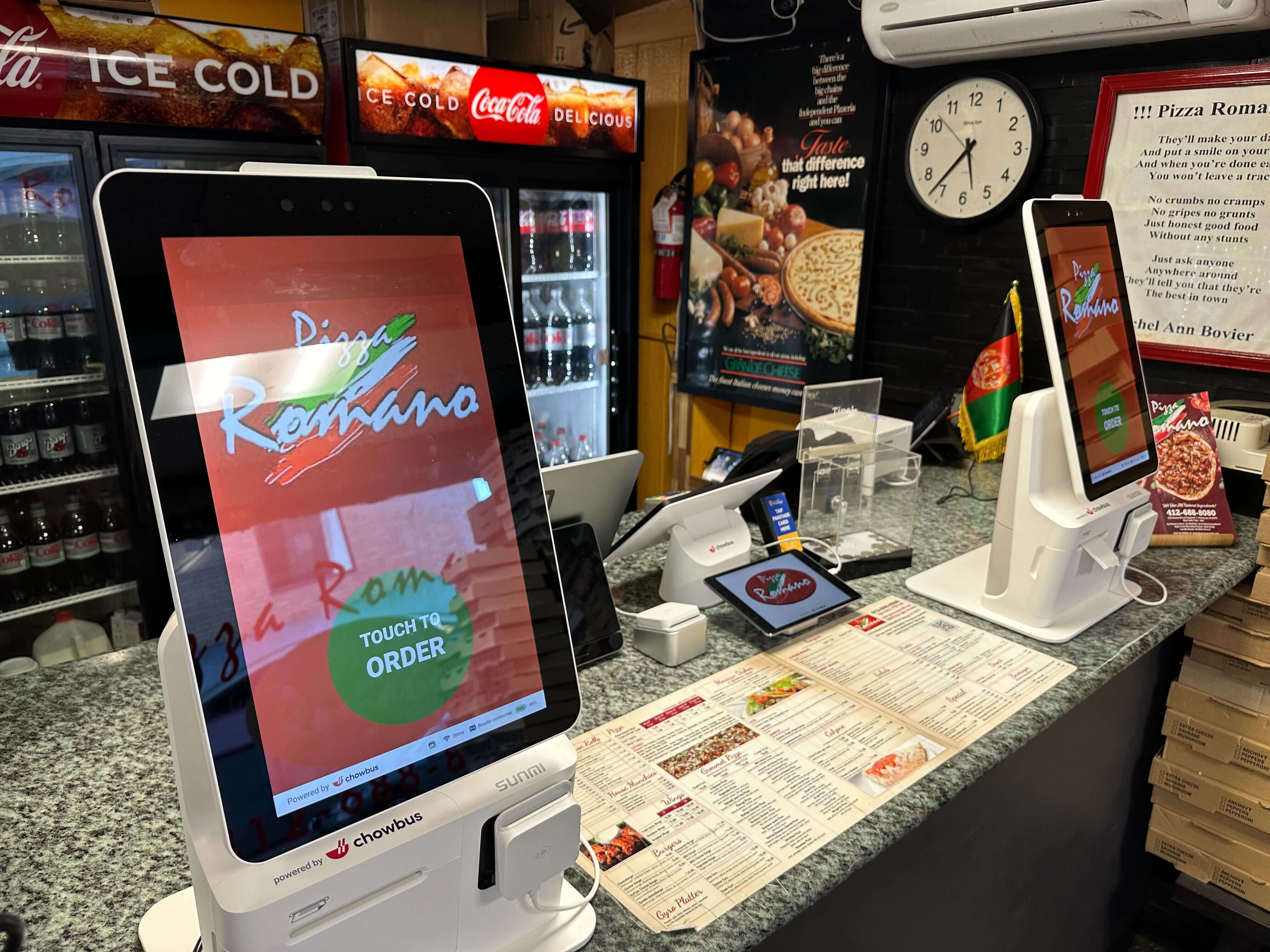
Self-ordering kiosks operate differently. Multiple customers can place orders at the same time. Orders go directly into the restaurant POS system. Payment happens instantly and no intermediary is required.
It's parallel. Scalable. System-driven.
In a traditional setup, one cashier equals one active order at a time. During peak hours, lines grow quickly because each transaction must finish before the next begins.
You can add more cashiers, of course. But that increases labor costs and requires physical counter space.
Self-ordering kiosks introduce parallel capacity. Two kiosks. Three kiosks. Four. Suddenly, ordering becomes distributed. Customers aren't waiting for a single employee to become available.
The result? Reduced wait times. Higher throughput. Less visible congestion.
For high-volume quick-service restaurants, that shift alone can change daily operations dramatically.
But here's the nuance: if your restaurant rarely experiences long lines, the speed advantage may be less impactful. Volume determines value.
Traditional ordering excels at one thing—human connection.
A well-trained cashier can recommend items, answer questions, and create a sense of warmth that digital interfaces simply cannot replicate. In full-service or hospitality-driven concepts, that interaction is part of the brand identity.
Self-ordering kiosks prioritize autonomy instead. Customers browse at their own pace. They explore the digital menu visually. They customize without feeling rushed. They complete payment without small talk.
For many customers—especially younger, tech-comfortable diners—that independence feels efficient and stress-free.
Neither experience is universally superior. The real question is this:
Is your brand built on conversation? Or convenience? The answer shapes your system choice.
Labor is one of the largest expenses in any restaurant. Traditional ordering requires consistent front-of-house staffing. Cashiers must be present whether traffic is heavy or slow.
During peak hours, one cashier can become overwhelmed. During slow hours, that same employee may be underutilized.
Self-ordering kiosks redistribute labor instead of eliminating it. Staff can shift from transaction processing to food quality control, customer support, or table service.
This redistribution becomes particularly valuable in tight labor markets. Hiring fewer cashiers while maintaining service flow stabilizes operations.
However, kiosks require upfront investment in hardware and software integration. The financial equation isn't short-term—it's long-term.
Verbal ordering, especially in busy environments, is vulnerable to error. Background noise. Accents. Rushed communication. Misheard modifiers.
Mistakes lead to remakes. Remakes cost money.
Self-ordering kiosks reduce that vulnerability by shifting confirmation to the customer. Customers see their selections on-screen before submitting. They review modifiers. They confirm quantities.
When connected directly to your restaurant POS system and kitchen display system, the order flows automatically. No manual re-entry. No handwritten clarifications.
Fewer errors mean smoother kitchen operations. And smoother kitchens mean stronger margins.
Accuracy isn't flashy. But it's profitable.
In traditional ordering systems, upselling depends heavily on staff training and personality. Some employees excel at recommending add-ons. Others hesitate.
Self-ordering kiosks standardize the upsell process. Digital prompts appear consistently. Combo upgrades, premium toppings, and suggested drinks—they're all presented in a controlled sequence.
Customers aren't pressured. They're simply shown options. And data repeatedly shows that when options are displayed clearly, average ticket size increases.
Compared to aggressive selling, this kind of structured presentation obviously holds more advantages.
At first glance, traditional ordering systems appear less expensive. The hardware requirement is minimal—typically a POS terminal and payment device.
Kiosks, on the other hand, require screens, mounting systems, integration setup, and ongoing software support.
But cost isn't static.
Traditional systems carry ongoing labor expenses that scale with traffic. More customers mean more staffing pressure.
Kiosks carry higher upfront investment but may offset labor costs and increase ticket size over time.
The financial break-even point depends on:
• Daily transaction volume
• Average ticket size
• Labor market conditions
• Peak-hour congestion
If you plan to expand to multiple locations, digital infrastructure becomes increasingly valuable.
Self-ordering kiosks integrated into a centralized restaurant POS ecosystem allow for standardized menus, synchronized pricing, and consolidated reporting across locations.
Traditional systems can scale, but they often require more manual coordination and training consistency.
Digital ordering creates repeatable systems. Repeatable systems support growth.
If your restaurant is preparing for expansion, kiosks may offer stronger long-term leverage.
Physical space is also an important factor to consider.
Traditional counters require queue space. Long lines can block entrances and create visible crowding.
Kiosks shift queue patterns. Instead of a single line, customers distribute themselves among screens. The visual congestion decreases.
However, kiosks require thoughtful placement. Poor layout planning can create new bottlenecks rather than solving old ones.
Technology must fit the physical environment in an appropriate way.
Increasingly, restaurants are choosing a hybrid approach.
Keep one cashier station. Add one or two kiosks. Allow customers to choose.
This model balances hospitality with efficiency. It reduces risk. It accommodates all customer types.
Tech-forward diners use kiosks. Interaction-driven customers approach the counter. Letting them choose reduces friction.
If your restaurant is high-volume, quick-service, and growth-oriented, self-ordering kiosks often provide measurable operational advantages.
If your concept emphasizes personalized hospitality, intimate dining, or low traffic flow, traditional ordering may remain sufficient.
And if you want flexibility? Hybrid models offer balance.
The "better" system is contextual rather than universal.
Self-ordering kiosks and traditional ordering systems are not competitors in theory. They are tools. Each supports a different operational philosophy.
One emphasizes structure, scalability, and parallel processing. The other emphasizes human connection and familiarity.
The decision should reflect your restaurant's identity, traffic patterns, and long-term goals—not simply industry trends.
For operators seeking a fully integrated solution, platforms like Chowbus Kiosk connect seamlessly with a comprehensive restaurant POS system, creating a unified digital ordering ecosystem designed to streamline operations, enhance customer experience, and support sustainable growth.
Technology works best when it aligns with strategy. Choose the system that supports yours.
1. How do self-ordering kiosks influence average order size?
Throughout the ordering journey, visual prompts introduce add-ons, upgrades, and complementary items at precisely timed moments. A drink suggestion appears after a main dish. A combo option surfaces before checkout. A premium topping is highlighted when customization begins. The sequencing matters.
Unlike a rushed counter interaction—where customers may feel pressured or distracted—kiosks create space for consideration. Customers browse. They notice. They compare. And very often, they choose to enhance their order simply because the option is clearly presented. Over time, those incremental upgrades translate into measurable increases in average ticket size.
2. What maintenance requirements should restaurant owners follow?
Like any piece of restaurant technology, self-ordering kiosks require routine attention—but not constant supervision.
Basic maintenance includes scheduled software updates, regular screen cleaning, and occasional hardware inspections to ensure touch responsiveness and payment terminals function smoothly. These tasks are typically simple and predictable.
More importantly, many modern providers offer remote monitoring and technical support. That means system diagnostics can often be handled off-site, reducing downtime and minimizing the need for in-house IT resources. With the right support structure in place, maintenance becomes manageable—not burdensome.
3. How can self-ordering kiosks support multilingual customer service?
In diverse neighborhoods or tourist-heavy markets, language barriers can slow ordering and create misunderstandings. Kiosks address this directly.
A multilingual interface allows customers to select their preferred language before beginning the ordering process. Menu descriptions, modifiers, and checkout prompts adjust instantly. No awkward translation moments. No guessing. No confusion.
This level of accessibility does more than improve clarity—it expands your potential customer base. Customers feel confident placing orders independently, and staff are freed from navigating language challenges during peak hours. Inclusion becomes built into the system.
Clear communication builds trust.
4. Are self-ordering kiosks suitable for small restaurants?
Yes—but suitability depends less on size and more on traffic patterns.
A small restaurant with consistent peak-hour congestion can benefit significantly from kiosks, even with limited square footage. When counter lines form regularly or staffing is lean, parallel ordering capacity creates relief.
That said, implementation must be thoughtful. The system should align with your layout, budget, and operational goals. Scalable solutions allow smaller restaurants to start modestly—perhaps with one kiosk—and expand only if needed. It's not about installing the most technology. It's about installing the right amount.
5. Do self-ordering kiosks eliminate the need for cashiers?
No. And in most successful implementations, they aren't intended to.
Self-ordering kiosks shift responsibilities rather than replace roles outright. Cashiers may transition into customer assistance, order accuracy verification, food running, or proactive upselling support. Human presence remains essential—especially for customers who prefer personal interaction or need help navigating the system.
Kiosks handle transactions efficiently. Staff handle hospitality. The strongest operations understand that technology and people work best together—not in competition.