
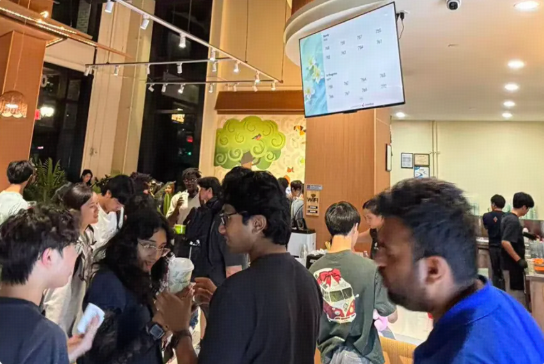
At peak, there's always someone at the counter asking "Is mine ready yet?" or "How much longer?" — interrupting staff who are already slammed. Chowbus' new order-status display was upgraded to fix exactly this.
The easiest part: if you already use the Chowbus display, there's no new hardware — switch it on from the dashboard, and it ties straight into your POS and loyalty system.
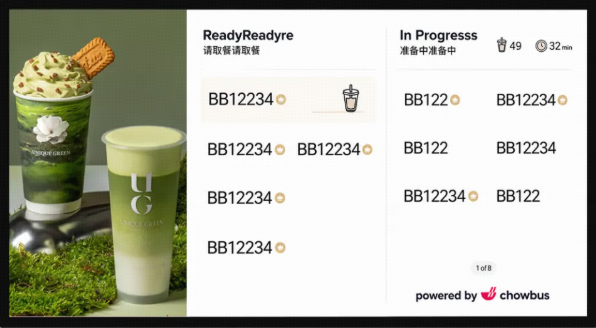
• Make the wait visible: show the number of orders in progress plus estimated wait time, cutting walk-offs and repeat questions.
• Make membership visible: a Rewards Badge lets members be seen — and makes other guests want to join.
• Turn the screen into a living storefront: templates, brand theme colors, and a ready animation give the board real brand presence.
What turns customers away at peak usually isn't "having to wait" — it's "not knowing how long." Seeing a room full of people waiting with no sense of timing, many simply leave — a loss that never shows up in the books.
The new display shows "in progress" counts and an estimated wait in real time. A customer who hasn't ordered yet can see roughly how long it'll take, feels informed, and is far more willing to stay in line than to walk on a hunch. Catching that peak-hour traffic often comes down to this one clear expectation.
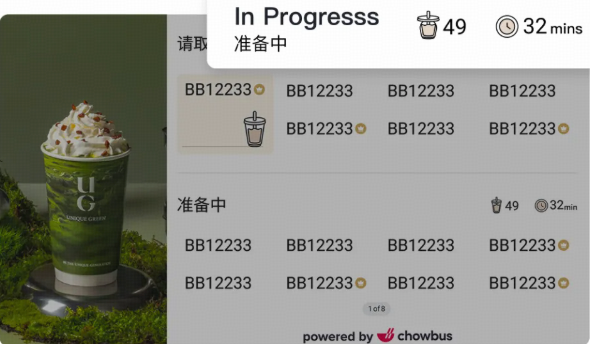
Third-party orders show too: guests who've ordered and pickup customers can check progress on the screen instead of asking the counter again and again; third-party delivery pickup and delivery orders also appear on the board. The result is direct — staff aren't interrupted by "is it ready?" and can focus on making orders and working the floor. In North America, where labor is expensive, every interruption avoided is real time and money saved.
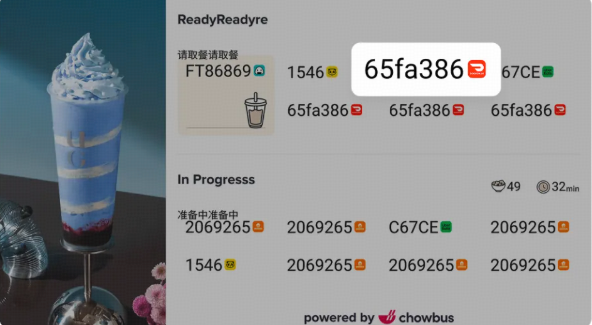
Members are a store's steadiest source of repeat business. The new display adds a member-order badge (Rewards Badge) so member perks are visible — and non-members who notice it naturally think "I want that too," driving sign-ups without a hard sell.
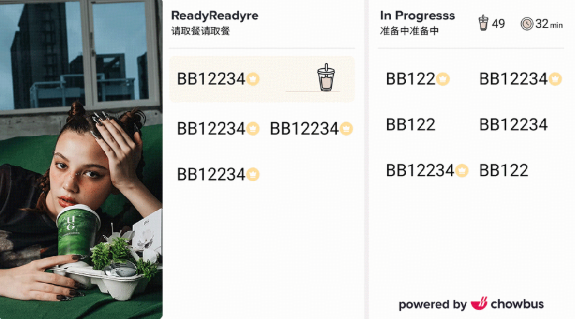
• Choose a template: several layouts you can apply fast for different stores and scenes.
• Brand theme colors: match the screen's palette to your store's style for a more unified look — it reads like "your own brand," not a generic system board.
• A signature ready animation: when an order is done, a lively animation flags the new ticket — catching waiting guests' eyes and making pickup a more memorable moment.
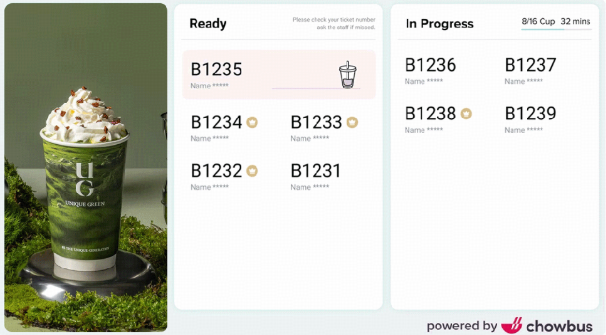
Premium Taiwanese tea brand UG Tea already runs Chowbus' new display, with custom visuals tuned to its brand — an eye-catching feature from day one that drew plenty of guest praise.
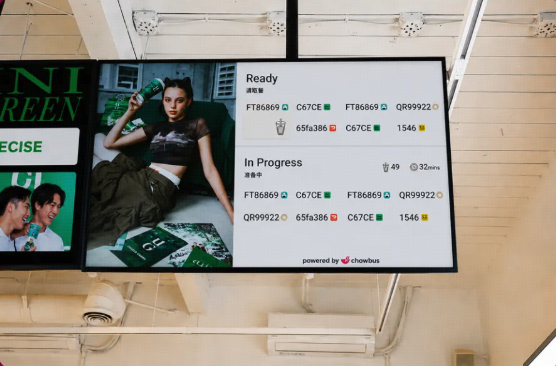
"We felt it the very first weekend. In the busiest two or three afternoon hours, staff used to shake teas while shouting 'is it ready?' over their shoulders — messy and error-prone. Now customers just check the screen for their number and the wait; no one crowds the counter asking, staff focus on making drinks, and service actually flows better." — Store manager, UG Tea
The new display isn't an isolated screen: it connects to Chowbus' Loyalty (360) system with real-time member identity, and links with Chowbus POS, KDS, kiosk, customer display, Online, the branded app, and third-party platform orders — so every channel's orders roll up onto this one board. Tea, coffee, and bento/quick-pickup stores can all use it directly.
Ready to act? Contact the Chowbus team with your store and we'll confirm eligibility and get you live fast — so from the next peak on, it helps you keep traffic and save labor.
