餐饮资讯
/
自助点餐机
/
Ordering Kiosk for Restaurants: How It Works and What to Look for Before You Buy

Ordering Kiosk for Restaurants: How It Works and What to Look for Before You Buy

The line at your counter during peak hours isn't really a staffing problem — it's an order-taking bottleneck, and the fastest way to remove it isn't hiring another cashier, it's giving customers a self-ordering kiosk that lets three or four people order at once instead of one at a time.

Ordering kiosks have moved well past the experimental phase in North American restaurants. Chowbus alone supports 9,000+ restaurants across all 50 U.S. states running kiosk-based ordering as part of daily operations, and the approach has become standard enough in the Asian restaurant sector — a category projected to reach $240 billion by the end of 2026 — that it's no longer a question of whether kiosks work, but which kiosk setup fits a given restaurant's format.

In this guide, you'll get a clear picture of how ordering kiosks actually function, what separates a well-built kiosk deployment from a disappointing one, and how the format applies specifically to hot pot, bubble tea, and fast-casual Asian restaurant concepts. From there, the practical question of choosing and rolling one out.

What Is an Ordering Kiosk, and How Does It Fit Into a Restaurant

An ordering kiosk is a self-service terminal — typically a touchscreen mounted on a stand, countertop, or wall — that lets customers browse a menu, customize their order, and pay without going through a cashier. The kiosk sends the completed order directly to the kitchen or a point-of-sale system, skipping the verbal hand-off that happens at a traditional counter.

The role a kiosk plays depends on the restaurant format. In a fast-casual setting, kiosks often replace the front counter entirely, with staff redirected to food prep and expediting. In a full-service or AYCE restaurant, kiosks are more commonly used for add-on ordering (extra hot pot ingredients, drink refills) rather than the full initial order, which still gets handled at the table or by a server. Both applications reduce staff time spent repeating menu information and manually entering orders — the goal is the same even if the placement differs.

The Business Case: Labor, Accuracy, Upsell

Three numbers matter most when evaluating whether an ordering kiosk is worth the investment: labor hours saved, order error reduction, and average order value.

Labor: order-taking is one of the least efficient uses of front-of-house labor, since a cashier's time is consumed by repetition and manual entry rather than value-added service. Shifting that task to a kiosk frees staff for food prep, expediting, and the kind of hospitality that actually differentiates a restaurant — greeting guests, checking on tables, resolving issues.

Accuracy: a large share of order mistakes trace back to a mishear or miscommunication during a verbal exchange — spice level, allergy notes, combo substitutions. A kiosk removes that hand-off; the customer builds the order visually, confirms it, and it routes to the kitchen exactly as entered.

Upsell: a well-designed kiosk interface prompts add-ons at the moment a customer is already engaged and making decisions — an extra topping, a size upgrade, a side dish — something a rushed cashier under line pressure frequently skips simply for lack of time. Restaurants running kiosks well-integrated with their POS typically see this reflected in a modest but consistent lift in average order value.

Types of Ordering Kiosks

Not every restaurant needs the same kiosk format, and choosing the wrong one is a common mistake:

Freestanding kiosks — full-height terminals near the entrance, best suited for fast-casual restaurants and high-traffic quick-service formats where the kiosk effectively replaces the front counter.

Countertop kiosks — smaller units placed at or near an existing register, useful for restaurants transitioning gradually from full staff-taken orders, letting both options run side by side during the shift.

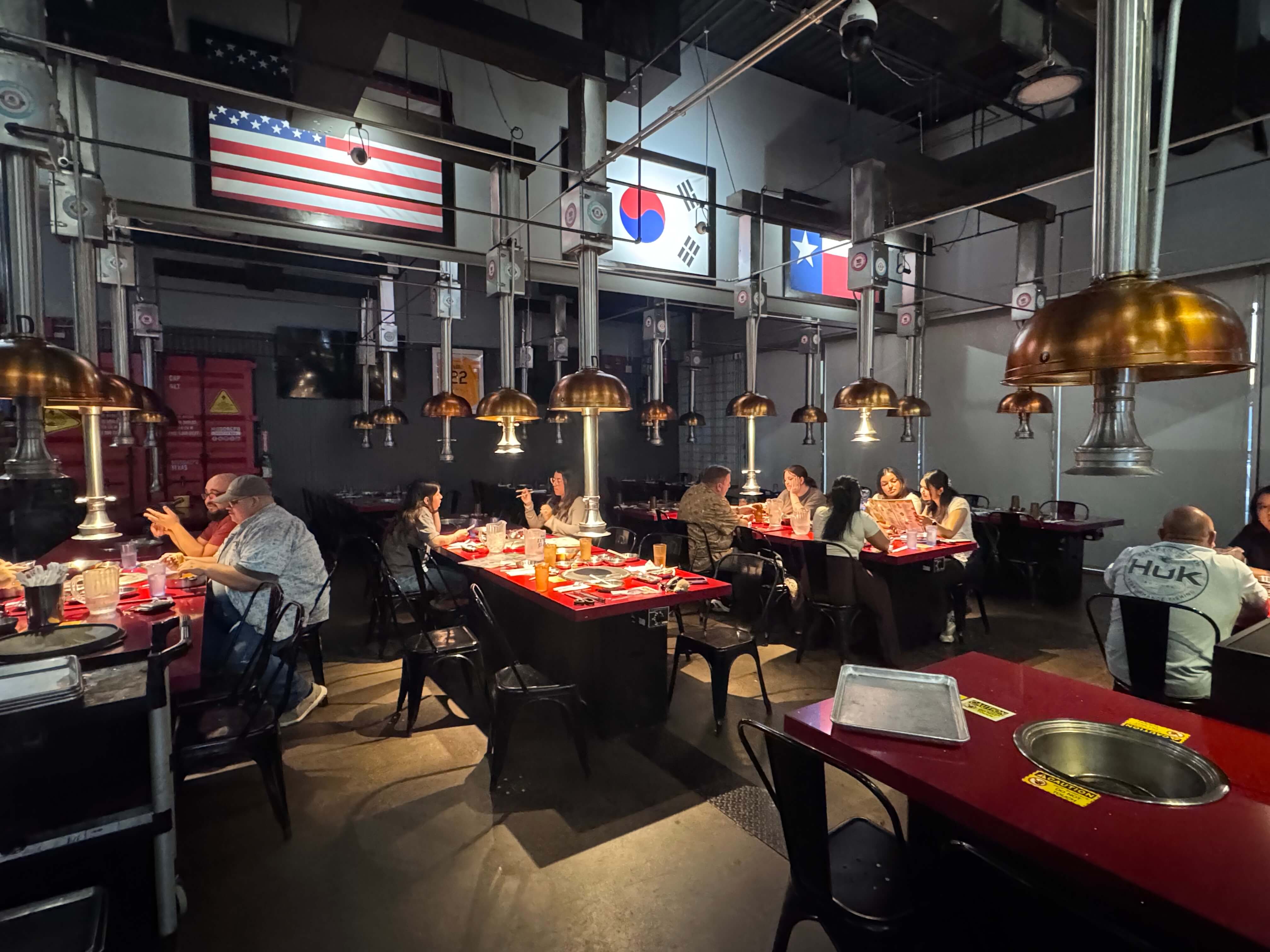
Tableside or handheld ordering devices — while technically a different hardware category from a stationary kiosk, some restaurants pair tableside ordering (via handheld devices) with kiosk-based add-on ordering to cover both the initial order and mid-meal additions, particularly common in AYCE hot pot and Korean BBQ formats.

Drive-thru kiosks — less common in the Asian restaurant sector currently but growing, particularly for bubble tea and fast-casual concepts expanding into drive-thru formats.

Most independent restaurants start with one or two freestanding or countertop units near the entrance and expand based on how quickly customers adopt the format.

What to Look for When Choosing an Ordering Kiosk

An ordering kiosk is really two products bundled together: the hardware (screen, stand, payment terminal) and the software running on it. Evaluating only the hardware — screen size, build quality, footprint — while ignoring the software is the most common reason kiosk deployments underperform.

Key things to check:

  • Menu logic that matches your actual menu — combos, modifiers, and tiered pricing (like AYCE structures) need to display cleanly, not as a confusing stack of options.
  • Real-time sync with your point-of-sale — price changes, 86'd items, and daily specials should update instantly across every kiosk, not on a delay.
  • Direct kitchen routing — orders should flow straight to a kitchen display or printer without manual re-entry by staff.
  • Bilingual display support — particularly relevant for Asian restaurants with a meaningful share of Chinese-speaking customers or staff; a kiosk that only operates in English limits both usability and adoption.
  • Payment flexibility — cards, tap-to-pay, and mobile wallets, without a clunky multi-step checkout.
  • Unified reporting — kiosk sales should appear in the same reporting as every other order channel, not a separate system requiring manual reconciliation.

Chowbus's KioskPRO was built specifically with these requirements in mind — bilingual menu display, AYCE and combo pricing logic, and direct integration with the same POS handling dine-in and online orders — because a kiosk that operates in isolation from the rest of a restaurant's systems rarely delivers its full value.

Ordering Kiosks for Asian Restaurant Formats

The way an ordering kiosk gets used varies meaningfully by cuisine and format:

AYCE hot pot and Korean BBQ restaurants commonly use kiosks for mid-meal add-on ordering — additional meat, vegetables, or drink refills — since the initial seating and base order is usually handled by a server given the complexity of table-based, all-you-can-eat pricing tiers.

Bubble tea and quick-service concepts often use kiosks for the full transaction, since the high volume of customizable, layered orders (sugar level, ice level, toppings) benefits enormously from customers building their own order visually rather than relaying it verbally to a rushed employee during a lunch rush.

Chinese, Vietnamese, and Thai fast-casual restaurants frequently use freestanding kiosks to fully replace front-counter ordering, particularly in food-court or strip-mall locations where speed and throughput during lunch service matter more than a full-service dining experience.

Bilingual customer bases benefit from kiosks that display menus clearly in both English and Chinese, since a portion of regulars — particularly older customers and first-generation immigrants — order more confidently and comfortably in their preferred language, which also reduces the burden on bilingual staff to translate on the fly during busy periods.

Ordering Kiosk vs. Traditional Counter Service vs. QR Code Ordering

Restaurant owners considering a kiosk often compare it against two alternatives:

Traditional counter service requires more staff hours per order and carries higher error risk from verbal miscommunication, but offers a personal touch some restaurants want to preserve, particularly smaller neighborhood spots where the owner or long-time staff know regulars by name.

QR code table ordering shifts the interface to the customer's own phone rather than a dedicated terminal, which lowers hardware cost but depends on customers being comfortable with the format and having a working phone and connection — a kiosk avoids that dependency entirely and tends to see higher completion rates, particularly among older customers less comfortable navigating a phone-based menu.

An ordering kiosk generally strikes a middle ground: lower per-transaction labor cost than a staffed counter, higher completion and accuracy than QR ordering for customers who prefer a dedicated screen, and — when integrated with the right software — the same reporting and menu consistency as every other order channel in the restaurant.

Getting Started: Rollout Tips

A realistic rollout takes one to three weeks, not months. Start with the menu setup — testing that combos, modifiers, and pricing tiers display and calculate correctly before the kiosk goes live to customers. Train staff on a short, consistent script to redirect customers to the kiosk during the first few weeks ("you can order right here — I'll help if you need it"), since active staff encouragement drives adoption far more than signage alone. Expect a short adjustment period where staff assist first-time users, followed by a steady increase in kiosk usage as customers form the habit.

Frequently Asked Questions

What exactly is an ordering kiosk?It's a self-service touchscreen terminal that lets restaurant customers browse a menu, customize their order, and pay directly, without a cashier taking the order verbally. The kiosk sends the completed order straight to the kitchen or POS system, cutting out the manual hand-off that causes many order errors.

How does an ordering kiosk actually save labor cost?It shifts the time-consuming parts of order-taking — repeating menu items, clarifying modifications, manual entry — from staff to the customer, who browses and builds the order at their own pace. That frees front-of-house staff for food prep, expediting, and hospitality tasks that a kiosk can't replace.

Is an ordering kiosk better than QR code table ordering?It depends on your customer base. Kiosks tend to have higher completion rates and work better for customers less comfortable navigating a menu on their own phone, particularly older or less tech-familiar guests. QR ordering has a lower hardware cost but depends on customer phone comfort and connectivity. Many restaurants use both, depending on the order type and dining format.

How much does an ordering kiosk cost to set up?Costs vary by hardware tier and whether the software is bundled with your existing POS or sold separately. Standalone kiosk hardware plus disconnected software often adds up to more than expected once licensing fees are included, while POS-integrated kiosk solutions, like Chowbus's KioskPRO, are typically priced as part of your existing system relationship.

Does an ordering kiosk make sense for an AYCE hot pot or Korean BBQ restaurant?Yes, though usage typically looks different than in fast-casual settings — kiosks in these formats are commonly used for mid-meal add-on ordering (extra meat, drink refills) rather than the full initial order, which servers still handle given the complexity of table-based, tiered AYCE pricing.

What's the first step to adding an ordering kiosk to my restaurant?Start by mapping your actual menu complexity — combos, modifiers, tiered pricing — and confirm a candidate kiosk system handles it cleanly before committing. From there, check whether the kiosk integrates with your existing POS and reporting, since a kiosk running in isolation rarely delivers its full labor and accuracy benefits.

Bringing It Together

An ordering kiosk isn't a novelty anymore in North American restaurants — it's become a standard part of how fast-casual, quick-service, and even full-service Asian restaurants manage peak-hour order flow, reduce labor strain, and cut down on the order mistakes that come from a rushed verbal exchange at a busy counter. The restaurants seeing the strongest results aren't necessarily the ones with the newest hardware; they're the ones whose kiosk software correctly handles their specific menu complexity and stays connected to the rest of their operations.

If your restaurant deals with long lines during lunch or dinner rush, a menu with combos or tiered AYCE pricing, or a customer base that would benefit from bilingual ordering, an ordering kiosk built around those specifics tends to outperform a generic, one-size-fits-all setup pulled from a fast-food playbook.

Before committing to a kiosk vendor, it's worth testing the system against your actual menu — not a demo — and confirming it connects cleanly to the POS and reporting tools your restaurant already depends on.

更多内容

了解更多
分类频道